
You don’t “just know” — you check. AI tools can sound confident and still be wrong, so treat every answer as a first draft, not a final one. A quick 60-second habit catches most mistakes before they cause problems: cross-check with a second source, look at the dates, and notice how confident the wording actually is.
Why this comes up
You’ve probably heard the word “hallucination” and now second-guess every AI answer, even simple ones. The real worry isn’t “is AI lying to me” — it’s “how do I avoid looking dumb by repeating something false.” That’s a fair worry, and it has a fast fix.
The honest answer
AI models predict likely-sounding text. Most of the time that lines up with reality.
Sometimes it doesn’t — especially with names, numbers, dates, quotes, and niche facts. Knowing where the risk actually sits helps you skip pointless double-checking and focus on what matters.
What’s true:
– AI can state wrong facts in a completely calm, confident tone.
– It can invent sources, studies, or quotes that don’t exist.
– Even tools with live web search can misread or oversimplify a page.
What’s overblown:
– It’s not “wrong most of the time.” For everyday questions, general explanations, and common knowledge, it’s usually solid.
– You don’t need to fact-check every single reply — just the ones that matter (money, health, legal, work decisions, anything you’ll repeat to someone else).
Treat AI answers like advice from a smart friend who sometimes misremembers details — useful, but worth a quick double-check.
The 60-second verification habit
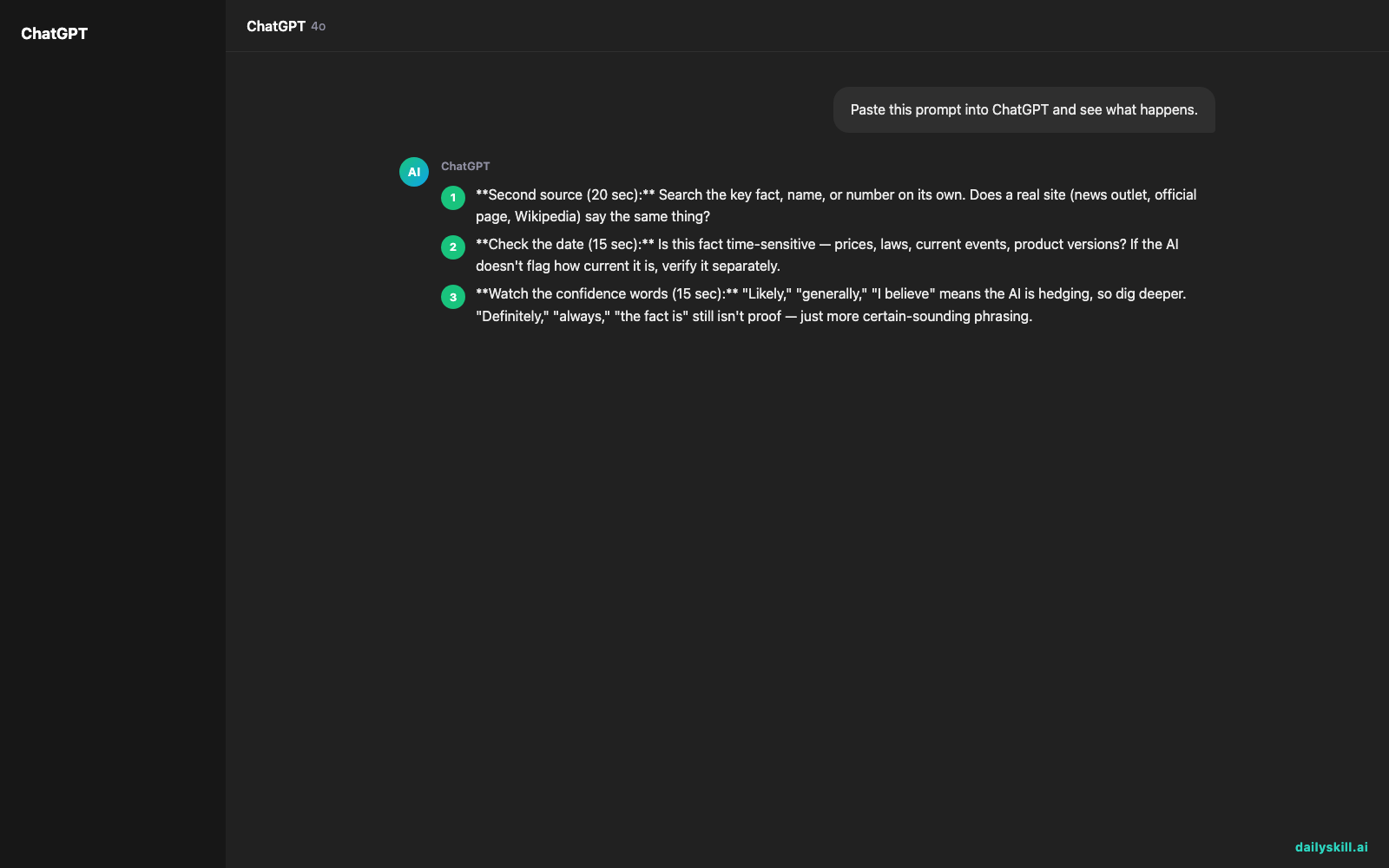
- Second source (20 sec): Search the key fact, name, or number on its own. Does a real site (news outlet, official page, Wikipedia) say the same thing?
- Check the date (15 sec): Is this fact time-sensitive — prices, laws, current events, product versions? If the AI doesn’t flag how current it is, verify it separately.
- Watch the confidence words (15 sec): “Likely,” “generally,” “I believe” means the AI is hedging, so dig deeper. “Definitely,” “always,” “the fact is” still isn’t proof — just more certain-sounding phrasing.
- Ask it to cite (10 sec): Ask “what’s your source for that?” or “can you link where this comes from?” If it can’t produce something real, that’s a signal.
This is the core of AI hallucination prevention for everyday use — not distrust, just a habit.
What to do
- ✅ Fact-check anything with numbers, dates, names, or legal/medical/financial stakes.
- ✅ Ask the AI directly: “How confident are you in this?” — it often will tell you.
- ✅ Cross-check with one independent source before repeating a fact to others.
- ✅ Ask the AI to search and pull a live source when it seems unsure or the topic is time-sensitive.
- 🚫 Don’t trust a quote or statistic without seeing where it actually came from.
- 🚫 Don’t assume confident tone equals correct — that’s not how these tools work.
- 🚫 Don’t skip verification just because the answer “sounds right.”
FAQ
Does asking the AI “are you sure?” actually help?
Yes, somewhat. It often re-checks or softens its answer if it was guessing, but treat the reply as a hint, not proof — still verify with an outside source.
Are AI tools with web search more reliable?
Generally yes, since they can pull live information instead of relying only on memory. But they can still misread a source or blend details, so the 60-second habit still applies.
What’s the single biggest red flag in an AI answer?
A specific-sounding fact with no clear source — an exact statistic, quote, or study name you can’t find anywhere else. That’s the most common spot for hallucinations.
Bottom line
AI is a fast first draft of the truth, not the final word — a quick second-source check keeps you covered. Got a verification trick of your own? Share it with the community. Tomorrow: can you use the same AI tool for work and personal stuff?
You might also like:
- Turn That 15-Reply Email Chain Into 3 Lines You Can Actually Use
- Grammarly — Fix Grammar and Tone Before You Hit Send
Master Everyday AI in 1 Minute a Day
Get our free 2026 Double-Blind AI Benchmark Scorecard & 20 Ready-to-Use Prompts, plus one honest, 60-second AI skill in your inbox every morning. Zero hype, plain English, cancel anytime.


