
You open your inbox and see it: “Re: Re: Re: Re: Q3 Report” with 8 replies and a red “URGENT” flag. Here’s exactly how to turn that mess into a 3-line summary of who said what and what happens next.
The fix: paste the whole thread into ChatGPT (or Gemini, or Claude — any of them work) and get back a clean summary with action items, in under a minute. No rereading required.
Sound familiar?
Your inbox has a thread with 8 replies, 3 people arguing about a deadline, and one person who “circled back” twice. You need to know what’s actually decided, but scrolling through it feels like homework.
This is exactly what an email summary tool should solve — and free AI can do it right now, today, with no special setup.
The 60-second fix
1. Copy the whole email chain
Select all the text in the thread — every reply, oldest to newest. Don’t clean it up first.
Signatures, “Sent from my iPhone,” quoted headers — all of it is fine to include.
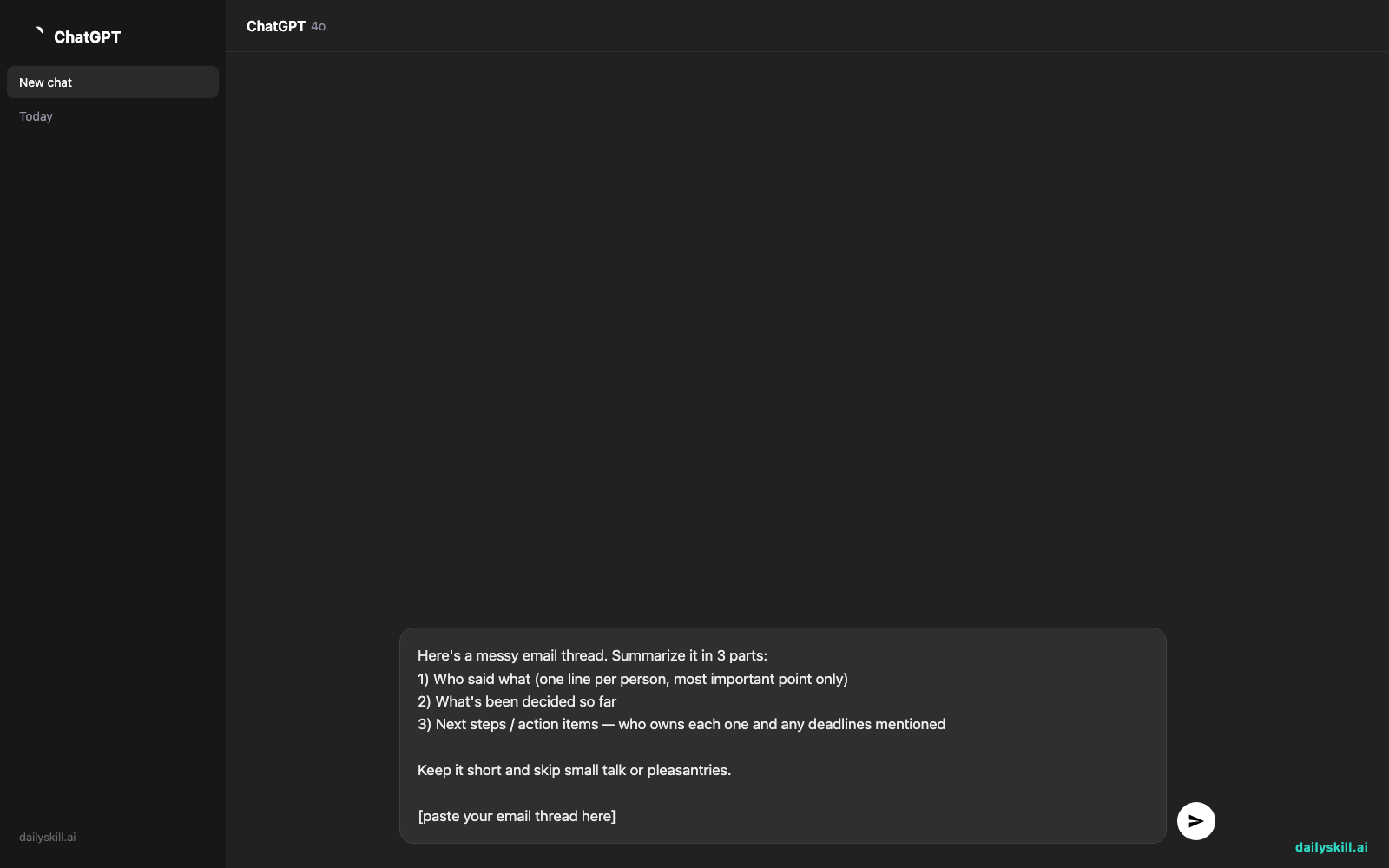
2. Paste it into your AI chat with this prompt
Here's a messy email thread. Summarize it in 3 parts:
1) Who said what (one line per person, most important point only)
2) What's been decided so far
3) Next steps / action items — who owns each one and any deadlines mentioned

Keep it short and skip small talk or pleasantries.

[paste your email thread here]
3. Read the summary, reply in seconds
Skim the 3-part output. You now know exactly what to say back — no rereading, no guessing who’s waiting on you.
Real result: “3 people, 8 replies, and 20 minutes of confusion turned into 3 lines I read in 15 seconds.”
Real example
Input: A thread where Sarah asks for the Q3 report by Friday at 5pm. Mike replies he’s blocked, waiting on numbers from finance. Priya jumps in offering to pull the numbers herself. Sarah replies back: “ok but I need it Thursday now, client call got moved up.”
AI output:
Who said what: Sarah requested the report by Friday, then moved the deadline to Thursday for a client call. Mike said he’s blocked, waiting on finance. Priya offered to get the numbers directly instead of waiting.
Decided so far: Priya will pull the finance numbers herself, so Mike is no longer the bottleneck.
Next steps: Priya — get finance numbers (no exact deadline given, but implied ASAP). Sarah — needs final report by Thursday 5pm, not Friday.
That’s it. No scrolling back to check who moved the deadline.
Level up
- For long threads: Add “flag any disagreements or unresolved questions” so nothing slips through.
- Before a meeting: Ask “Turn this into 3 bullet points I can read out loud in 20 seconds.”
- For your own reply: Add “Then draft a short reply from me confirming I’ll have it by Thursday” — this turns a summary into a finished reply, ready to send.
FAQ
Is it safe to paste work emails into ChatGPT?
Avoid pasting sensitive info like passwords, financial account numbers, or confidential client data. For general status updates and internal threads, most people find it fine — check your company’s AI policy if you have one.
Can AI handle really long threads, like 20+ replies?
Yes. Most AI chat tools can handle long threads in one paste. If it still feels too big, split it into two chunks (oldest half, newest half) and ask for a summary of each.
Does this work for group chats or Slack too, not just email?
Yes — the same prompt works on any messy chat log. It’s really “messy text into clear summary,” and email is just one use for it.
Today’s check-in
Try this on your messiest thread right now, then reply in our community with how many minutes you saved — we’d love to hear it.
Tomorrow: Day 74 — how to paste in a few product listings and get AI to instantly compare prices for you.
You might also find these helpful:
- Turn Your Messy Voice Memos Into a Clean, Organized Outline
- Stop Losing Track of Who’s Doing What After Meetings
- Turn Messy Meeting Notes Into a Clean Action Table in 60 Seconds
Master Everyday AI in 1 Minute a Day
Get our free 2026 Double-Blind AI Benchmark Scorecard & 20 Ready-to-Use Prompts, plus one honest, 60-second AI skill in your inbox every morning. Zero hype, plain English, cancel anytime.


