
You’re mid-download when a red box slams onto your screen: “Error 0x80070005 – Access is denied.” Your stomach drops. You have no idea what any of it means, and you have zero desire to become a computer scientist right now.
What you’ll get: paste the error into an AI chatbot (Claude, ChatGPT, or Gemini all work), and it tells you what actually went wrong and exactly what to click or type to fix it — in plain English, in about a minute.
Sound familiar?
Your app crashes, or a weird box pops up with a code like “Err: ECONNREFUSED” or “This app has stopped working (Exception: 0xc0000005).” You Google it and land on a forum from years ago.
Every reply assumes you already know what a “kernel” or “port” is. You give up, restart your computer, and just hope it fixes itself.
The 60-second fix
Step 1: Copy the exact error text
Screenshot it or copy-paste the exact wording, including any code numbers. Don’t paraphrase — the exact text helps AI match it correctly.
Step 2: Paste it into your AI chatbot with this prompt
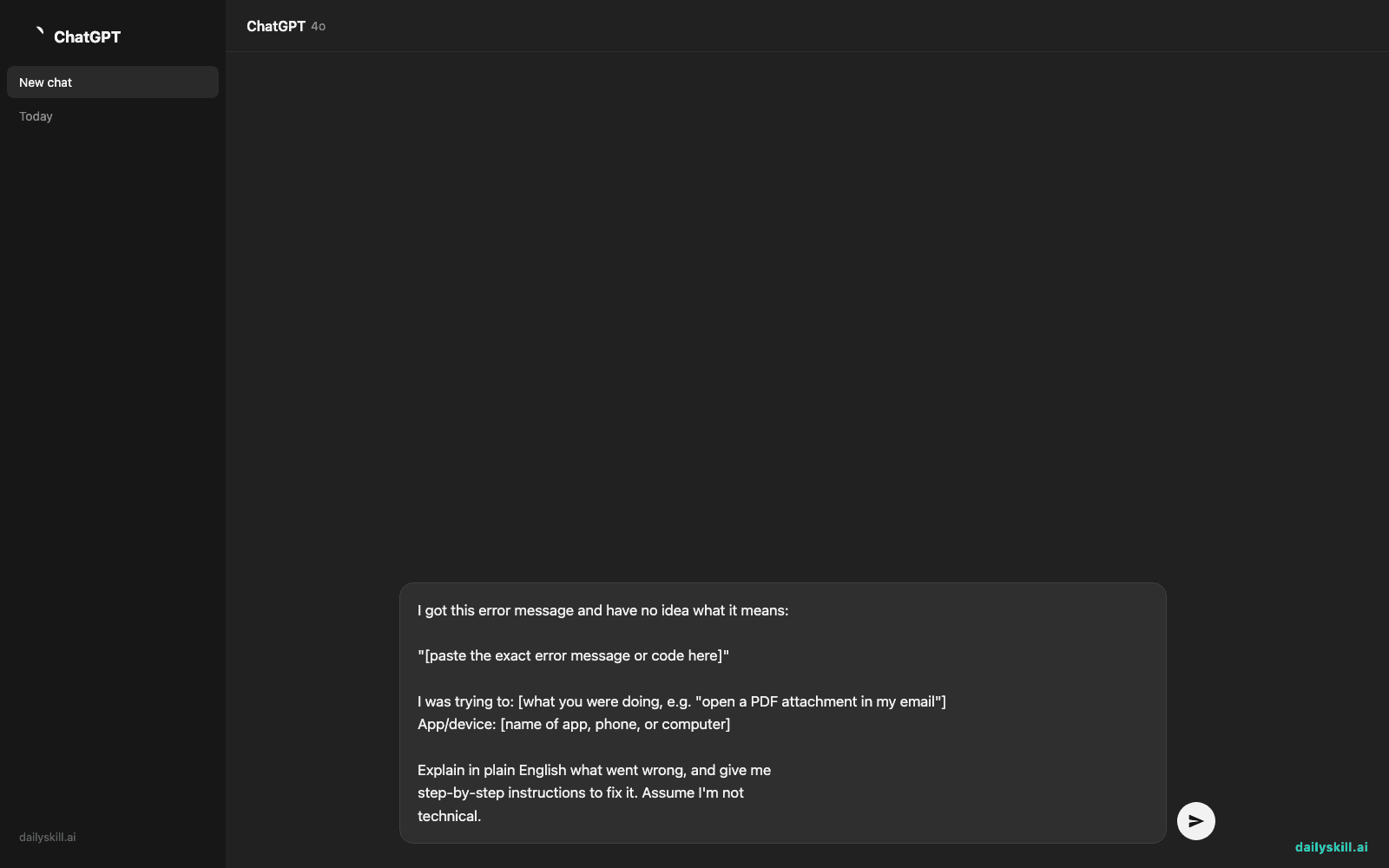
I got this error message and have no idea what it means:

"[paste the exact error message or code here]"

I was trying to: [what you were doing, e.g. "open a PDF attachment in my email"]
App/device: [name of app, phone, or computer]

Explain in plain English what went wrong, and give me
step-by-step instructions to fix it. Assume I'm not
technical.
Step 3: Follow the steps it gives you, one at a time
Try the first fix it suggests. If it doesn’t work, just reply “that didn’t work” and it will suggest the next thing to try.
Real example
You paste:
“I got this error message and have no idea what it means: ‘Error 0x80070005 – Access is denied.’ I was trying to: install an update on my Windows laptop. Explain in plain English what went wrong and give me step-by-step instructions to fix it.”
The AI explains:
This error means Windows tried to make a change to your system but didn’t have permission — kind of like being told “you can’t go in that room” even though it’s your own house. It usually happens with user account settings.
Try this:
1. Right-click the installer file
2. Choose “Run as administrator”
3. If that doesn’t appear, restart your laptop and try again
4. Still stuck? Check that your Windows user account is set to “Administrator” in Settings > Accounts
That’s it — no jargon, no forum-diving, just a clear next move.
Level up
- Ask “explain this like I’m explaining it to tech support on the phone” if you need to describe the problem to a human helper.
- For app crashes on your phone, add “this is on iPhone/Android” so the fix matches your device.
- If the error involves a website, paste the full URL too — sometimes the fix is as simple as clearing cookies for that one site.
FAQ
Can AI actually fix my computer, or just explain the error?
It can’t click buttons for you, but it gives you the exact steps to fix it yourself — like a patient tech-savvy friend walking you through it.
What if the error message has no code, just weird text?
That’s fine — paste whatever you see, even if it’s just a sentence. It works with partial or garbled text too.
Is this safe to do with error messages that might contain personal info?
Skip pasting anything with your name, account numbers, or passwords — just the error text itself is usually enough.
Today’s check-in
Got a weird error decoded today? Share the “before and after” in the comments — we love a good tech mystery solved. Tomorrow: build a full 7-day meal plan using only what’s already in your pantry.
You might also like:
- Why does AI confidently tell me things that are totally wrong?
- Shuffll — Turn One Photo Into a Talking, Moving Video Story
Master Everyday AI in 1 Minute a Day
Get our free 2026 Double-Blind AI Benchmark Scorecard & 20 Ready-to-Use Prompts, plus one honest, 60-second AI skill in your inbox every morning. Zero hype, plain English, cancel anytime.


