
You ask AI “what’s the average price for a used 2020 Honda CR-V right now?” and it confidently tells you $18,000 — a number that hasn’t been true in over a year. Here’s exactly what’s happening: your AI is answering from memory, not checking the web. The fix takes about 30 seconds — turn on web search, then ask for source links and dates.
Sound familiar?
You ask ChatGPT, Gemini, or Claude about current prices, recent news, or “what’s happening now” — and the answer feels off. Maybe it’s outdated. Maybe it just sounds unsure.
You’re left wondering: is this actually true right now, or is the AI just guessing?
The 60-second fix
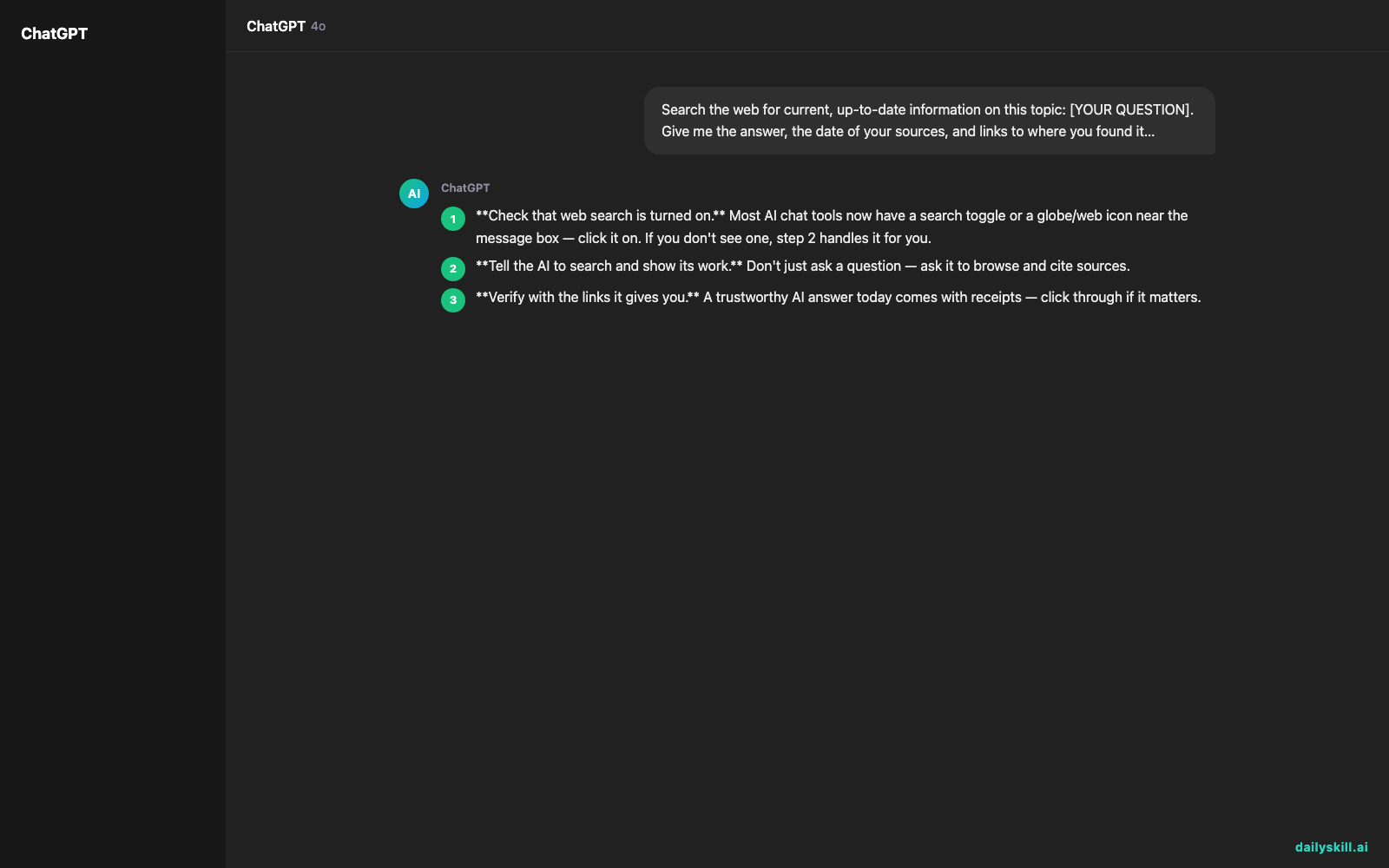
- Check that web search is turned on. Most AI chat tools now have a search toggle or a globe/web icon near the message box — click it on. If you don’t see one, step 2 handles it for you.
- Tell the AI to search and show its work. Don’t just ask a question — ask it to browse and cite sources.
- Verify with the links it gives you. A trustworthy AI answer today comes with receipts — click through if it matters.
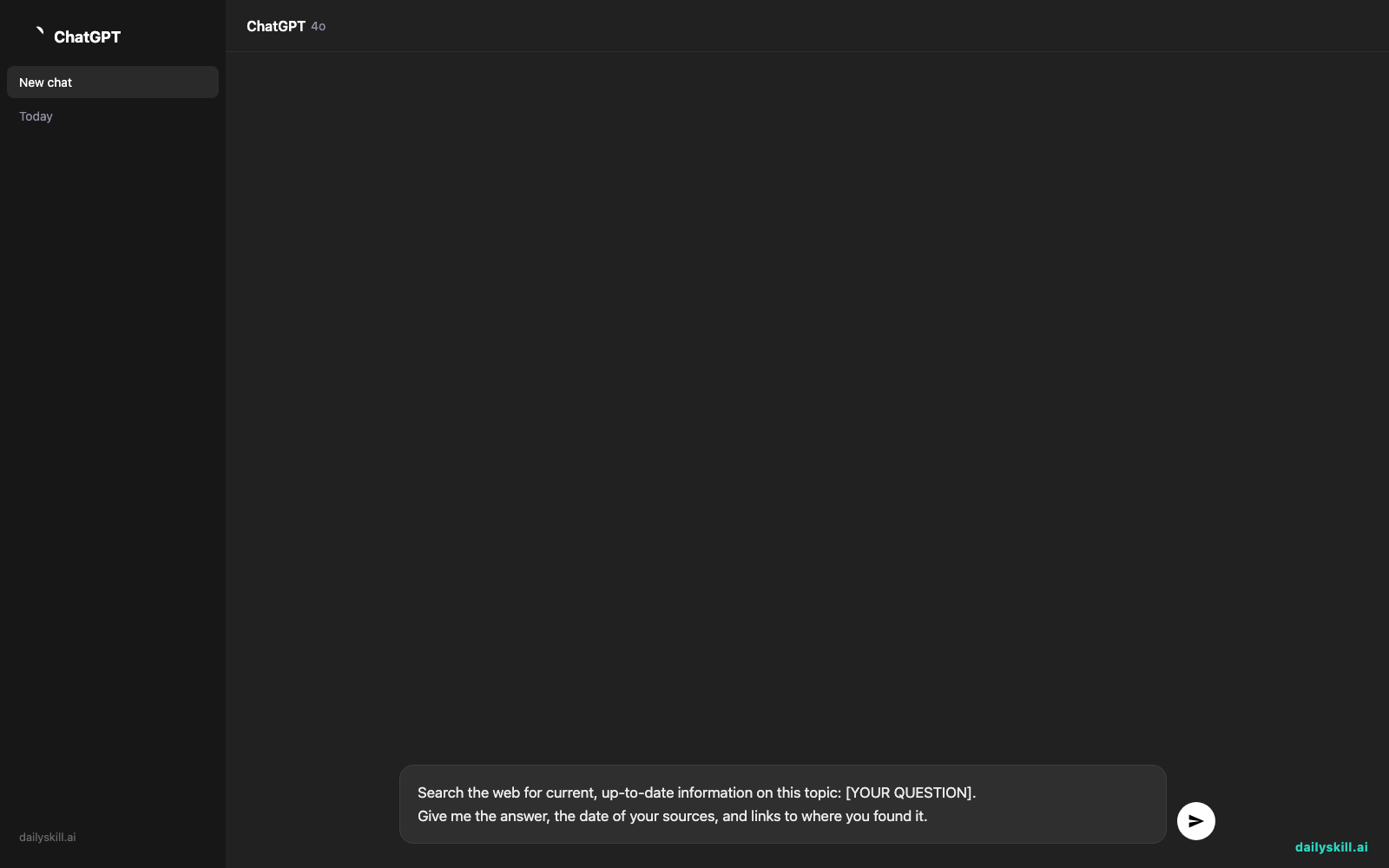
Copy-paste this prompt for anything time-sensitive:
Search the web for current, up-to-date information on this topic: [YOUR QUESTION].
Give me the answer, the date of your sources, and links to where you found it.
Real example
Input:
Search the web for current, up-to-date information on this topic:
What is the current average price of a used 2020 Honda CR-V?
Give me the answer, the date of your sources, and links to where you found it.
Output:
“Based on listings checked today, the average price for a used 2020 Honda CR-V is roughly $22,000–$25,000, depending on mileage and trim. Sources: Carvana listings page (updated today, Jan 14), CarGurus market report (week of Jan 12). [links included]”
Notice the difference: a price range, the exact date the data was pulled, and named sources you can click. That’s how you know it’s not pulling from stale memory — compare that to the flat, undated “$18,000” guess from before.
Level up
- Add “only use sources from the last 7 days” when you need breaking news, not general background.
- Ask “did you actually search the web for this, or is this from memory?” — a quick way to double-check the AI is being honest with you.
- For anything important (medical, legal, financial), ask it to list 2-3 different sources so you’re not relying on just one.
FAQ
Why does AI give outdated answers sometimes?
Some responses come from the model’s training data rather than a live search, especially if web search isn’t switched on or the question doesn’t clearly ask for current info.
How do I turn on AI web search?
Look for a search/globe icon near the chat box in ChatGPT, Gemini, or Claude, or simply phrase your question to explicitly ask it to search the web — most tools will do this automatically when needed.
How can I verify an AI answer is current?
Ask for source links and publish dates. If the AI can’t provide either, treat the answer as a starting point, not a final fact.
Today’s check-in
Try this on a question you actually care about right now, and drop your before/after answer in the comments — did the sources surprise you? Tomorrow: you’re drowning in old ChatGPT chats — Day 72 shows you how to sort them in under 60 seconds.
You might also find these helpful:
- Perplexity AI — Get Answers With Sources, Not a Pile of Links
- How do I know if an AI answer is actually true?
- You.com — A Free AI Search Engine That Skips the 10 Blue Links
Master Everyday AI in 1 Minute a Day
Get our free 2026 Double-Blind AI Benchmark Scorecard & 20 Ready-to-Use Prompts, plus one honest, 60-second AI skill in your inbox every morning. Zero hype, plain English, cancel anytime.


