
Ever stared at a router manual that says “authenticate the endpoint” and thought, authenticate the what? You’re not bad with tech — that manual just wasn’t written for actual humans.
Here’s the fix: paste that confusing text into ChatGPT with one prompt below, and in under 60 seconds you’ll have plain-English, numbered steps anyone in your house could follow. No jargon, no guessing what to click.
Sound familiar?
You’re setting up a new router, a smart thermostat, or software at work. The instructions say things like “authenticate the endpoint” or “initialize the configuration file.” You just want to know: what do I actually click first?
That gap — between how tech writers write and how real humans read — is exactly what AI is great at closing.
The 60-second fix
Step 1: Find the dense text
Copy the confusing section — a manual, a help article, a work document, even an error message with instructions attached.
Step 2: Paste this prompt into ChatGPT
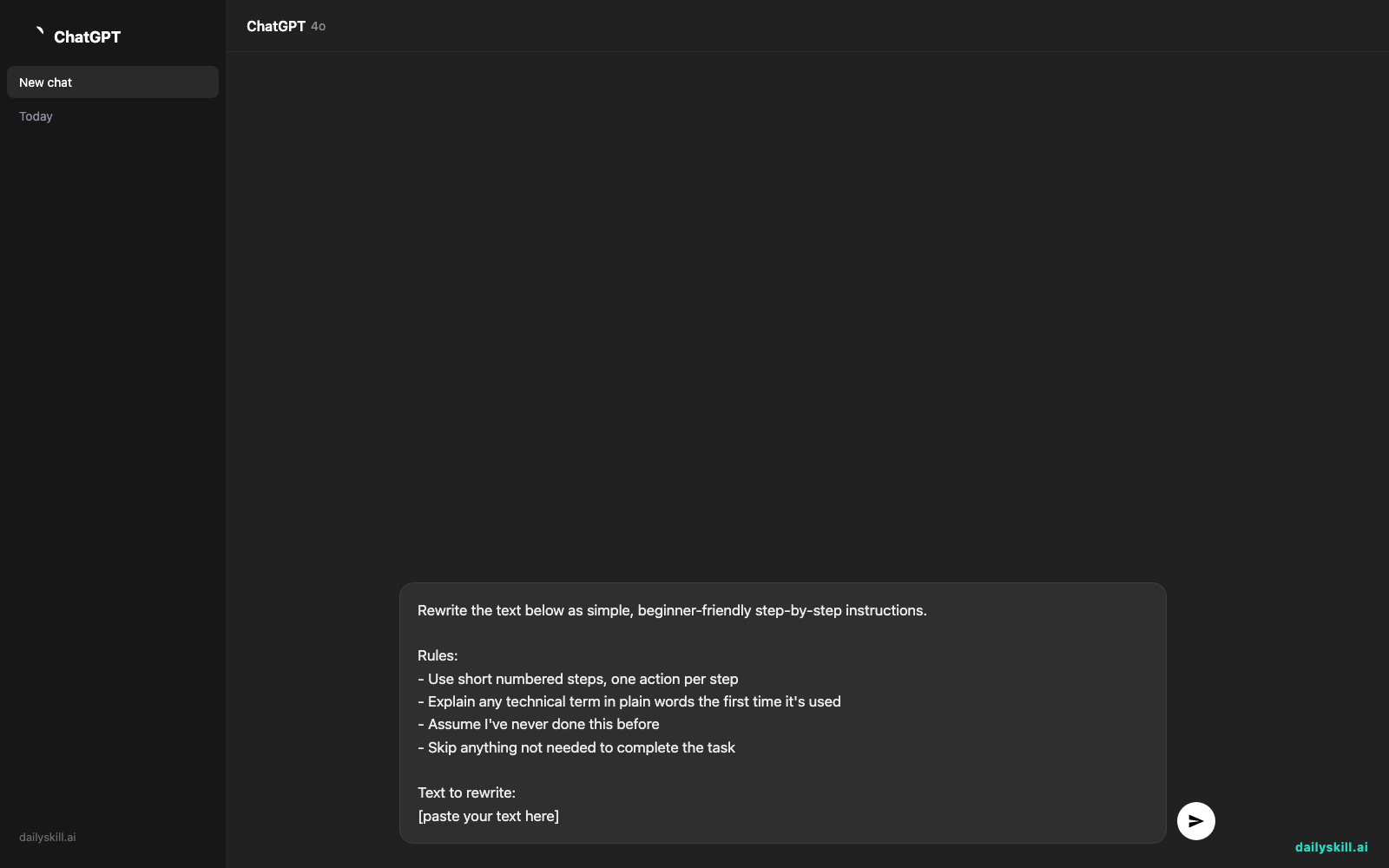
Rewrite the text below as simple, beginner-friendly step-by-step instructions.

Rules:
- Use short numbered steps, one action per step
- Explain any technical term in plain words the first time it's used
- Assume I've never done this before
- Skip anything not needed to complete the task

Text to rewrite:
[paste your text here]
Step 3: Read it once, then just follow the numbers
If any step still feels vague, reply “make step 3 more specific” and ChatGPT will expand just that part.
Real example
Input (real router manual style):
“To configure the wireless access point, navigate to the administrative console via the default gateway IP, authenticate using factory credentials, and modify the SSID broadcast parameters as required.”
AI output:
- Open a web browser and type in 192.168.1.1 (this is your router’s home page).
- Log in — the username and password are usually printed on a sticker on the router.
- Look for a section called “Wireless” or “Wi-Fi Settings.”
- Find “Network Name” (this is called the SSID) and change it to whatever you want your Wi-Fi to be called.
- Click Save.
Same information as the original manual — zero confusion, and it took less time to read than the original one sentence.
Level up
- Ask for a version with a “What you’ll need before starting” checklist at the top.
- Say “explain this like I’m setting it up for my grandparent” for extra-simple wording.
- Ask ChatGPT to add a short glossary at the end for any term you still see in the original doc.
FAQ
Can AI actually simplify technical writing without losing important details?
Yes, if you tell it to keep all steps needed to complete the task — that’s why the prompt includes that rule.
What if the document is really long?
Paste it in sections (like one chapter or one procedure at a time) so ChatGPT can focus and stay accurate.
Does this work for work documents, not just gadgets?
Yes — it works just as well for onboarding guides, software help docs, or internal company instructions.
Today’s check-in
Try this on one confusing doc today and reply in the comments with your “before jargon → after plain English” line — we’ll feature the best one.
Tomorrow: we’ll build a side-by-side comparison chart of 3+ subscriptions so you can finally see what you’re actually paying for.
You might also like:
- Can AI actually help me brainstorm, or does it just copy existing ideas?
- Namelix — Get a Business Name You Actually Like, Fast
Master Everyday AI in 1 Minute a Day
Get our free 2026 Double-Blind AI Benchmark Scorecard & 20 Ready-to-Use Prompts, plus one honest, 60-second AI skill in your inbox every morning. Zero hype, plain English, cancel anytime.


