
Ever ask AI to “write me a report” and get back three paragraphs of nothing much? Then you ask again, and somehow it’s more mushy, not less.
Here’s the fix: instead of one giant request, you give AI three small ones. Each takes about 20 seconds to type, and together they beat five rounds of “try again.”
Sound familiar?
You type: “Summarize this and write me a report.” AI hands back something vague. You reply “make it better” or “add more detail.” Three tries later, you’ve lost track of what you even wanted, and the draft still isn’t right.
The problem isn’t the AI being bad — it’s asking one message to plan and write and judge itself, all at once.
The 60-second fix
Step 1 — Ask for the skeleton, not the report
Don’t ask AI to write anything yet. Ask it to plan.
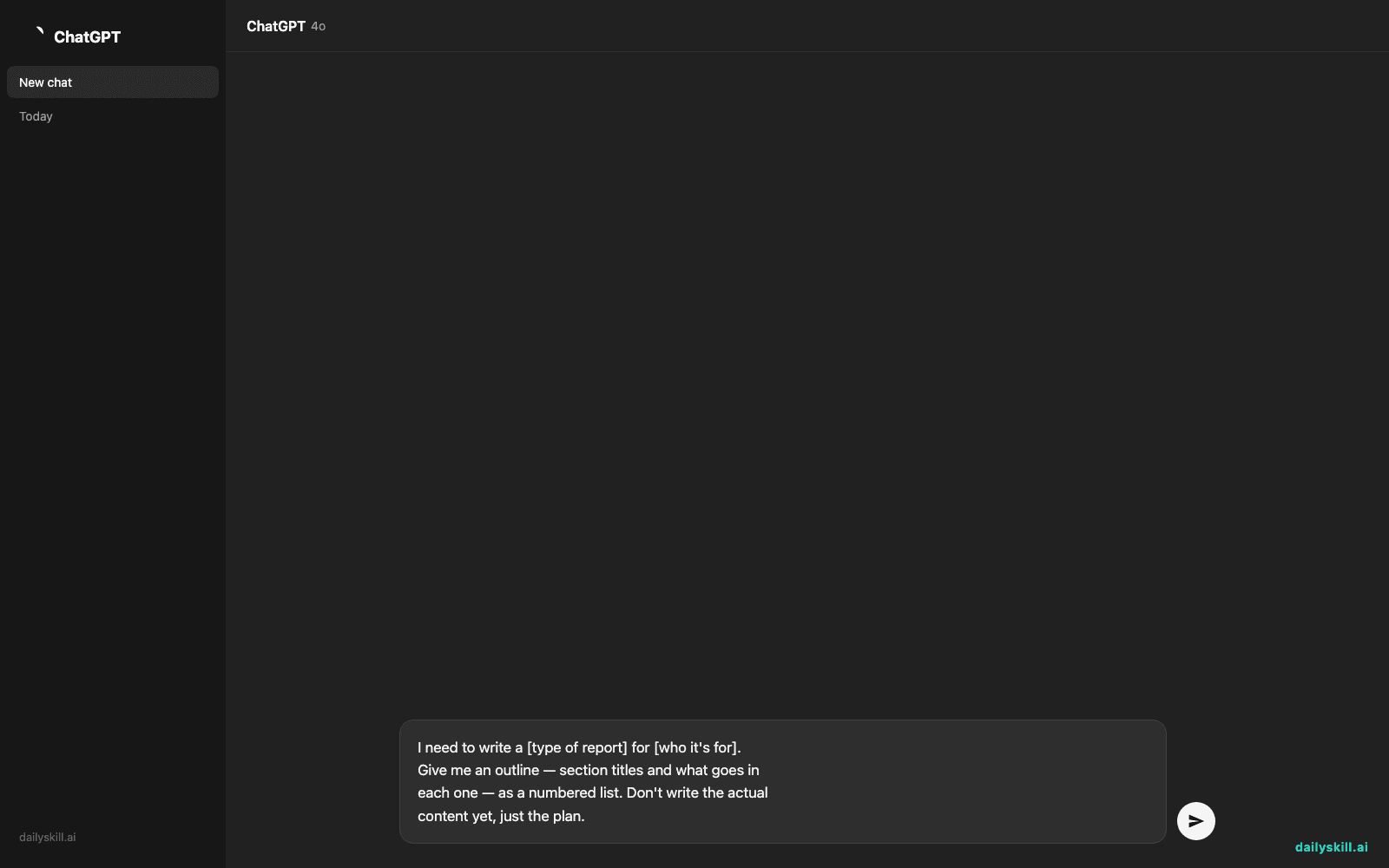
I need to write a [type of report] for [who it's for].
Give me an outline — section titles and what goes in
each one — as a numbered list. Don't write the actual
content yet, just the plan.
Step 2 — Fill in one section at a time
Paste the outline back and ask for just one piece, in plain language.
Using the outline above, write section 2 only.
Keep it to about 100 words. Tone: casual but professional.
Repeat this for each section. If one comes out wrong, redo just that one — you don’t have to restart the whole thing.
Step 3 — Have AI check its own homework
Paste your finished draft back and ask AI to compare it to the original plan.
Compare this draft to the outline from step 1. Point out
anything missing or unclear. Don't rewrite it — just list
the gaps.
Real example
Say you’re writing a monthly social media report for your manager.
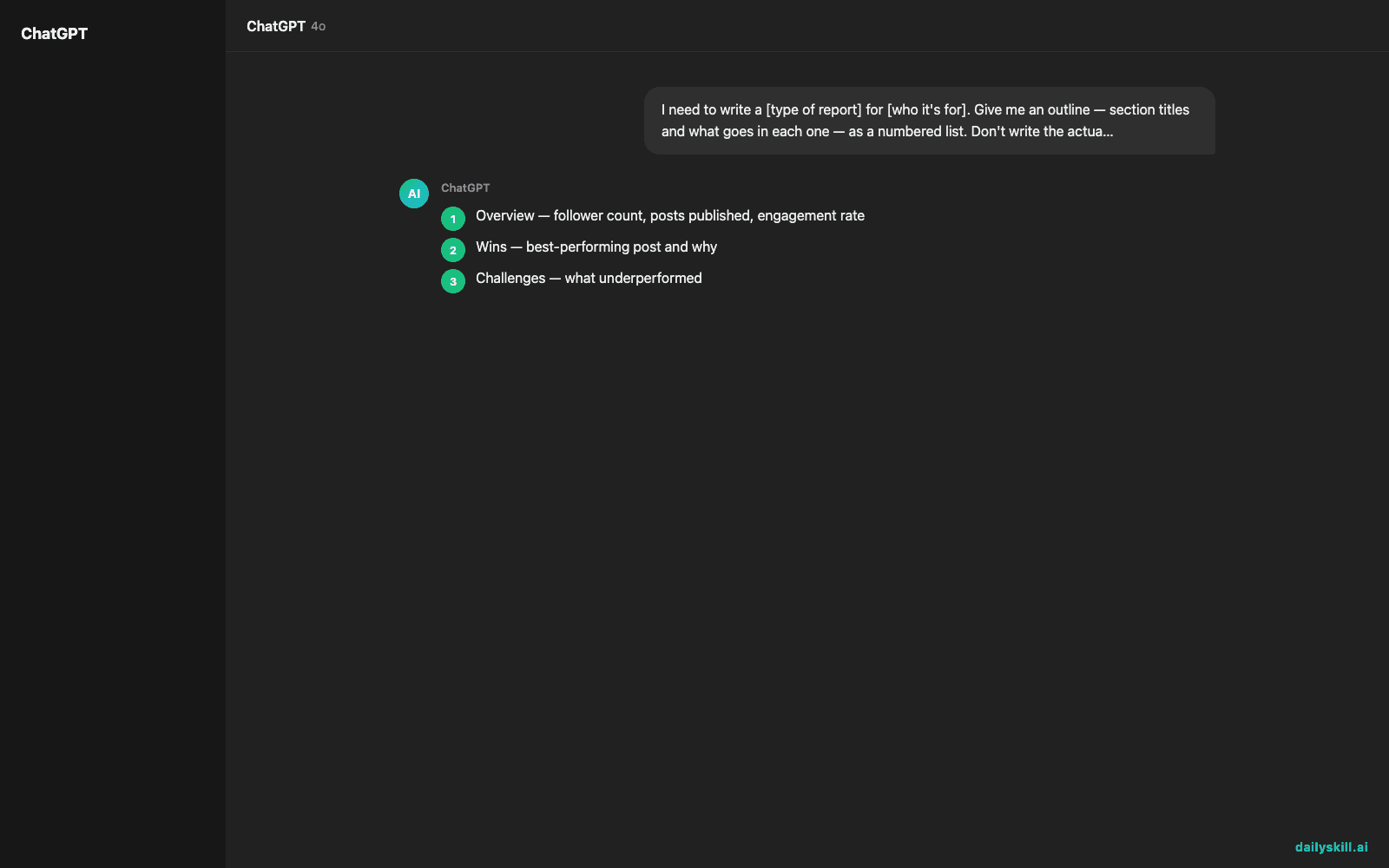
Step 1 prompt gets you this outline:
1. Overview — follower count, posts published, engagement rate
2. Wins — best-performing post and why
3. Challenges — what underperformed
4. Next month’s plan — 2-3 action items
Step 2, filling section 2, gives you:
“Our carousel post about the new packaging was the top performer this month, pulling in 4,200 likes and 310 shares — nearly triple our average. The before/after photos paired with a customer testimonial in the caption seemed to hit home. We’re planning to repeat this format twice a week going forward.”
Step 3, checking the finished draft, catches this:
“Your Challenges section says engagement dropped, but doesn’t say by how much or what you’ll do about it. Add a number and a next step.”
That last note is the kind of thing you’d usually miss on your own — and it took one extra prompt to catch.
Level up
- Use your best or “smartest” AI model for steps 1 and 3 (the planning and checking), and a faster, lighter one for step 2 — most apps let you switch modes without leaving the chat.
- Start a fresh chat for each section in step 2. It keeps the AI focused and stops earlier mistakes from leaking into later sections.
- Save a good outline once, and reuse it as a template next time you write the same kind of report.
FAQ
Do I need two different AI apps for this?
No. One app and one chat window works fine — just send the prompts in this order. Using two tabs (one for planning, one for filling in) is only a nice-to-have, not a requirement.
Which AI should I use for which step?
Any general AI assistant handles all three steps. If your app offers a “smarter” or “advanced” mode, use it for steps 1 and 3 — the planning and the checking — since that’s where good judgment matters most.
Isn’t three prompts more work than just asking once?
It’s three short, specific prompts instead of one vague one plus several “try again” loops. In practice it’s usually faster, and you end up with a draft you don’t have to fight with.
Today’s check-in
Try this on one real report or email today, then drop your outline (step 1’s result) in the community — we’ll help you spot gaps before you even get to step 3.
Tomorrow: the one-line trick that stops AI from “forgetting” what you told it three messages ago.
You might also like:
Master Everyday AI in 1 Minute a Day
Get our free 2026 Double-Blind AI Benchmark Scorecard & 20 Ready-to-Use Prompts, plus one honest, 60-second AI skill in your inbox every morning. Zero hype, plain English, cancel anytime.


