
Your AI tool switched models because the older one was retired, or because the app auto-picks the “best” model for you by default. This isn’t a bug and it isn’t personal — companies update models often, and most apps quietly move you to the newest one unless you tell it otherwise. The fix takes under a minute: you can almost always pick your model manually in the settings or model menu.
Why this comes up
You finally got comfortable with how a tool “talked” or handled your tasks, and then it felt different overnight. The real worry isn’t the change itself — it’s not knowing what changed, why, or whether you’re now stuck with something worse.
The honest answer
AI model deprecation, explained simply. AI companies release new models every few months. Old models cost money to keep running.
Once a newer model is better (and cheaper to run), the old one gets “deprecated” — turned off after a notice period. Your app then defaults you to whatever replaced it.
Why the switch happened to you specifically:
- The model you were using reached its retirement date.
- The app updated its “default” model for everyone, including you.
- You’re on a free tier, and free tiers often get routed to whichever model is cheapest or fastest at that moment.
- The app added an “auto” mode that picks a model per-question, and it picked a different one than usual.
What’s true: this happens more often now than it used to, because the pace of new model releases has sped up. It’s normal, not a sign your account is broken or being “downgraded” as punishment.
What’s overblown: the fear that your chat history, saved projects, or account settings disappear when the model changes. They don’t. The model is the “engine” — your data and conversations usually stay put.
The model changed. You didn’t lose anything. You just need to tell the app which engine you actually want.
How to pick the right AI model yourself (under 60 seconds)
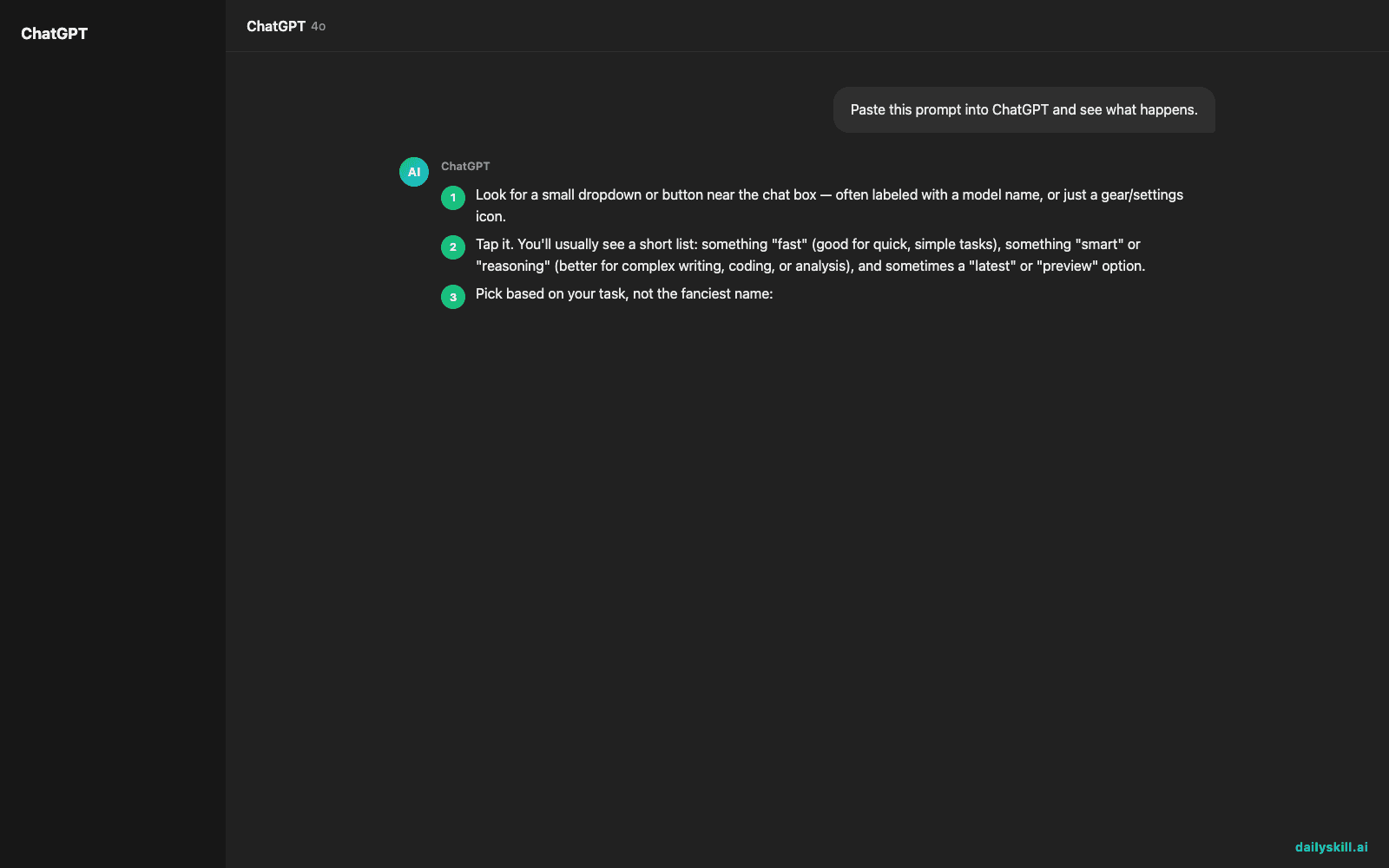
- Look for a small dropdown or button near the chat box — often labeled with a model name, or just a gear/settings icon.
- Tap it. You’ll usually see a short list: something “fast” (good for quick, simple tasks), something “smart” or “reasoning” (better for complex writing, coding, or analysis), and sometimes a “latest” or “preview” option.
- Pick based on your task, not the fanciest name:
– Quick question, casual writing, brainstorming → the fast/lightweight model.
– Complex writing, coding, math, multi-step reasoning → the top-tier/reasoning model.
– Long documents or research → a model labeled for “long context” or “research,” if offered. - If you liked how an older model behaved, check if it’s still listed as a legacy option — some apps keep old models around for a while before fully retiring them.
- Save your choice: many apps let you set a default model in settings so you stop getting auto-switched.
What to do
- Do check your app’s model menu today — most people never open it.
- Do match the model to the task: simple = fast model, hard = top model.
- Do check for an announcement or changelog if a switch surprised you — companies usually post why.
- Don’t assume a switch means your account was downgraded or restricted.
- Don’t panic about lost chats — switch models and your history is almost always still there.
- Don’t stick with “auto” mode if you keep getting inconsistent results — pick a fixed model instead.
FAQ
Why did my assistant switch models without telling me?
Free and default tiers often auto-route you to whatever model the app currently favors — for cost, speed, or capacity reasons. Check the model picker to lock in a specific one.
Will an older model come back if I liked it better?
Sometimes, as a “legacy” option, but not always — once a model is fully deprecated, it’s usually gone for good. It’s worth testing the new default before assuming it’s worse.
How do I know which model is “best” right now?
There’s no single best model — it depends on the task. Fast models are great for quick chats; reasoning models are better for coding, analysis, or longer writing. Try both on the same task and compare.
Bottom line
A surprise model switch just means it’s time to open that dropdown and choose for yourself. Tell us in the comments — did a model change catch you off guard, and what did you switch to? Tomorrow: can you use AI to plan your week and stay organized without it taking over?
You might also like:
- Decode Any Confusing Email Into 3 Clear Action Points — With AI
- Descript — Edit Your Video Like a Word Document
Master Everyday AI in 1 Minute a Day
Get our free 2026 Double-Blind AI Benchmark Scorecard & 20 Ready-to-Use Prompts, plus one honest, 60-second AI skill in your inbox every morning. Zero hype, plain English, cancel anytime.


