
Ever left a doctor’s appointment and thought of the perfect question five minutes after you got back in the car?
Here’s the fix: describe what’s bothering you to Claude, and in about a minute it hands you 5-7 sharp, specific questions ready to bring to your next visit.
Sound familiar?
You’ve got a nagging symptom — maybe a headache that won’t quit, or a weird ache in your shoulder.
You sit down with your doctor, your mind goes blank, and you end up saying “I don’t know, it just kind of hurts sometimes?” Then you’re home again, still unsure what’s actually going on.
The 60-second fix
Step 1: Open Claude
Any AI chat tool works, but this trick is built for Claude — it’s especially good at organizing messy, personal details into clear, useful lists without sounding robotic.
Step 2: Paste this prompt and fill in your details
Swap out the bracketed parts with your real situation. Be as specific as you can — vague input gets vague questions back.
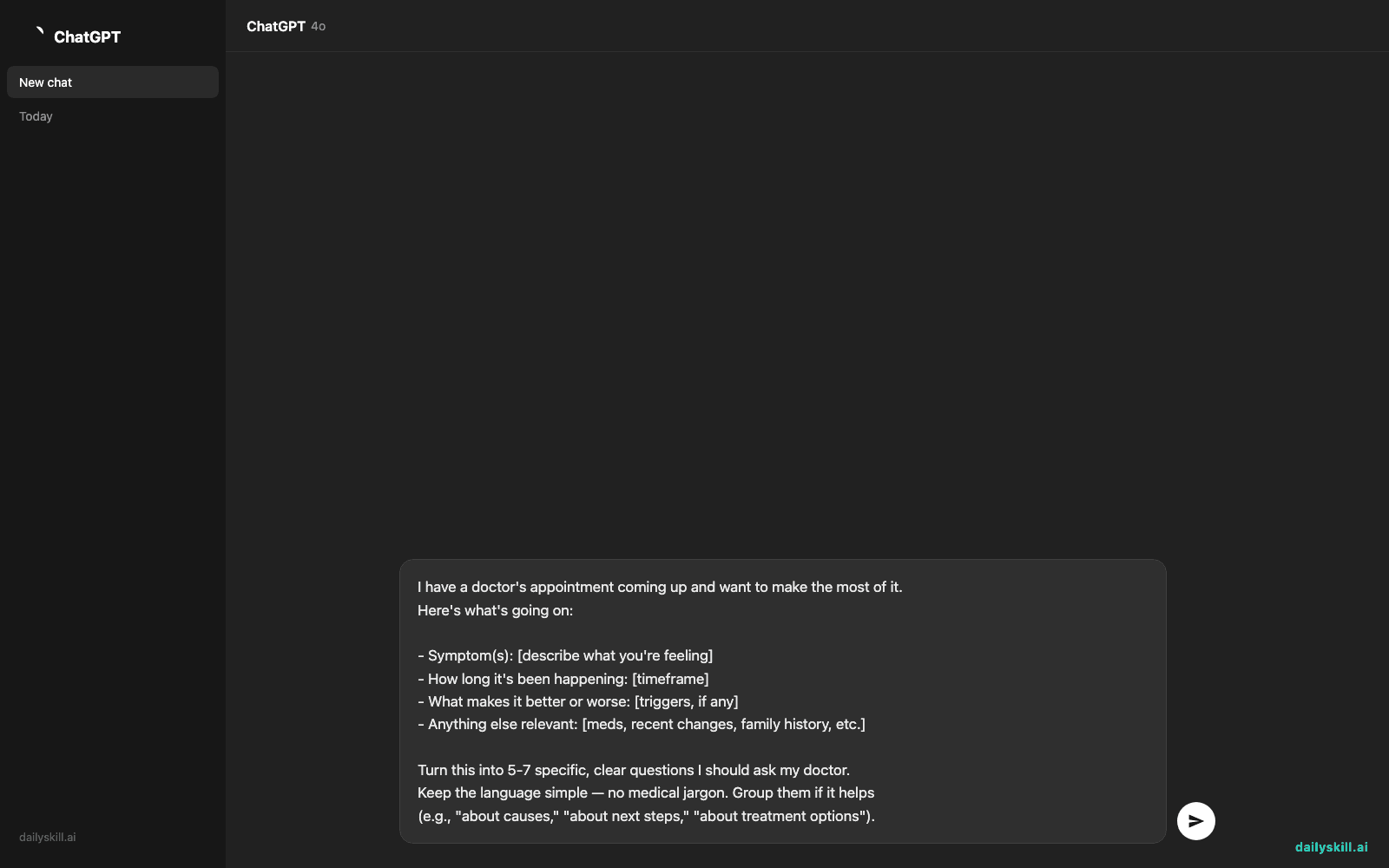
I have a doctor's appointment coming up and want to make the most of it.
Here's what's going on:

- Symptom(s): [describe what you're feeling]
- How long it's been happening: [timeframe]
- What makes it better or worse: [triggers, if any]
- Anything else relevant: [meds, recent changes, family history, etc.]

Turn this into 5-7 specific, clear questions I should ask my doctor.
Keep the language simple — no medical jargon. Group them if it helps
(e.g., "about causes," "about next steps," "about treatment options").
Step 3: Copy the list into your Notes app before your visit
That’s it. Bring your phone, or print it — either way, you walk in prepared instead of hoping you remember everything.
Real example
Input:
“Symptom: lower back pain, mostly on the right side. Been happening for about 3 weeks. Worse after sitting at my desk all day — by 3pm it’s a dull ache, sometimes sharp when I stand up. Better when I stretch or walk. No injury I remember. I sit for work 8+ hours a day.”
Claude’s output:
About the cause
1. Could this be related to prolonged sitting, or should we rule out something else like a disc issue?
2. Is it normal for pain to worsen with sitting but ease with movement, or is that a red flag?About next steps
3. Do I need imaging (X-ray or MRI), or is it too early for that?
4. Should I see a physical therapist, or start with you first?About treatment and daily life
5. Are there specific stretches or exercises you’d recommend for my situation?
6. Is my desk setup likely contributing, and what should I change?
7. At what point should I be concerned this isn’t improving on its own?
Level up
- Bring a symptom timeline. Add “log entries” (e.g., “Monday: mild, Wednesday: sharp pain after lifting groceries”) and ask Claude to spot patterns worth mentioning.
- Prep for a specialist visit. Add “This is for a cardiologist, not my primary care doctor” so the questions match the right expertise.
- Ask for a plain-English glossary too. Add “Also explain any medical terms my doctor might use in response, in one line each” so you understand the answers, not just the questions.
FAQ
Is it safe to describe my symptoms to an AI?
Yes, for this use — you’re generating questions to ask a real doctor, not getting a diagnosis. Claude isn’t a substitute for medical advice, so always treat its output as prep material for a real conversation, not a final answer.
What if I don’t know medical terms for my symptoms?
That’s fine — just describe things in your own words (“sharp pain,” “dizzy when I stand up too fast”). Claude will translate that into useful questions without needing you to know the terminology first.
Will this work for a pet’s vet visit too?
Yes — just swap “doctor” for “vet” and describe your pet’s symptoms the same way. The same structure works for any appointment where you want to walk in prepared.
Today’s check-in
Try this before your next appointment (even a routine one) and tell the group one question it generated that you wouldn’t have thought of yourself.
Tomorrow: We’ll run this exact same prompt through two different AI tools side by side, so you can see how their answers actually differ.
You might also like:
- Can AI help me find alternatives to a product or service I use?
- Otter.ai — never scramble to write down every word again
Master Everyday AI in 1 Minute a Day
Get our free 2026 Double-Blind AI Benchmark Scorecard & 20 Ready-to-Use Prompts, plus one honest, 60-second AI skill in your inbox every morning. Zero hype, plain English, cancel anytime.


