

It’s 10 p.m., your interview is tomorrow morning, and you’ve only ever practiced your answers in your head. Saying them out loud to an empty room feels silly, and everyone you could ask is asleep.
ChatGPT Voice Mode fixes that. It’s an AI you can talk to out loud, and it talks back. It’s for anyone who wants to practice a language, rehearse a tough conversation, or think an idea through without typing.
What it is
ChatGPT Voice Mode lets you have a spoken conversation with ChatGPT inside the ChatGPT app. You talk, it answers in a natural-sounding voice, and you can cut in mid-sentence, just like with a person.
Replies come back quickly, and the voice has expression instead of a flat robotic tone. Because there’s nothing to type, it works while you cook, walk, or commute.
Try it in 5 minutes
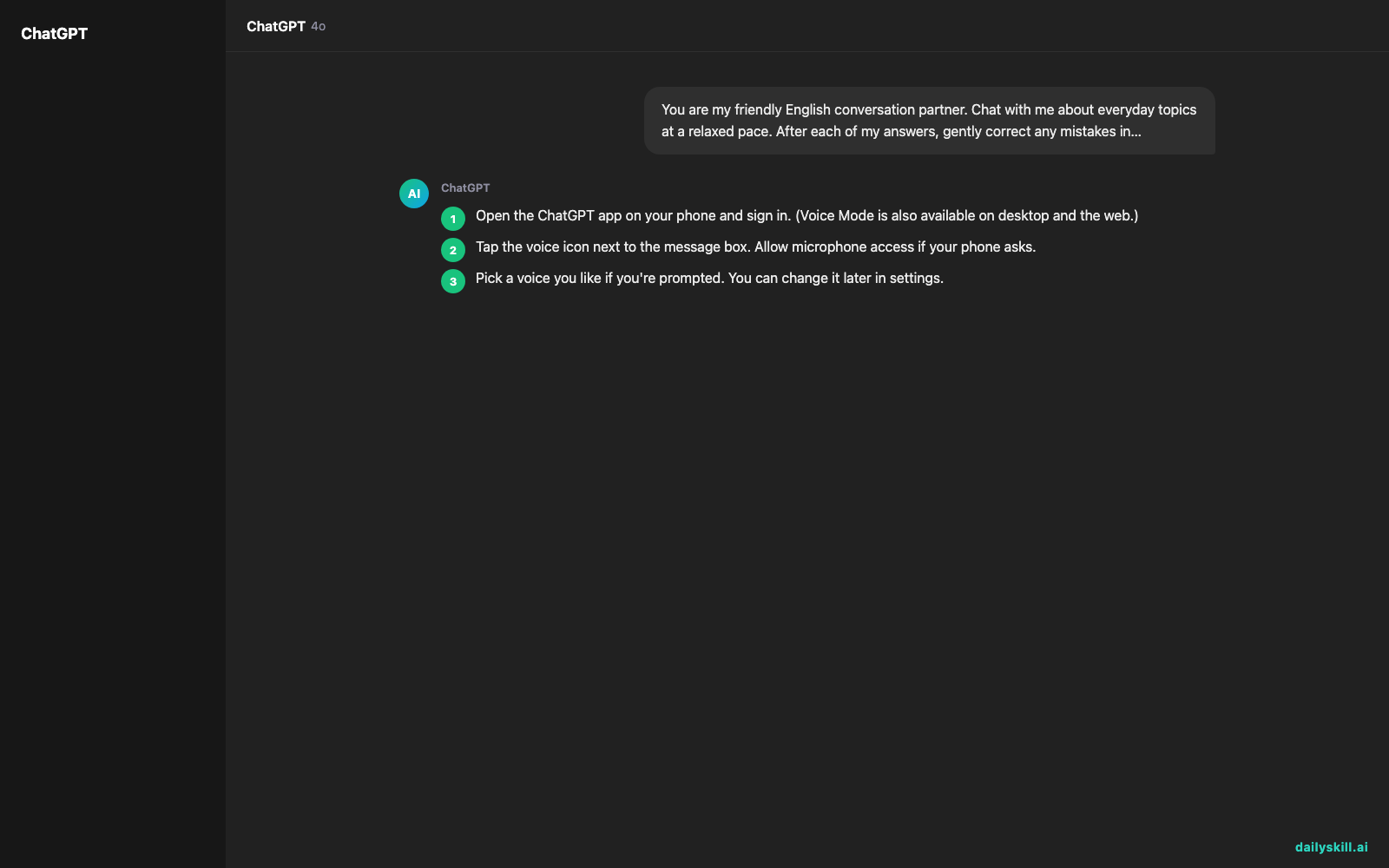
- Open the ChatGPT app on your phone and sign in. (Voice Mode is also available on desktop and the web.)
- Tap the voice icon next to the message box. Allow microphone access if your phone asks.
- Pick a voice you like if you’re prompted. You can change it later in settings.
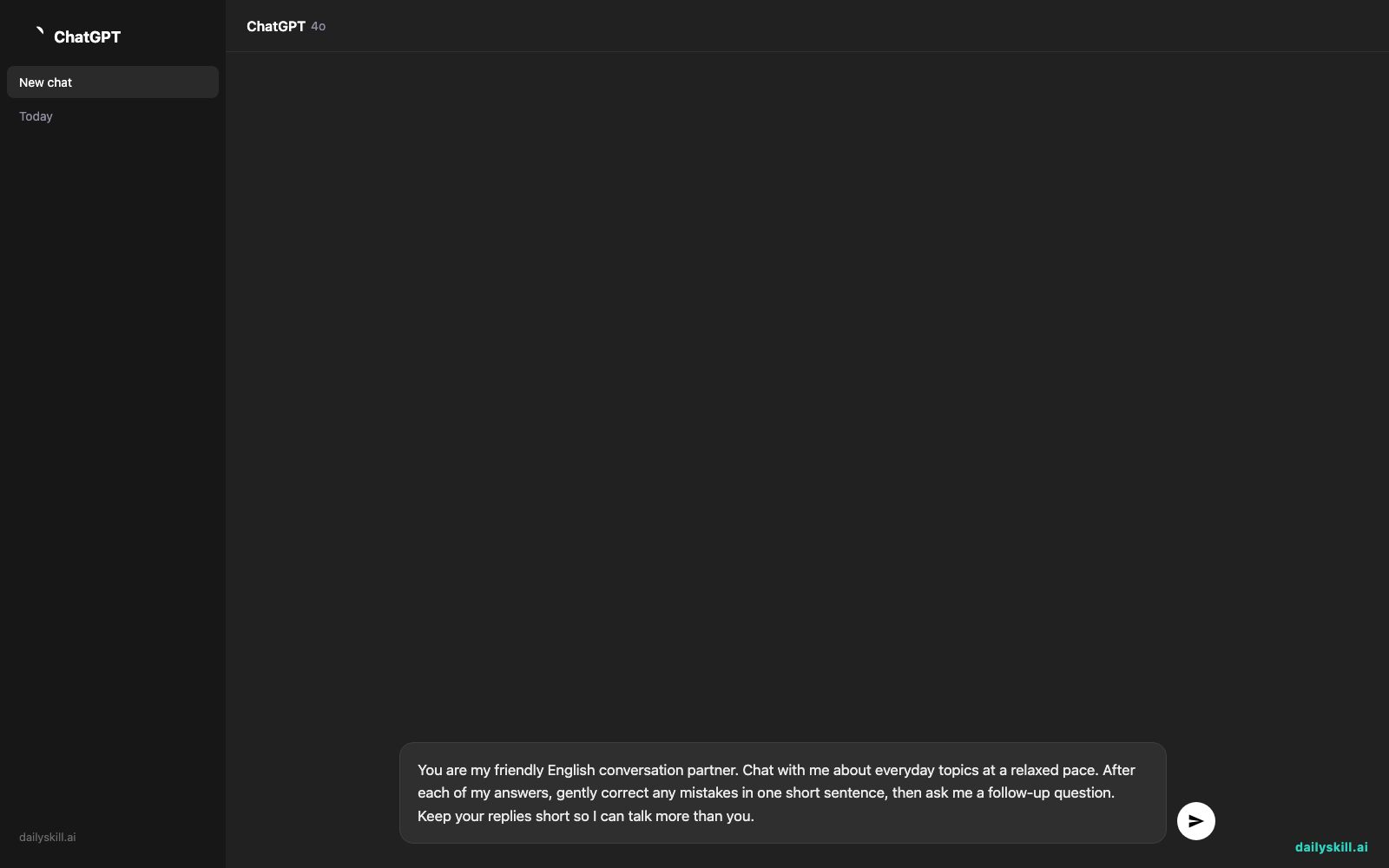
- Say this opening line out loud (or type it) to set the scene:
You are my friendly English conversation partner. Chat with me about everyday topics at a relaxed pace. After each of my answers, gently correct any mistakes in one short sentence, then ask me a follow-up question. Keep your replies short so I can talk more than you.
- Answer the first question out loud. Keep going for five minutes.
- Tap the end button when you’re done. Your conversation usually shows up as a text transcript in your chat history, so you can review the corrections later.
Tip: if the voice talks too much, say “Shorter answers, please.” It adjusts right away.
A real example
Say you’re preparing for a customer service interview. You tell it:
Act as a hiring manager interviewing me for a customer service role. Ask me one question at a time. After I answer, tell me what was strong and what to improve. Be honest, not just encouraging.
It opens with: “Tell me about a time you dealt with an upset customer.” You answer out loud, and it comes out a little rambling: “Well, at my last job, a man was angry about a late order, and I just let him talk for a while, and then I checked the system, and it turned out the delivery had been sent to the wrong address, so I called the courier…”
Here’s the kind of feedback you get back:
Good start. You showed empathy when you let him finish before you spoke, and that’s exactly what interviewers listen for. One thing to improve: it took you about a minute to reach the result. Try this order next time: the problem, what you did, and how it ended. Want to try that question again?
You say yes and answer again, shorter this time. It points out what got better and what’s still missing. That back-and-forth is the whole value.
Honest take
Best for
– Practicing a foreign language in a low-pressure setting, since the AI never gets impatient or judges you
– Mock interviews where you want to rehearse answers out loud, not just in your head
– Thinking out loud when talking works better than typing
Not for
– Anything where you need exact facts you can rely on. It can sound very confident even when it’s wrong, so double-check dates, numbers, and advice that matters.
– Tough, objective feedback by default. It tends to be encouraging, so ask it to be critical (as in the prompt above), or you may leave feeling more prepared than you are.
– Noisy places or situations where you can’t speak freely. Background noise can make it mishear you.
The free tier: you can use Voice Mode on a free account, but with a daily time limit. Paid plans offer much more. The exact limits change over time, so check the app to see what you get today.
FAQ
Is it free?
Yes, with limits. You can try it at no cost, but daily use is capped. When you hit the cap, the app tells you, and it resets after a while.
Is it safe to use?
It’s a normal ChatGPT conversation, so don’t say passwords, bank details, or other private information out loud. You can review and delete your chats. Privacy settings also let you control whether your conversations are used to improve the product.
Do I need an account?
Usually, yes. Voice Mode is tied to the ChatGPT app, so you’ll sign in with an email, Google, or Apple account. Signing up takes about a minute and is free.
Today’s pick wrap-up
Verdict: a patient, always-available practice partner that’s great for building confidence before the real thing, as long as you ask for honest feedback and fact-check anything important.
Join in: tried it today? Tell the dailyskill.ai community what you practiced and which prompt worked best. We’d love to borrow it.
Tomorrow: you’ve talked your idea out. What if an AI could help you build it? Tomorrow we look at Replit Agent, which turns a plain-English description into a working app, no coding background needed.
You might also like:
- STAR Method Interview Prep: 10 Tough Questions from Any Job Post
- Can AI help me plan a family road trip with realistic driving breaks and stops?
Master Everyday AI in 1 Minute a Day
Get our free 2026 Double-Blind AI Benchmark Scorecard & 20 Ready-to-Use Prompts, plus one honest, 60-second AI skill in your inbox every morning. Zero hype, plain English, cancel anytime.


