
You know the drill: “Does Tuesday work?” “No, how about Thursday at 2?” “I have a conflict, what about Wednesday?”
Five emails later, you finally have a meeting on the calendar. Cal.ai finds open times, matches them with the other person’s availability, and sends the invite automatically — no more back-and-forth.
It’s for anyone who books meetings regularly and is tired of the “what time works for you” thread.
What it is
Cal.ai is an AI layer on top of your calendar. You tell it who you’re meeting and roughly when, and it checks your schedule, proposes times, and sends the invite once someone picks a slot.
Think of it as a calendar automation tool that handles the scheduling conversation for you.
Try it in 5 minutes
- Go to Cal.ai and sign up (Google or email works).
- Connect your calendar (Google Calendar, Outlook, or iCloud).
- Tell it your general working hours and how much buffer time you want between meetings.
- Type a request like the one below to create your first booking link.
- Send that link (or let Cal.ai email it) to the person you’re meeting.
Find a 30-minute slot this week for a call with a client.
Avoid mornings before 10am and don't book anything on Friday.
Send me the link to share with them.
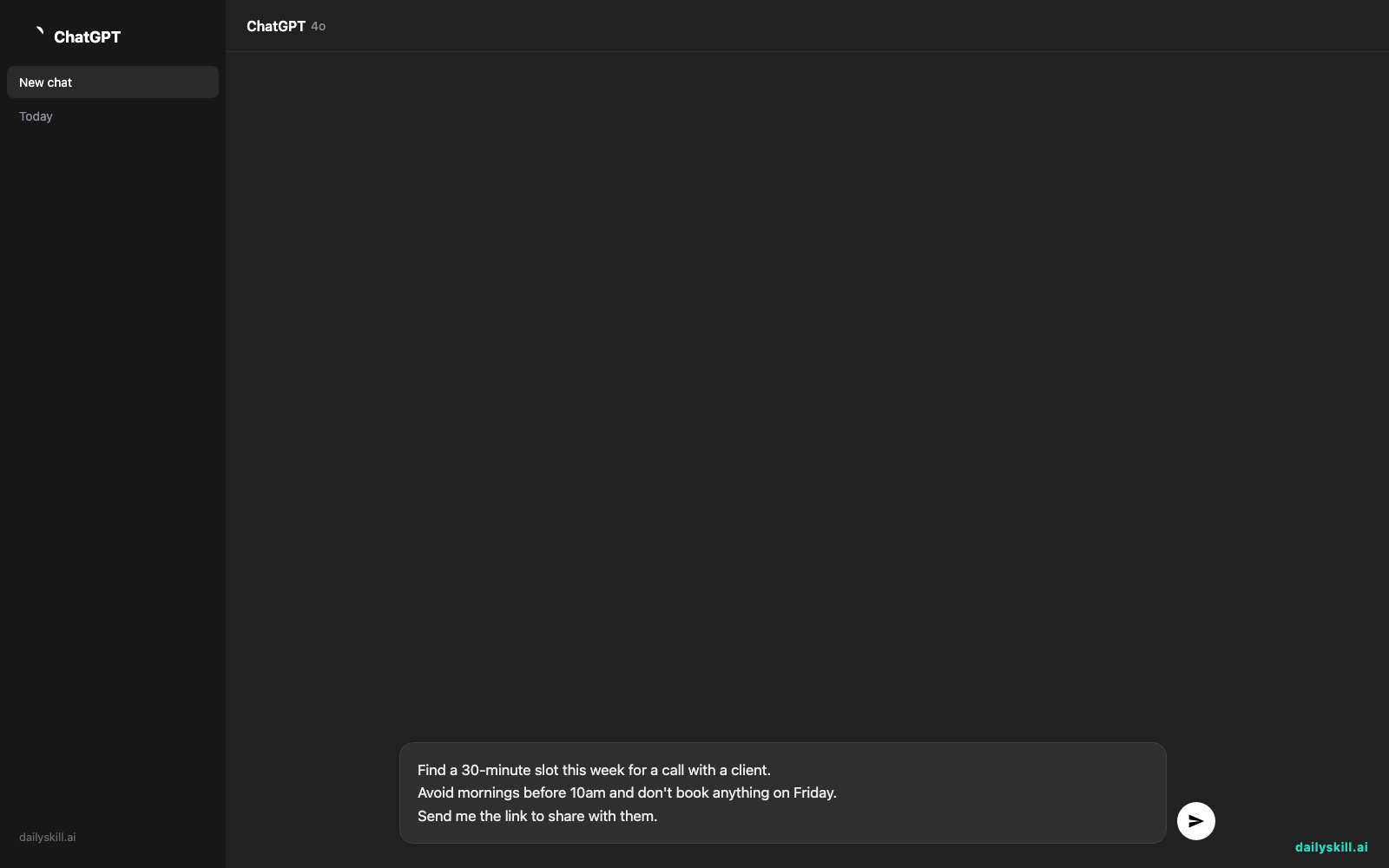
Cal.ai generates a booking page showing only your real open slots. The other person picks one, and it lands on both calendars instantly.
A real example
Input: “I need to meet with three team members for 15-minute check-ins sometime next week, spread across different days.”
Cal.ai returns three separate time slots — Monday 11am, Wednesday 2pm, and Friday 10:30am — each already checked against your existing meetings and personal blocked time. It sends each teammate their own link, and once they confirm, the invite appears on your calendar with no extra step from you.
It’s not just finding “any” open time — it’s finding times that actually make sense given your day.
Honest take
Best for:
– People who schedule with clients, candidates, or teammates often and want scheduling without emails
– Freelancers and small business owners who want a free meeting scheduler for client calls
– Anyone tired of the “what time works for you” thread
Not for:
– Group scheduling across many time zones with strict constraints (like “only between 9am-11am for everyone”) — it sometimes proposes times that technically work but feel awkward for one person, so double-check before sending
– People who rarely schedule meetings — it’s not worth the setup for occasional use
The free tier covers basic scheduling and one calendar connection, which is enough for most individuals.
FAQ
Is it free? Yes, the basic version is free for single calendar use. Paid plans add team scheduling and more customization.
Is it safe? It only reads your calendar’s availability (busy/free), not the details of your events, unless you grant deeper access.
Do I need an account? Yes, a quick sign-up and calendar connection — takes about 2 minutes.
Today’s pick wrap-up
Cal.ai turns “let’s find a time” into one link and zero emails — a genuinely useful scheduling assistant for anyone who books meetings weekly.
Tried it? Tell us in the comments how many emails it saved you this week. Tomorrow: Copysmith, for writing product descriptions and ad copy in seconds.
You might also like:
- Compare Prices Across 3 Products Without Opening a Single Spreadsheet
- How do I know if an AI answer is actually true?
Master Everyday AI in 1 Minute a Day
Get our free 2026 Double-Blind AI Benchmark Scorecard & 20 Ready-to-Use Prompts, plus one honest, 60-second AI skill in your inbox every morning. Zero hype, plain English, cancel anytime.


