
Your hands are covered in raw chicken, your phone is across the counter, and you just need to know how long to bake it. Instead of wiping your hands and typing, you say it out loud and ChatGPT answers back, like a real conversation. It’s for anyone who’d rather speak than type — no coding, no setup beyond tapping a button.
What it is
ChatGPT Voice Mode is a feature inside the ChatGPT app that turns your voice into a live back-and-forth conversation. You talk, it listens, and it replies out loud in a natural-sounding voice — no typing required on either end. Think of it as a phone call with an AI assistant that can explain, brainstorm, or quiz you on anything.
Try it in 5 minutes
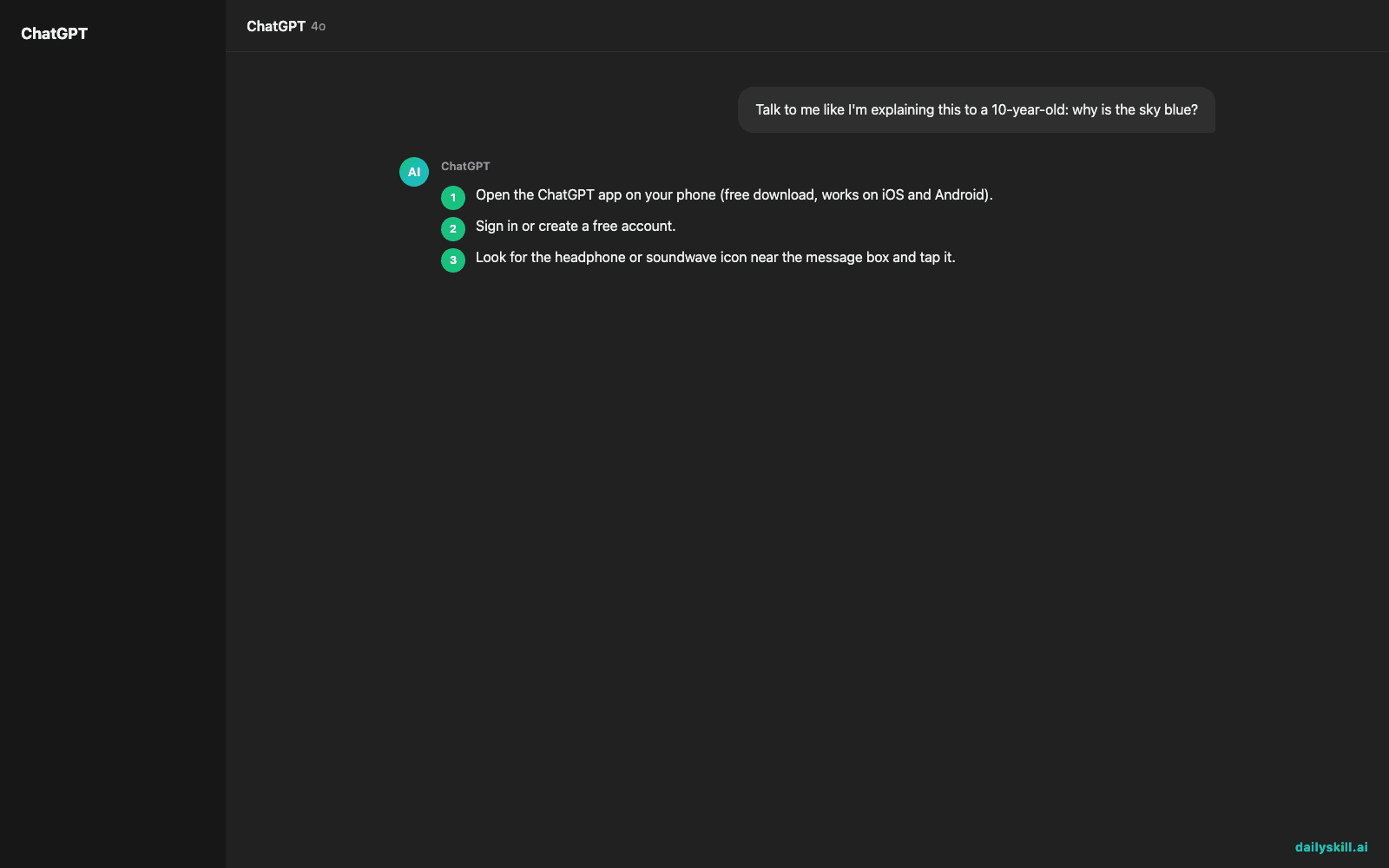
- Open the ChatGPT app on your phone (free download, works on iOS and Android).
- Sign in or create a free account.
- Look for the headphone or soundwave icon near the message box and tap it.
- When you see the listening animation, just start talking — no need to press anything else.
- Try this out loud to get a feel for it:
Talk to me like I'm explaining this to a 10-year-old: why is the sky blue?

- Let it finish, then respond out loud like you would in a real conversation — ask a follow-up, disagree, or say “explain that again slower.”
A real example
Say this out loud: “I have a job interview tomorrow for a barista position. Can you interview me and give me feedback after?”
ChatGPT will ask a realistic question, wait for your spoken answer, then give feedback before moving to the next one.
“Tell me about a time you dealt with a difficult customer.” You answer for 20 seconds. It replies: “Good start, but that answer was a bit vague — try naming what you actually said to calm the customer down. Want to try that one again?”
Honest take
Best for:
– Hands-free help while cooking, walking, or driving
– Practicing speaking — a language, an interview, a tough conversation
– Learning by talking things through instead of reading
Not for:
– Precise, detailed work like writing code or long documents — typing still beats talking for that
– Noisy environments — it can struggle to hear you over background noise, and interrupts mid-sentence more than a real person would
One real annoyance: it sometimes jumps in before you’re done talking, especially if you pause to think. If that happens, just say “sorry, let me finish” and keep going — it adjusts.
FAQ
Is it free? Yes, voice mode is included in the free ChatGPT app — you just need an account. Free usage may be capped during long sessions or busy times, but daily conversations are covered.
Is it safe? Yes, but treat it like any AI chat: don’t share sensitive personal info like passwords or ID numbers out loud.
Do I need an account? Yes, a free ChatGPT account is required, but signup takes under a minute with just an email.
Today’s pick wrap-up
If you’ve never used an AI voice assistant this natural, ChatGPT Voice Mode is worth 5 minutes of your day — it turns “typing questions” into “just talking.” Try it and tell us in the comments what you asked it. Tomorrow: Clipdrop Uncrop, a tool that magically expands your photos beyond their original edges.
Master Everyday AI in 1 Minute a Day
Get our free 2026 Double-Blind AI Benchmark Scorecard & 20 Ready-to-Use Prompts, plus one honest, 60-second AI skill in your inbox every morning. Zero hype, plain English, cancel anytime.


