It’s 9 PM, your Instagram post is due tomorrow, and all you have is an idea — no camera, no actor, no time to film anything.
Motion AI is a text to video tool: you describe what you want, and it generates a short video clip for you — no filming, no editing software, no stock footage hunting. It’s built for anyone who needs a fast social media video maker, not a film studio.
What it is
Motion AI is an AI video generator that turns a written prompt into a short video, usually 5 to 30 seconds long. You type what you want to see, pick a style (realistic, animated, or product-demo), and it builds the clip from that description.
There’s no camera, no actors, and no timeline to edit — just a sentence in, a video out.
Try it in 5 minutes
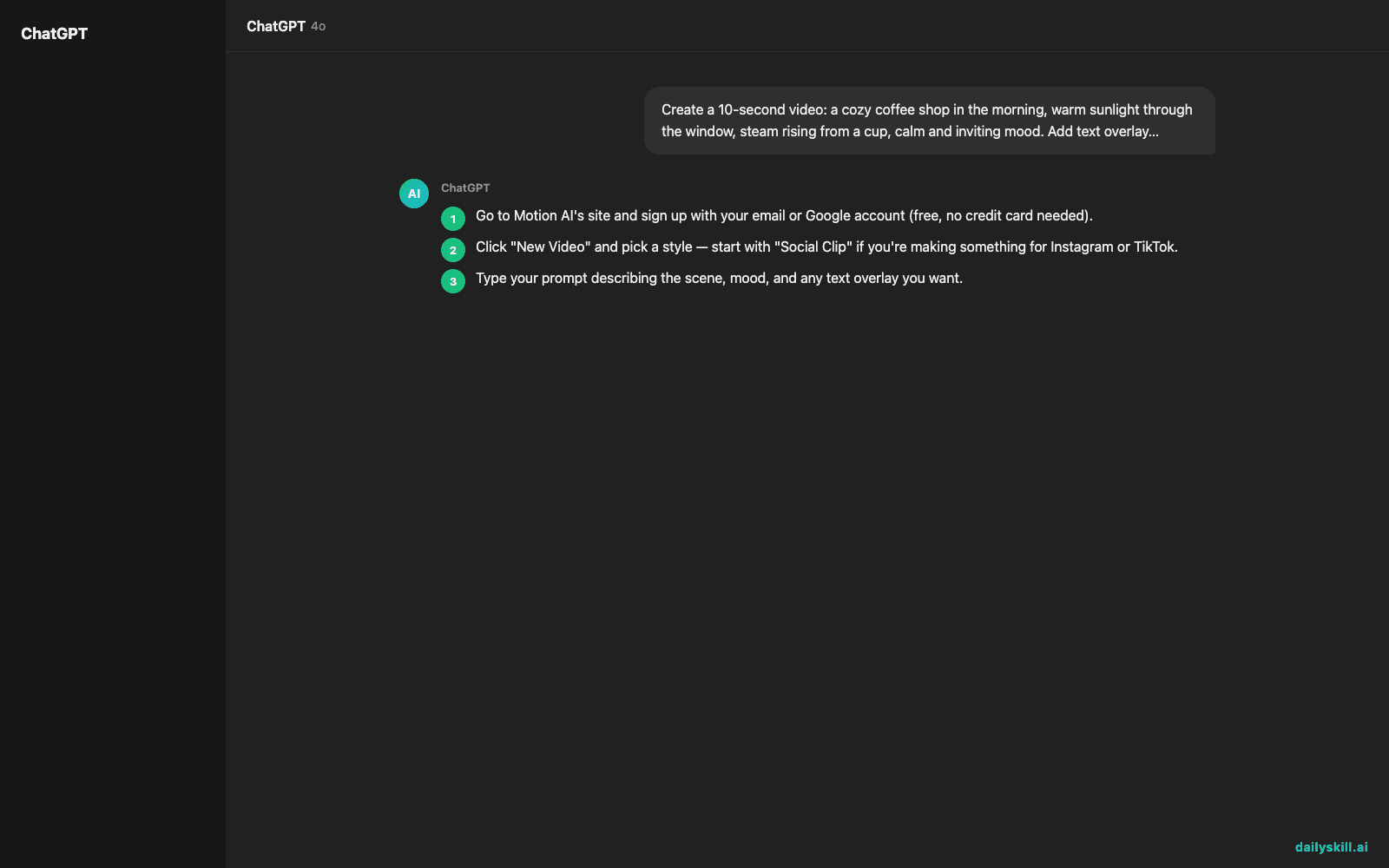
- Go to Motion AI’s site and sign up with your email or Google account (free, no credit card needed).
- Click “New Video” and pick a style — start with “Social Clip” if you’re making something for Instagram or TikTok.
- Type your prompt describing the scene, mood, and any text overlay you want.
- Hit generate and wait about a minute — you’ll get a short video preview.
- Download it, or tweak the prompt and regenerate if it’s not quite right (expect to do this once or twice).
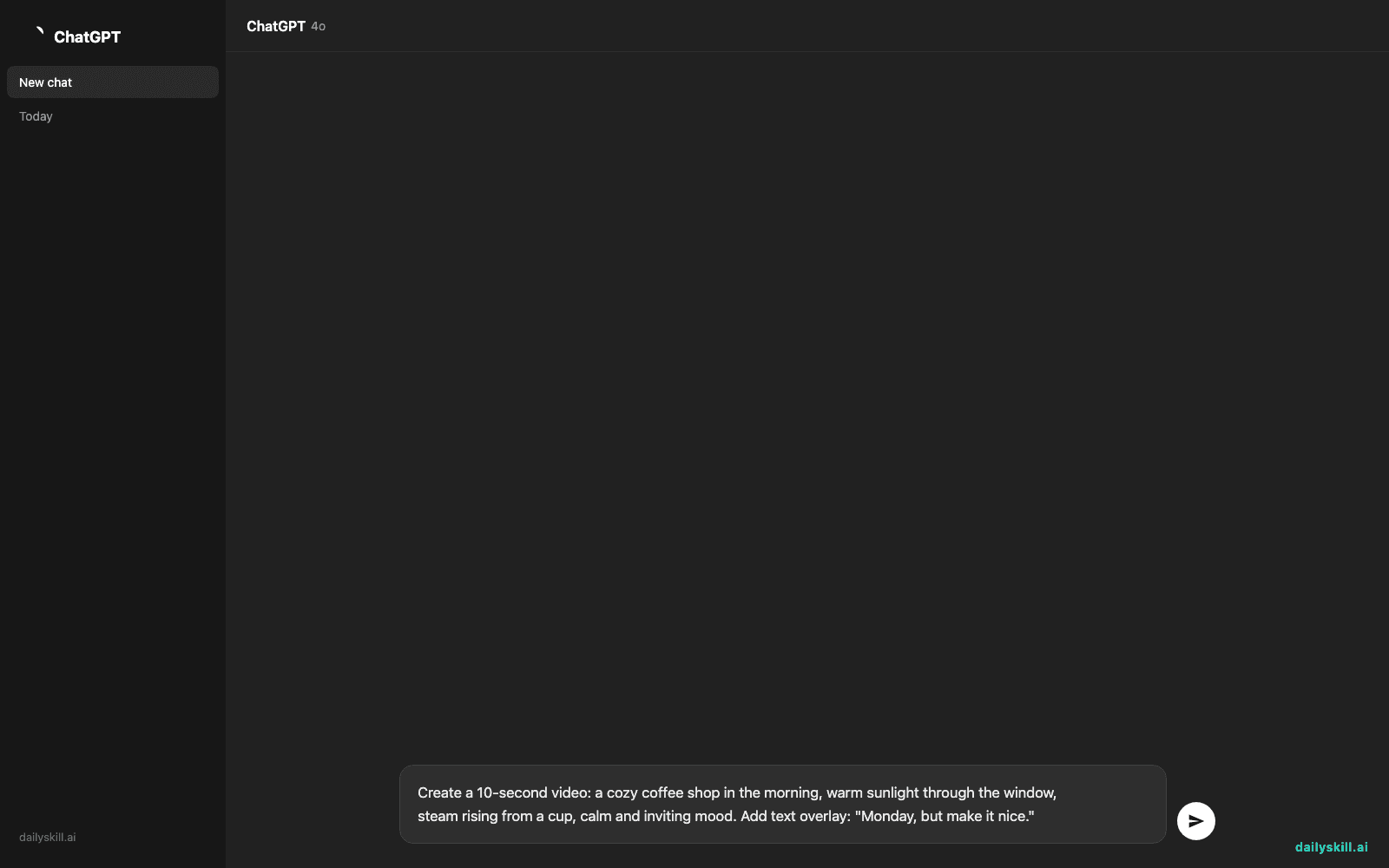
Create a 10-second video: a cozy coffee shop in the morning, warm sunlight through the window,
steam rising from a cup, calm and inviting mood. Add text overlay: "Monday, but make it nice."
A real example
Say you run a small candle business and need a Monday post. You paste this prompt:
15-second product video: a lit candle on a wooden table, soft flickering light, slow zoom in,
cozy autumn vibe, add text overlay "New scent just dropped 🍂"
Motion AI returns a smooth 15-second clip: warm lighting, a gentle camera zoom toward the candle, subtle flame movement, and your text fading in over the last few seconds — close to ready to post. The flame’s flicker looks slightly too fast on the first try, so you regenerate once with “slower flame movement” added, and the second version works.
Honest take
Best for:
– Social media clips when you need something fast and don’t have footage
– Simple promo videos or product teasers for a small business
– Quick demos to show an idea before investing in real production
Not for:
– Anything with people talking, hands, or precise motion — faces and hands often come out warped or glitchy
– Getting it right on the first try — plan on regenerating a prompt at least once to fix odd movement or a garbled text overlay
The free tier gives you 3 videos a month at standard quality — enough to test if this fits your workflow before paying for more.
FAQ
Is it free? Yes, up to 3 videos a month at standard quality. Paid plans unlock more videos and higher resolution.
Is it safe? Yes — you’re not uploading personal footage, just text prompts. Avoid putting private business details in prompts if you’re on the free plan, since generated content can sometimes be reviewed for quality control.
Do I need an account? Yes, a free sign-up with email or Google is required before you can generate anything.
Today’s pick wrap-up
Motion AI won’t replace a video team, but it’ll get you a decent clip in the time it takes to make coffee — as long as you’re okay regenerating once or twice. Tried it? Tell us what you made in the comments — we read every one. Tomorrow: Tome, for turning your ideas into a full presentation without touching a slide template.
You might also like:
- Test yourself on anything you read — instantly
- How do I ask AI to explain something in simpler words?
Master Everyday AI in 1 Minute a Day
Get our free 2026 Double-Blind AI Benchmark Scorecard & 20 Ready-to-Use Prompts, plus one honest, 60-second AI skill in your inbox every morning. Zero hype, plain English, cancel anytime.