Ever spend an hour on an email, then ten more minutes on a subject line you still don’t like?
Here’s exactly how to skip that: paste your draft into ChatGPT with the prompt below. You’ll get 5 ready-to-use subject lines, each under 40 characters, in about a minute. Two spark curiosity, two promise a benefit, and one adds gentle urgency.
Sound familiar?
You finish your newsletter, your sale announcement, or a work update. The body is done. Then you hit the tiny box that says “Subject.”
So you type “Monthly Update” or “Hello from our team.” It feels safe. It also disappears in a crowded inbox.
The subject line is the first thing people see, and often the only thing. It doesn’t need to be clever. It needs to be short, clear, and give a reason to open.
The 60-second fix
You don’t need any marketing tricks. You let ChatGPT read your draft and do the brainstorming.
Step 1: Copy your email draft
Open your email or document. Select the whole body text and copy it. Rough drafts are fine.
Step 2: Paste it into ChatGPT with this prompt
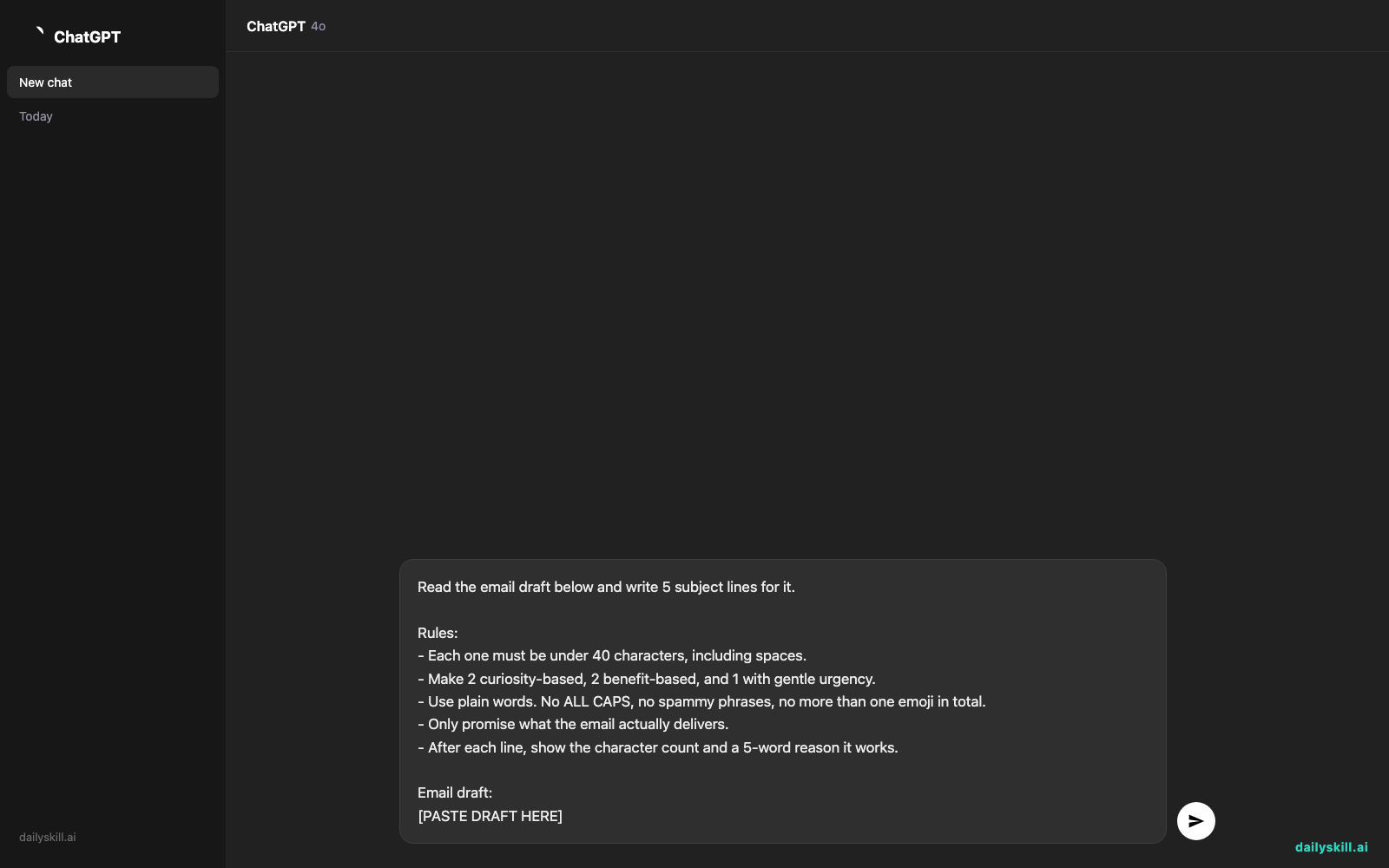
Open ChatGPT and paste the prompt below. Then replace [PASTE DRAFT HERE] with your draft.
Read the email draft below and write 5 subject lines for it.

Rules:
- Each one must be under 40 characters, including spaces.
- Make 2 curiosity-based, 2 benefit-based, and 1 with gentle urgency.
- Use plain words. No ALL CAPS, no spammy phrases, no more than one emoji in total.
- Only promise what the email actually delivers.
- After each line, show the character count and a 5-word reason it works.

Email draft:
[PASTE DRAFT HERE]
Step 3: Pick one and tweak it
Read all five out loud. Choose the one you’d open yourself.
Not sure? Ask ChatGPT: “Which of these would you test first, and why?”
Tip: If a line runs over 40 characters, reply “Shorten #3 to under 40 characters.” It fixes it in seconds.
Real example
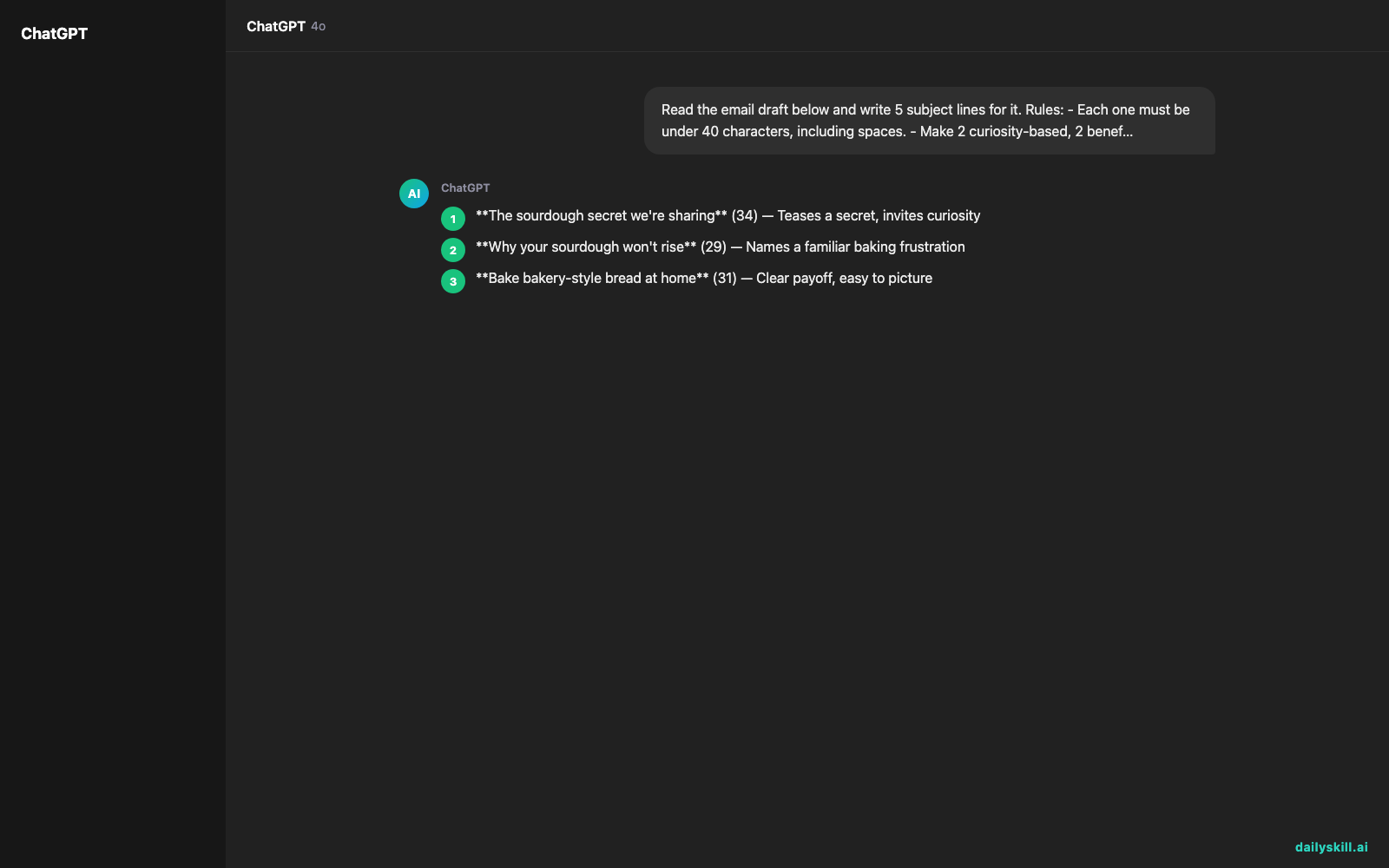
Say you run a small bakery. Your draft is a newsletter that starts: “This Saturday, Oct 25, I’m teaching my first sourdough class. There are only 12 seats, and everyone who signs up by Friday gets 10% off.”
Your old subject line: “Bakery Newsletter – October Edition” (35 characters, and easy to ignore)
ChatGPT’s output:
- The sourdough secret we’re sharing (34) — Teases a secret, invites curiosity
- Why your sourdough won’t rise (29) — Names a familiar baking frustration
- Bake bakery-style bread at home (31) — Clear payoff, easy to picture
- Learn sourdough in one Saturday (31) — Promises a fast, simple result
- 12 seats left, 10% off this week (32) — Real limit, real deadline, honest
Notice how every line points at something real in the email: the class, the 12 seats, the discount. That’s what keeps them honest, and why readers don’t feel tricked after opening.
Character counts from AI can be slightly off. If length matters, paste the line into your email tool and check.
Level up
- Add a preview line. Ask: “Now write a 60-character preview text to pair with each subject line.” That’s the grey text next to the subject in many inboxes.
- Match your voice. Add “Keep the tone warm and a little funny” or “Keep it professional and calm.”
- Plan a quick test. Ask for your top two options and send each to half your list. Many email tools can do this automatically, so you learn what your readers like.
FAQ
What is the best email subject line length?
Shorter lines are easier to read on a phone, and many get cut off after a few words. Under 40 characters is a handy target, and the prompt above builds it in.
Clarity matters more than any magic number.
Can AI write newsletter subject lines that sound like me?
Yes. Paste in two or three past subject lines you like and say “Match this style.” You can also describe your voice in a sentence.
Always give the final pick a quick read, and edit anything that doesn’t sound like you.
Will AI-written subject lines get marked as spam?
Not by themselves. Spam filters look at many things, but pushy words, ALL CAPS, and misleading promises don’t help.
That’s why the prompt asks for plain words and honest lines. Make sure the subject matches what’s inside.
Today’s check-in
Try the prompt on your next email, or dig up an old one. Then share your favorite subject line in the comments, along with which type won: curiosity, benefit, or urgency.
Tomorrow (Day 149): You’ll paste a confusing technical error message into AI and get plain-English steps to fix it.
You might also like:
- How do I ask AI to create a packing list tailored to specific weather and luggage limits?
- Julius AI — Turn a Messy Spreadsheet Into Charts by Just Asking
Master Everyday AI in 1 Minute a Day
Get our free 2026 Double-Blind AI Benchmark Scorecard & 20 Ready-to-Use Prompts, plus one honest, 60-second AI skill in your inbox every morning. Zero hype, plain English, cancel anytime.