
Short answer: most AI tools save what you type, at least for a while. On free tiers, your chats may also be used to improve the AI unless you turn that off.
Nothing you type into a chat box should be treated as private the way a locked diary is private. The fix isn’t to panic — it’s to know three simple rules for what’s safe to share, which we cover below.
Why this comes up
You’re mid-conversation with an AI, about to paste in a work email, a medical question, or a password to save time — and a small voice asks “wait, where does this go?”
That hesitation is healthy. It means you’re thinking about privacy before you overshare, not after.
The honest answer
Is AI keeping my personal data? Generally, yes, in some form.
- Most AI tools store your chat history so you can scroll back and see past conversations.
- On free tiers, many companies also use your conversations to train and improve their models — unless you find the setting and opt out.
- Paid or business tiers usually offer stronger privacy controls, like excluding your data from training by default.
How long does AI store chat history?
This varies by tool and changes over time, so don’t rely on a fixed number. What’s consistent across nearly all tools:
- You can usually delete individual conversations.
- Most tools offer a way to turn off chat history or auto-delete after a set period.
- Deleting a conversation on your end doesn’t always instantly erase it from company servers — some data may persist briefly for safety and legal reasons.
Treat any AI chat like a message sent to a company’s support team: useful, generally handled with care, but not guaranteed to disappear forever.
What’s overblown: the idea that AI companies have a person reading your chats for fun, or that typing something once means it’ll show up in someone else’s conversation. That’s not how these systems typically work.
The real risk is more mundane — data sitting in storage, used for training, or exposed in a breach like any other online account.
What’s real: free tools generally come with fewer privacy guarantees than paid ones, and settings controlling this aren’t always turned on by default. You have to go find them.
What to do — 3 simple rules
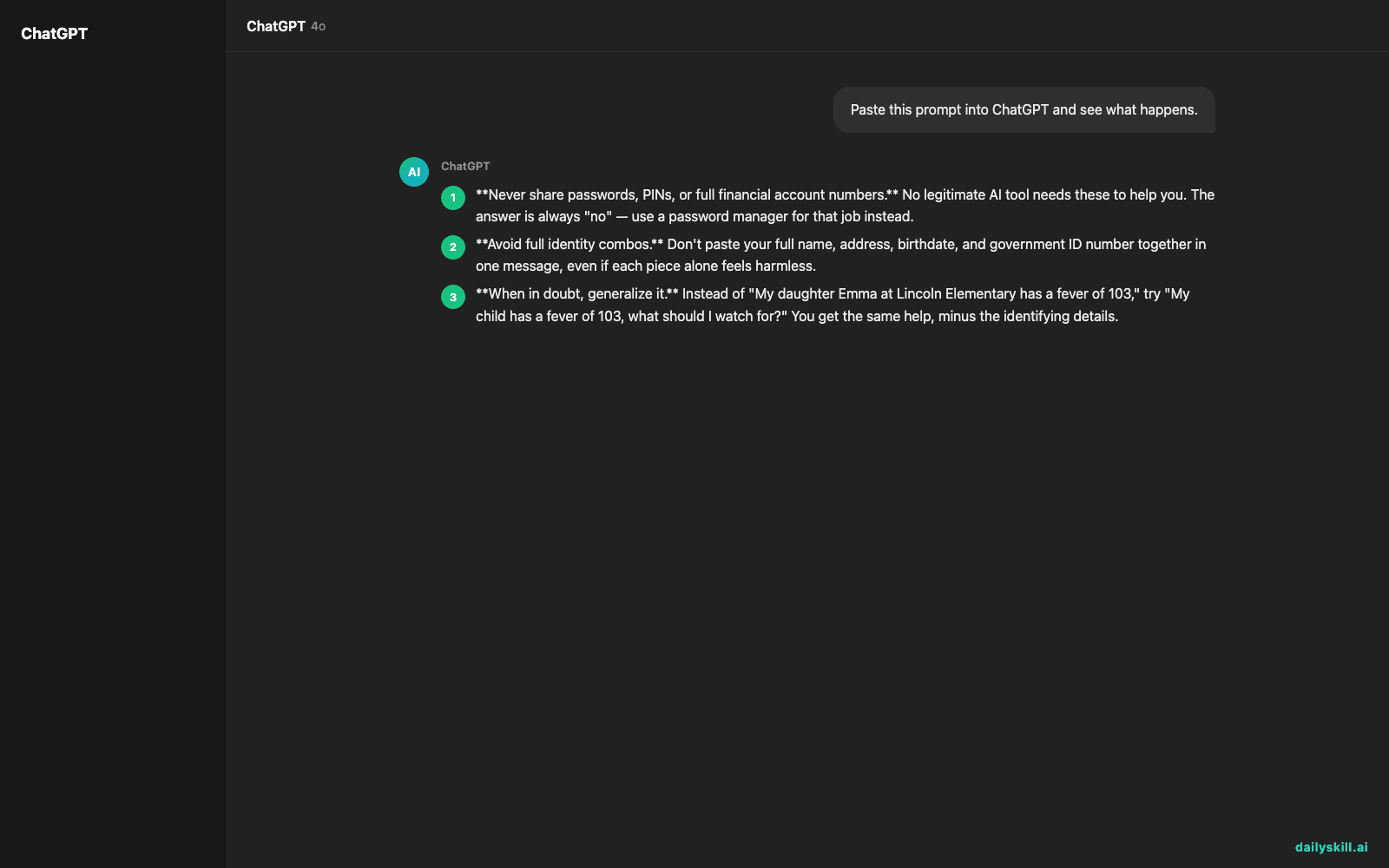
- Never share passwords, PINs, or full financial account numbers. No legitimate AI tool needs these to help you. The answer is always “no” — use a password manager for that job instead.
- Avoid full identity combos. Don’t paste your full name, address, birthdate, and government ID number together in one message, even if each piece alone feels harmless.
- When in doubt, generalize it. Instead of “My daughter Emma at Lincoln Elementary has a fever of 103,” try “My child has a fever of 103, what should I watch for?” You get the same help, minus the identifying details.
Extra habits worth building:
- Check your account’s privacy settings and turn off training on chat data if that option exists.
- Use the “delete conversation” or “clear history” feature regularly, like clearing your browser cache.
- For work-related or sensitive topics, use your employer’s approved AI tool, not a personal free account.
FAQ
What data does AI remember between conversations?
Depends on the tool. Some remember facts you’ve told them (like your name or preferences) across sessions to personalize responses; others start fresh each time. Check your settings to see what’s being stored and clear it if you’d rather it not remember.
Is AI privacy different for free tools vs paid ones?
Usually yes. Paid and business tiers often exclude your data from model training by default and may offer stronger deletion controls. Free tiers vary more — always check the settings rather than assume.
Can I ask an AI company to delete my data?
In most regions, yes. Look for a privacy or data-request setting in your account, or check the company’s privacy policy for how to submit a deletion request.
Bottom line
AI tools aren’t secretly spying on you, but they’re not a locked diary either — treat them like any other online account and skip the passwords and full ID combos.
What’s your rule of thumb for what you’ll and won’t type into an AI chat? Share it in the comments — it might help someone else.
Tomorrow: Can AI teach me to code, or will it just write the code for me?
You might also find these helpful:
- Perplexity AI — Get Answers With Sources, Not a Pile of Links
- How do I know if an AI answer is actually true?
- You.com — A Free AI Search Engine That Skips the 10 Blue Links
Master Everyday AI in 1 Minute a Day
Get our free 2026 Double-Blind AI Benchmark Scorecard & 20 Ready-to-Use Prompts, plus one honest, 60-second AI skill in your inbox every morning. Zero hype, plain English, cancel anytime.


