
You just typed three angry paragraphs to your internet provider, CAPS LOCK and all — then stared at the screen knowing you can’t actually hit send. Here’s the fix: rant to AI exactly as messy as you feel, and in under 60 seconds it hands you a calm, specific, ready-to-send email — plus phrases to use if you need to escalate.
Sound familiar?
Your bill jumped $40 with zero warning. You called, got a shrug, and now you’re furious. You open a new email, vent for three paragraphs, and then just… sit there, because you know sending it will get you nowhere.
Here’s the truth: an angry email gets ignored. A calm, specific one gets escalated. Let’s fix that in under a minute.
The 60-second fix
Step 1: Vent first, no filter
Open Claude (or ChatGPT, or Gemini) and type your complaint exactly how you’d rant to a friend. Don’t clean it up — that’s the AI’s job.
Step 2: Use this copy-paste prompt
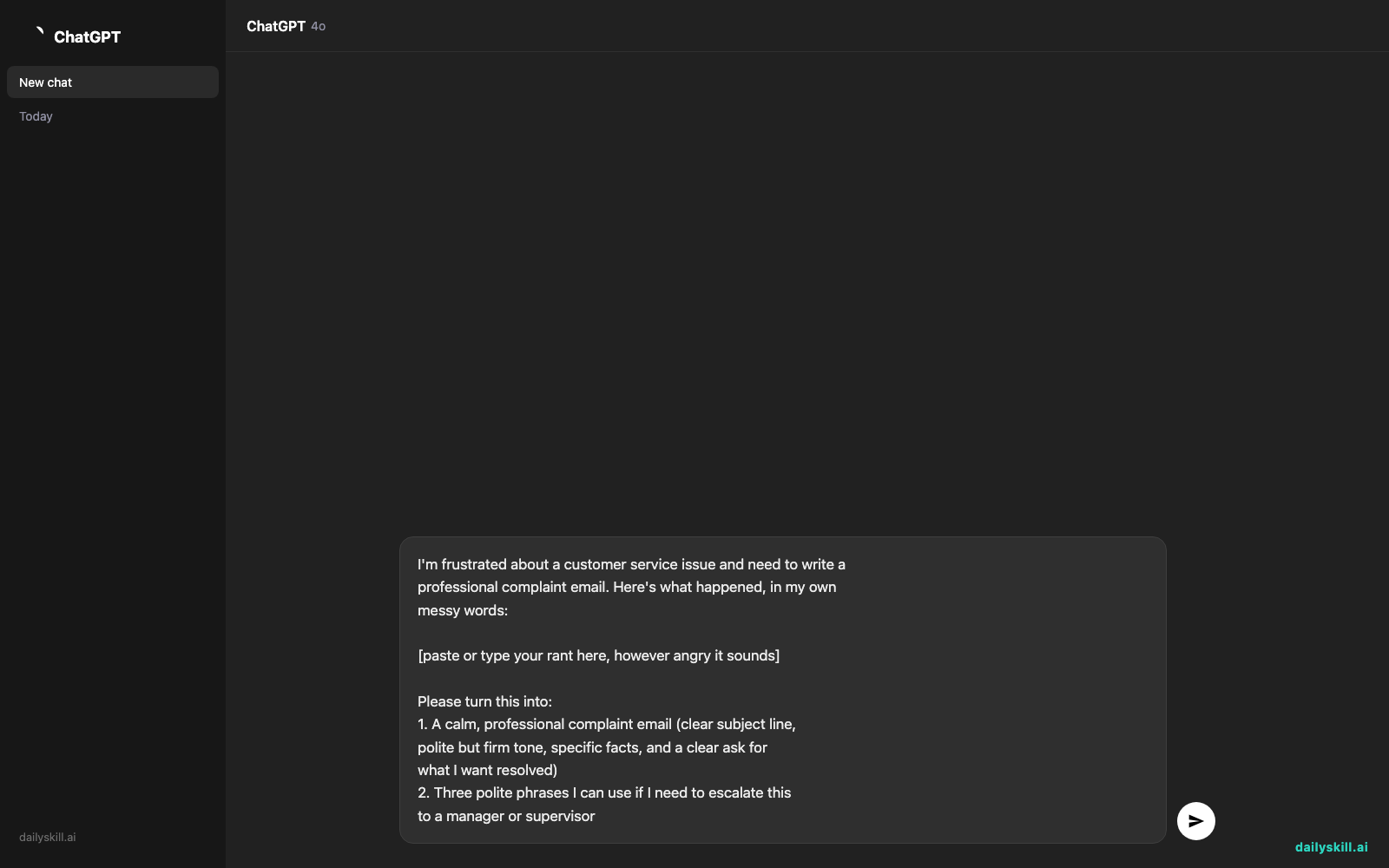
I'm frustrated about a customer service issue and need to write a
professional complaint email. Here's what happened, in my own
messy words:

[paste or type your rant here, however angry it sounds]

Please turn this into:
1. A calm, professional complaint email (clear subject line,
   polite but firm tone, specific facts, and a clear ask for
   what I want resolved)
2. Three polite phrases I can use if I need to escalate this
   to a manager or supervisor
Step 3: Review, tweak, send
Read the draft. Swap in your real account number, dates, or dollar amounts. Hit send. That’s it.
Real example
Your rant:
“my internet bill went from 60 to 100 with NO warning and when I called they just said ‘rates changed’ like that’s an explanation, account #48213, I’ve been a customer for 5 years and this is how they treat me, I want it fixed or I’m cancelling”
Claude’s output:
Subject: Unexpected Bill Increase on Account #48213 — Request for Resolution
Dear Customer Service Team,
I’ve been a customer for five years, and my monthly bill recently increased from $60 to $100 without prior notice. When I called on [date] to ask about this, I was only told that “rates changed,” with no further explanation.
As a long-term customer on account #48213, I’d appreciate a clear breakdown of this increase and a review of my account for any loyalty discount or partial credit. I’d like this resolved before my next billing cycle on [date].
Please let me know the next steps.
Thank you,
[Your Name]
Escalation phrases it suggested:
– “I’d like to understand what options are available if this can’t be resolved at this level.”
– “Could you connect me with a supervisor who can review my account in more detail?”
– “I want to find a fair resolution, but if this isn’t possible here, what’s the next step?”
Level up
- Ask Claude to write three tone versions — friendly, firm, and formal — so you can pick your mood.
- Say “make this a phone call script instead” if you’d rather call than email.
- Add “keep it under 150 words” for companies with short-form contact forms.
FAQ
How do I write a complaint email that actually gets a response?
Be specific (dates, amounts, account or order numbers), state exactly what resolution you want, and keep the tone calm — angry emails are easy to ignore, factual ones aren’t.
Can AI help me escalate an issue politely without sounding rude?
Yes. Ask it directly for “polite escalation phrases” — it’ll give you firm, professional language that keeps the conversation moving without burning bridges.
Is it okay to use an AI-written formal complaint email as-is?
It’s a strong starting draft — always double-check facts, names, and numbers before sending, since only you know those details for certain.
Today’s check-in
Got a rant-to-email win? Share your before/after in the DailySkill community — we love a good glow-up story.
Tomorrow: We’ll turn a pile of messy receipts into a clean, organized expense report — no spreadsheet headache required.
You might also like:
- If AI writes something I don’t understand, can I ask it to explain its own answer?
- Supercreator — Turn One Boring Recording Into Short, Watchable Clips
Master Everyday AI in 1 Minute a Day
Get our free 2026 Double-Blind AI Benchmark Scorecard & 20 Ready-to-Use Prompts, plus one honest, 60-second AI skill in your inbox every morning. Zero hype, plain English, cancel anytime.


