Upload the PDF to an AI assistant, then ask for exactly three bullets: the main point, the biggest risk, and the key deadline. Most major assistants can read a 50-page file in one go and answer in seconds. Then spend two minutes checking the answer against the original. That check is what makes the summary safe to use.
Why this comes up
You got a 50-page report, contract, or policy, and the meeting starts in ten minutes. You don’t need every page. You need to know what matters and what could hurt you.
The real worry is trust. Will the AI miss something important, or make something up?
The honest answer
Today’s AI assistants can take in a whole document at once. They don’t just skim the first few pages and guess. So getting the gist of a 50-page document fast is a realistic goal.
It isn’t a perfect one, though. Here’s what’s true on both sides.
What AI does well:
– Finding the main argument or purpose of a document
– Pulling out dates, amounts, names, and obligations
– Spotting sections about risks, penalties, or conditions
– Rewriting dense language in plain words
What to be careful about:
– It can still misread a number, a date, or a “not” in a long, tangled sentence.
– Scanned PDFs (photos of pages) may be read less accurately than normal text files.
– A short summary leaves things out by design. Whether something that matters got left out is your call, not the AI’s.
– A vague question gets a vague answer.
What’s overblown: The fear that AI will “just make things up” every time. When you ask for page numbers and tell it to say “not mentioned,” errors get much easier to spot. They don’t vanish, which is why you check.
AI is a fast first reader, not the final one. Let it do the distilling, and you do the checking.
A prompt you can copy
Paste this after uploading the file:
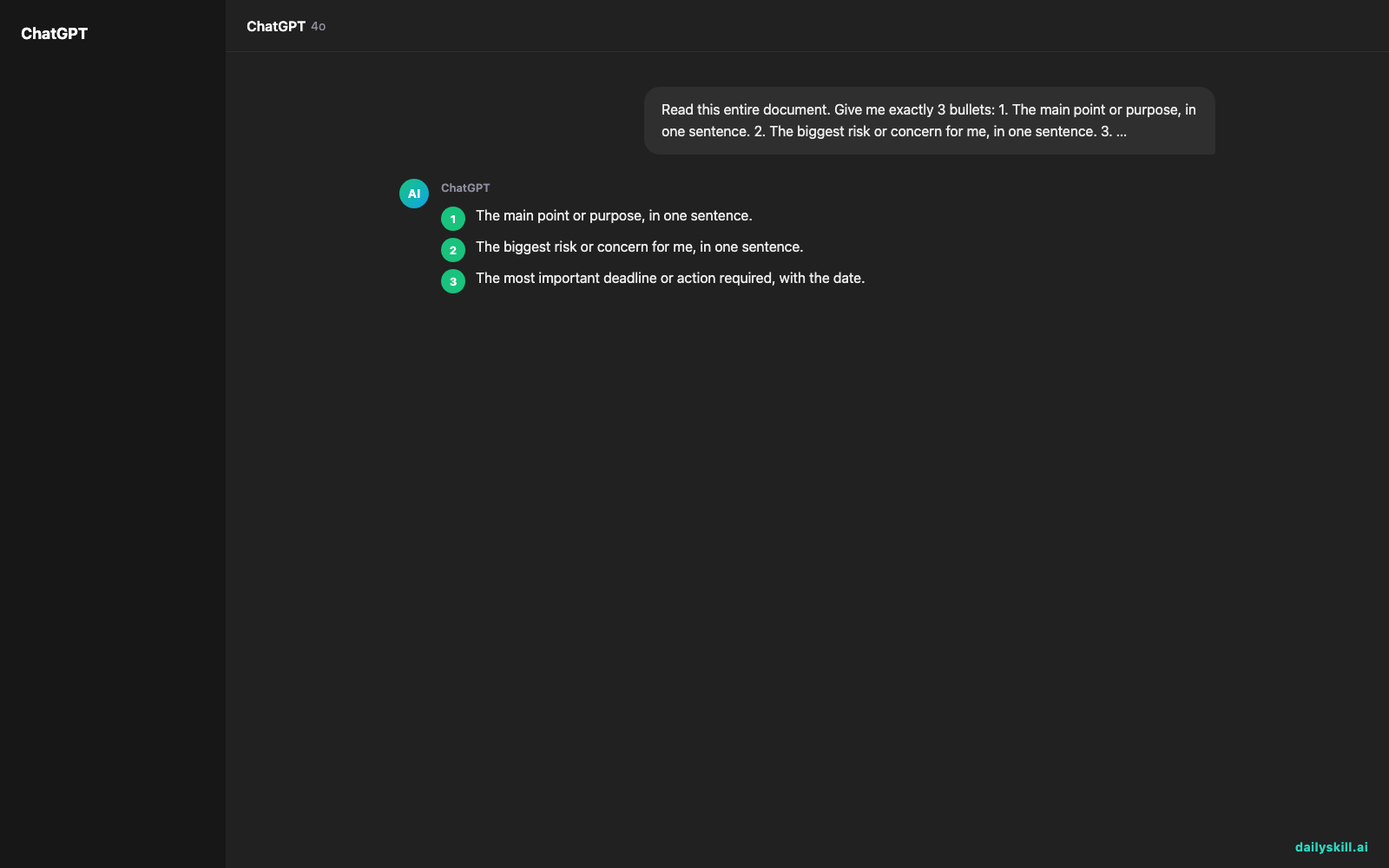
Read this entire document. Give me exactly 3 bullets:
1. The main point or purpose, in one sentence.
2. The biggest risk or concern for me, in one sentence.
3. The most important deadline or action required, with the date.
For each bullet, add the page number where you found it.
If the document doesn't mention a deadline or risk, say so. Don't guess.
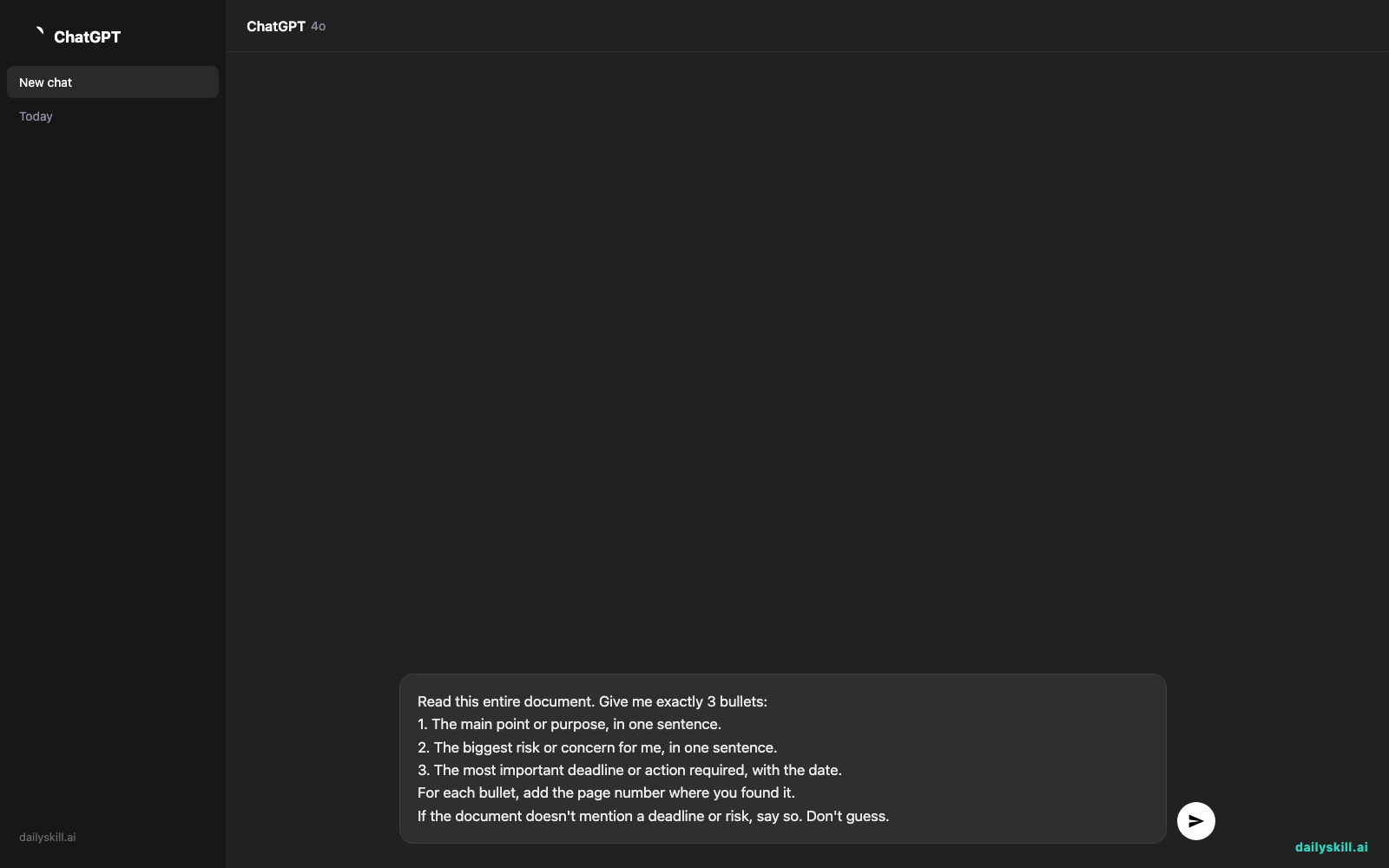
Three things make this work:
– It sets a strict format.
– It asks for page numbers, so you can verify each claim.
– It lets the AI say “not mentioned” instead of inventing something.
What to do
Do:
1. Upload the PDF directly, rather than pasting in pieces of it.
2. Say who you are and what you need. For example: “I’m a small business owner deciding whether to sign this.”
3. Ask for page references, then open those pages and read them.
4. Ask follow-ups, like “What does section 4 mean for me?” or “List every date in this document.”
5. Check every number, date, and dollar amount against the original.
Don’t:
1. Don’t rely on the summary alone for contracts, medical papers, or legal and financial decisions.
2. Don’t upload a document with private details until you’ve checked the tool’s privacy settings and your workplace rules.
3. Don’t accept a summary with no page references.
4. Don’t ask for “a summary” and stop there. Say exactly what you want pulled out.
FAQ
Can AI extract key points from a scanned PDF?
Often, yes. Many tools can read scanned pages. But blurry or crooked scans can cause mistakes, so double-check names and numbers.
What if the summary seems too general?
Ask a narrower question. “What are the three biggest costs mentioned?” beats “What’s important?” You can also ask for a summary one section at a time.
Is it okay to upload work documents?
It depends on your company’s rules and the tool’s privacy settings. If the document is confidential, check your policy first. When in doubt, ask your manager or IT team.
Bottom line
Ask for three specific bullets with page numbers, then verify them in two minutes. That’s the fastest safe way to get through a long PDF.
What’s your take? Have you used AI to summarize a long document? Share what worked, or what went wrong, in the comments. Your tips help other readers.
Tomorrow’s question: Can AI help me practice difficult conversations before having them?
You might also like:
- Get a Day-by-Day Dog Training Plan in 60 Seconds
- Magic Eraser (Google Photos) — Erase Unwanted Objects From Any Photo in One Tap
Master Everyday AI in 1 Minute a Day
Get our free 2026 Double-Blind AI Benchmark Scorecard & 20 Ready-to-Use Prompts, plus one honest, 60-second AI skill in your inbox every morning. Zero hype, plain English, cancel anytime.