
That moment this solves
You’re staring at a restaurant menu in Barcelona, a contract in Japanese, or a WhatsApp message from a supplier in Brazil — and you have no idea what any of it says. Google Translate is the free AI translation app that turns that panic into a five-second fix. It’s for anyone who hits a language wall in daily life, travel, or work.
What it is
Google Translate is a free AI-powered tool that converts text, speech, photos, and handwriting across 130+ languages. No account needed — just go to translate.google.com or grab the free mobile app.
The AI behind it has improved a lot. It handles natural phrasing and context far better than the clunky, word-for-word results you might remember from years ago.
Try it in 5 minutes
- Open translate.google.com or the Google Translate app on your phone.
- Pick your source language on the left and target language on the right — or hit Detect language and let the AI figure it out.
- Paste or type your text. Translation appears instantly.
- To translate a photo, tap the camera icon in the app, point it at any text, and watch the AI overlay the translation on the image in real time.
- For live conversation, tap Conversation mode — two people speak into the same phone in different languages, and the app translates both sides out loud.
Want a quick test? Paste this into the box:
Bonjour, pourriez-vous m'indiquer où se trouve la gare, s'il vous plaît ?
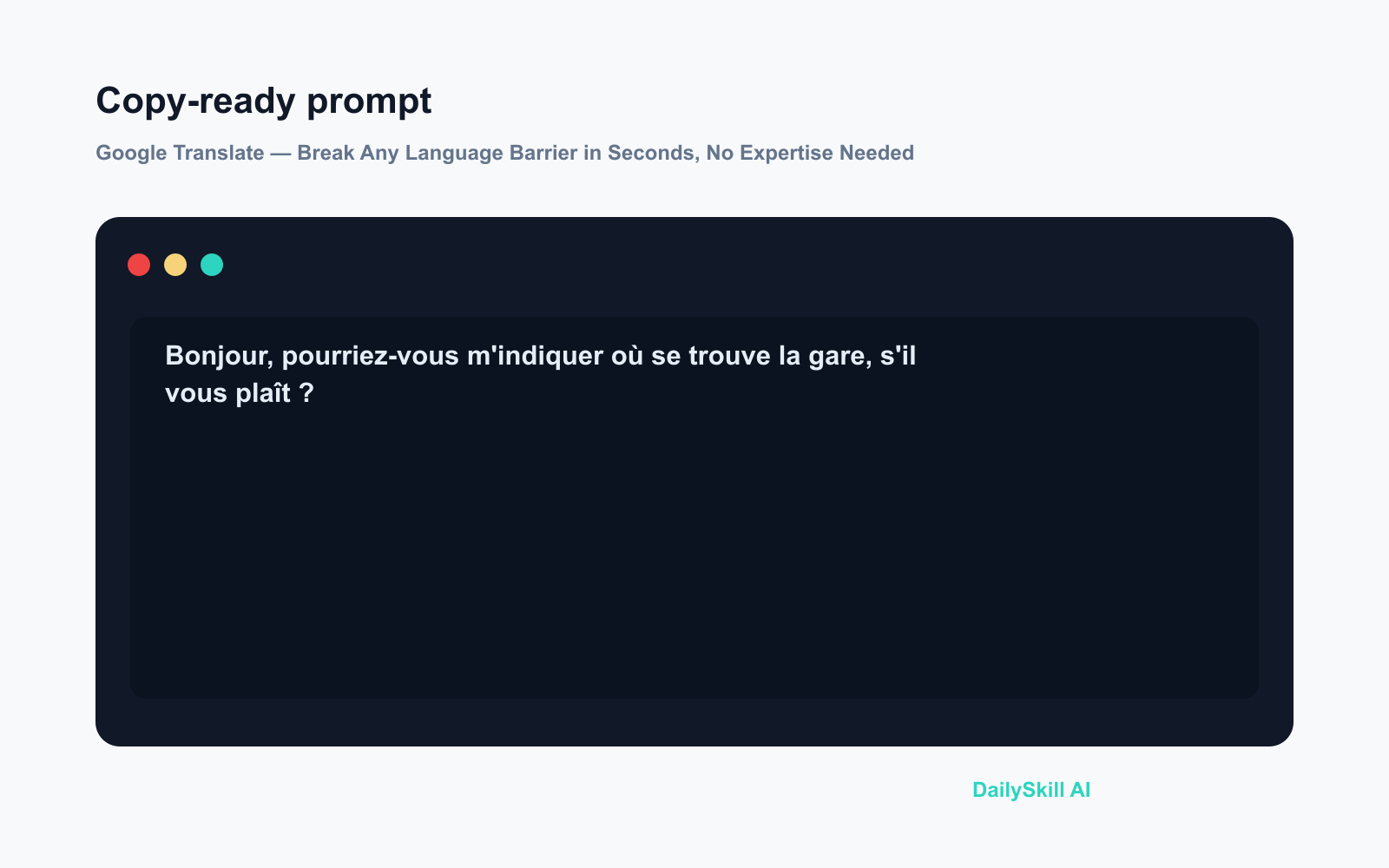
Set the target language to English. You’ll get a clean, natural result in under a second.
A real example
Input: You’re at a market in Seoul. You snap a photo of a handwritten price sign in Korean using the app’s camera.
Output: The app detects Korean automatically, overlays the English translation directly on top of the handwriting in your camera view, and lets you tap individual words to hear how they’re pronounced. In testing with a moderately neat handwritten sign, it caught every word correctly and updated the overlay in real time as the camera moved.
Very rushed or cramped handwriting can still trip it up — but printed text and clean handwriting handle reliably well.
Honest take
Best for:
– Travelers who need instant help with signs, menus, and conversations abroad
– Anyone receiving work documents or messages in a foreign language
– Students and researchers skimming foreign-language sources quickly
Not for:
– Legal or medical translations — a certified human translator is required for anything with real stakes
– Literary or highly stylized writing where tone and nuance matter; the AI often flattens them
Free tier: Fully free — text, photo, handwriting, and conversation translation cost nothing, with no cap on everyday use. The iOS and Android apps are free too.
FAQ
Do I need a Google account to use it?
No. You can use Google Translate on the web or in the app without signing in. An account just lets you save favorite translations.
Is it safe to paste my text in?
Google processes your input to return the translation. Avoid pasting sensitive details — account numbers, passwords, private medical information — into any public AI tool, this one included.
Does it work offline?
Partly. In the mobile app, you can download specific language packs (Spanish, French, etc.) for basic text translation without a connection. The camera and live conversation features work best with an internet connection.
Today’s pick wrap-up
Google Translate is the rare AI tool that’s genuinely excellent, completely free, and ready to use in under a minute — and most people already have access to it without realizing how far it’s come. Try the camera mode once and you’ll never squint at a foreign label the same way again.
Which language have you translated most recently? Drop it in the comments — curious what situations bring people here.
Tomorrow we’re looking at Notion AI — it lives inside your notes and docs, helping you draft, summarize, and organize your writing without ever switching tabs. Worth knowing about if you live in Notion or have been curious about trying it.
You might also like:
- Day 14 — 3 Recipes From Ingredients You Already Have (AI 1-Minute Challenge)
- Is My Data Being Used to Train the AI?
⭐ Want every prompt in one place?
All 136 tested prompts from our daily skills are free on
GitHub — DailySkill Prompt Library.
Star it to get new prompts as we publish.
More on Choosing & Using AI Tools:
- Adobe Firefly: The AI Image Generator Built for Real Work
- Anthropic Introduces Claude Sonnet 5: Its Most Agentic Sonnet
- Best Free AI Tools in 2026: The Honest Guide for Normal People
Master Everyday AI in 1 Minute a Day
Get our free 2026 Double-Blind AI Benchmark Scorecard & 20 Ready-to-Use Prompts, plus one honest, 60-second AI skill in your inbox every morning. Zero hype, plain English, cancel anytime.


