
You’ve got three tabs open, a notes app full of random numbers, and you still can’t decide which apartment to pick. Here’s exactly how to hand all three listings to AI and get a clean decision table back in under a minute.
Prefer video? Watch Nude the Sphynx break down this skill step-by-step.
Sound familiar?
You screenshot the first listing, copy-paste rent from the second, and by the third one you’ve forgotten what the first one even looked like. Apartment hunting AI isn’t a fantasy — it’s just one prompt away.
The 60-Second Fix
You’ll use any free AI chat — ChatGPT, Gemini, or Claude. The free version of any one works. The trick isn’t a paid plan or a special “research” mode; it’s how you feed the listings in: you paste the key details as text, and the AI builds the table.
Why paste the details instead of the links? Big rental sites like Zillow and Apartments.com block AI bots, so dropping a raw URL often comes back as “I can’t open that page.” Pasting the details always works — the AI compares the content, not the link.
Step 1 — Open any free AI chat
Go to chatgpt.com, gemini.google.com, or claude.ai and start a new chat. The free tier is all you need here.
Step 2 — Copy the key details from each listing
For each apartment, highlight and copy the basics: rent, size, beds/baths, amenities, lease term. You don’t need the whole page — just the numbers and features. On your phone, select the text or jot the key figures down.
Step 3 — Use this prompt
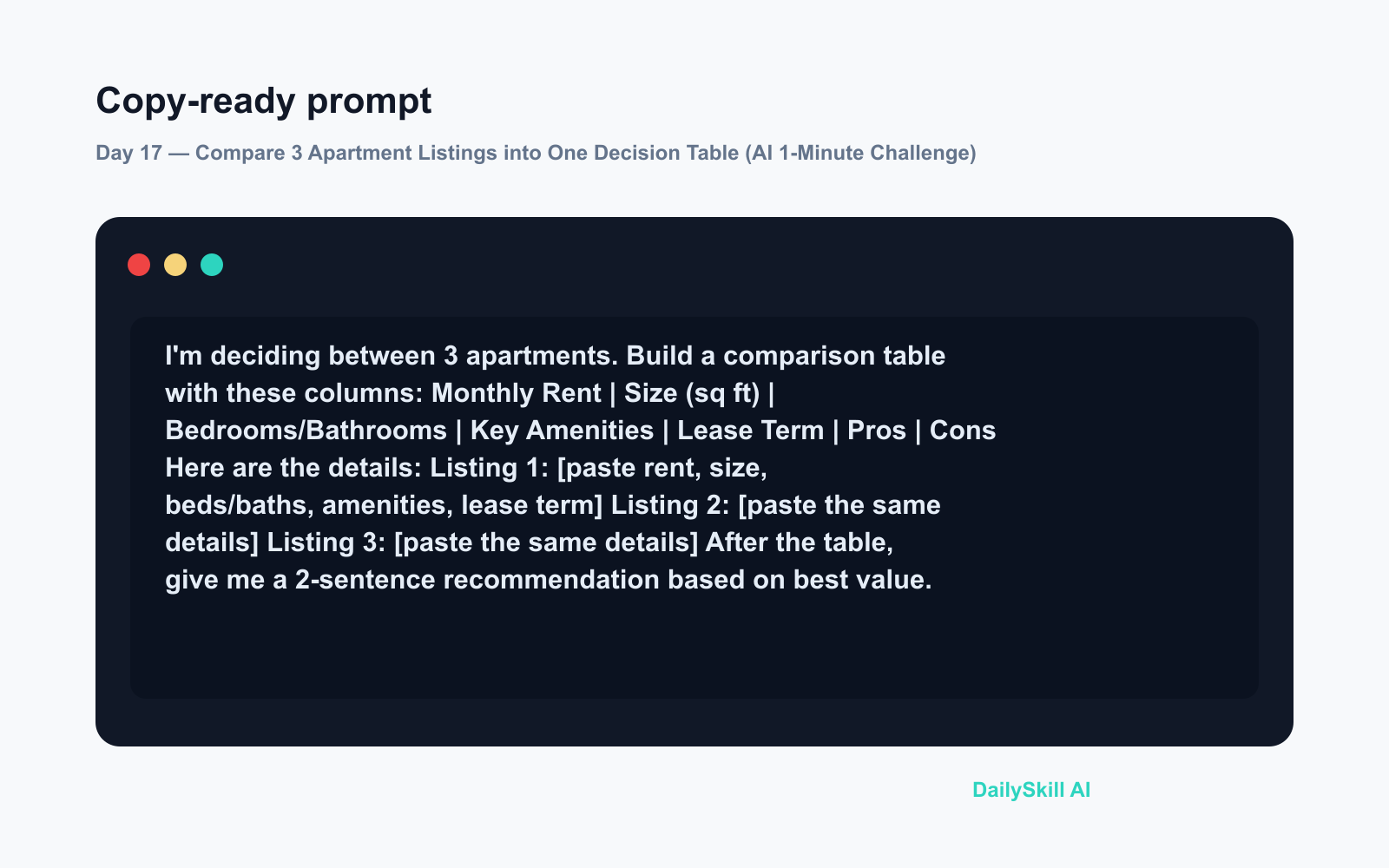
I'm deciding between 3 apartments. Build a comparison table with these columns:
Monthly Rent | Size (sq ft) | Bedrooms/Bathrooms | Key Amenities | Lease Term | Pros | Cons

Here are the details:

Listing 1: [paste rent, size, beds/baths, amenities, lease term]
Listing 2: [paste the same details]
Listing 3: [paste the same details]

After the table, give me a 2-sentence recommendation based on best value.
Hit send and you’ll get a clean table back in seconds.
Real Example
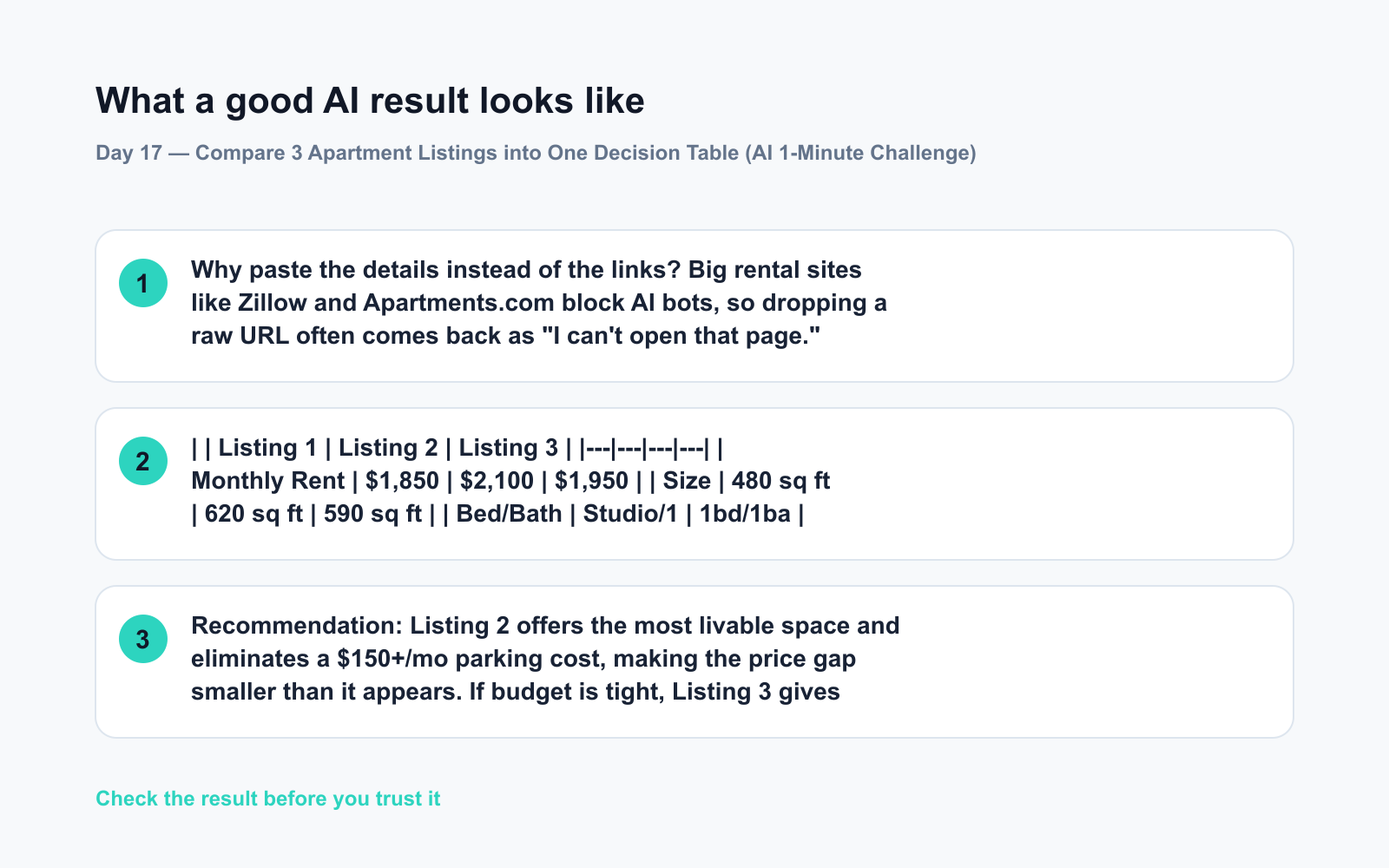
Input: Three listings — a $1,850/mo studio in a new building, a $2,100/mo 1-bed with parking, and a $1,950/mo 1-bed in an older building.
What the AI returned (snippet):
Listing 1 Listing 2 Listing 3 Monthly Rent $1,850 $2,100 $1,950 Size 480 sq ft 620 sq ft 590 sq ft Bed/Bath Studio/1 1bd/1ba 1bd/1ba Parking No Yes (included) Street only Pros Newest building, gym Most space, parking Best price-per-sqft Cons Tiny, no parking Priciest option Older appliances Recommendation: Listing 2 offers the most livable space and eliminates a $150+/mo parking cost, making the price gap smaller than it appears. If budget is tight, Listing 3 gives the best square-footage value.
No more mental math. No more browser tab archaeology.
Level Up
- Add your own priorities. Append “I have a dog and work from home — weight those factors in your recommendation” to get a personalized take.
- Compare more than 3. Paste the details for 4–5 listings — the prompt scales fine. Great when you’re seriously comparing across a whole neighborhood.
- Ask follow-up questions. After the table, paste a couple of commute times and ask “Which one is the easiest commute to my office?” — the AI works from whatever details you give it.
FAQ
Do I need a paid AI plan for this?
No. The free version of ChatGPT, Gemini, or Claude handles this easily. You’re pasting text, not asking the AI to browse the web, so no premium “research” mode is needed.
Can I just paste the listing URLs instead of the details?
It’s hit-or-miss. Major rental sites block AI bots, so a raw link often fails or returns nothing. Pasting the actual details (rent, size, amenities) always works and only takes a few seconds — that’s why this AI decision table method leads with text.
Is this useful for buying a home, not just renting?
Absolutely. Paste in the details from Zillow or Realtor.com and add columns like HOA fees, property tax, and year built. The same house comparison AI prompt scales up easily.
Today’s Check-In
Tried this on your own apartment search — or know someone who’s moving soon? Drop your biggest “I wish I’d known this sooner” apartment hunting tip in the comments. 👇
Tomorrow, Day 18: We’re taking this same “compare and decide” energy to your reading list — you’ll paste 3 books you’re curious about and let AI compare their core ideas so you know which one to read first.
You might also like:
- What’s the Difference Between ‘AI’ and the Chatbots I’ve Used Before?
- remove.bg / Photoroom — Clean Backgrounds, Zero Editing Skills Required
⭐ Want every prompt in one place?
All 136 tested prompts from our daily skills are free on
GitHub — DailySkill Prompt Library.
Star it to get new prompts as we publish.
More on AI for Everyday Life & Home:
- 5 AI Tasks You Can Do Every Day in Under 90 Seconds Each
- Can AI Help With Meal Planning and Recipes? (Yes, Here’s How)
- Can AI Read and Summarize a Website or Article for Me?
Master Everyday AI in 1 Minute a Day
Get our free 2026 Double-Blind AI Benchmark Scorecard & 20 Ready-to-Use Prompts, plus one honest, 60-second AI skill in your inbox every morning. Zero hype, plain English, cancel anytime.


