
Yes. A free AI tool like ChatGPT, Gemini, or Claude can turn a messy task list into a clear weekly plan in under two minutes. But it should stay a suggestion machine, not the boss of your calendar — you give it your tasks and priorities, it hands back a draft schedule, and you keep the final say on every decision.
Why this comes up
People worry about two opposite things at once: that AI planning tools are too complicated to bother with, or that once you start using one, you’ll end up outsourcing your judgment to a chatbot.
Both fears are reasonable — and both are avoidable with the right setup.
The honest answer
What’s true:
– AI is genuinely good at the tedious part of planning: sorting tasks by priority, estimating how long things take, and spotting when you’ve overloaded a day.
– A free AI scheduling assistant can turn “I have 12 things to do this week” into a structured plan in seconds — no app download, no learning curve.
– This works well for beginners because you don’t need special prompts or settings. Plain language works.
What’s overblown:
– AI doesn’t know your energy levels, your family’s needs, or that Wednesday is always a disaster. It can’t replace your judgment about your life.
– It won’t remember your plan tomorrow unless you save it somewhere — a note, a doc, your actual calendar. Don’t rely on chat history as your task manager.
– “AI task management for beginners” doesn’t mean handing over decisions. It means using AI to organize information you already have.
Think of it as a smart assistant who drafts the schedule. You’re still the one who signs off on it.
What to do today (90-second template)
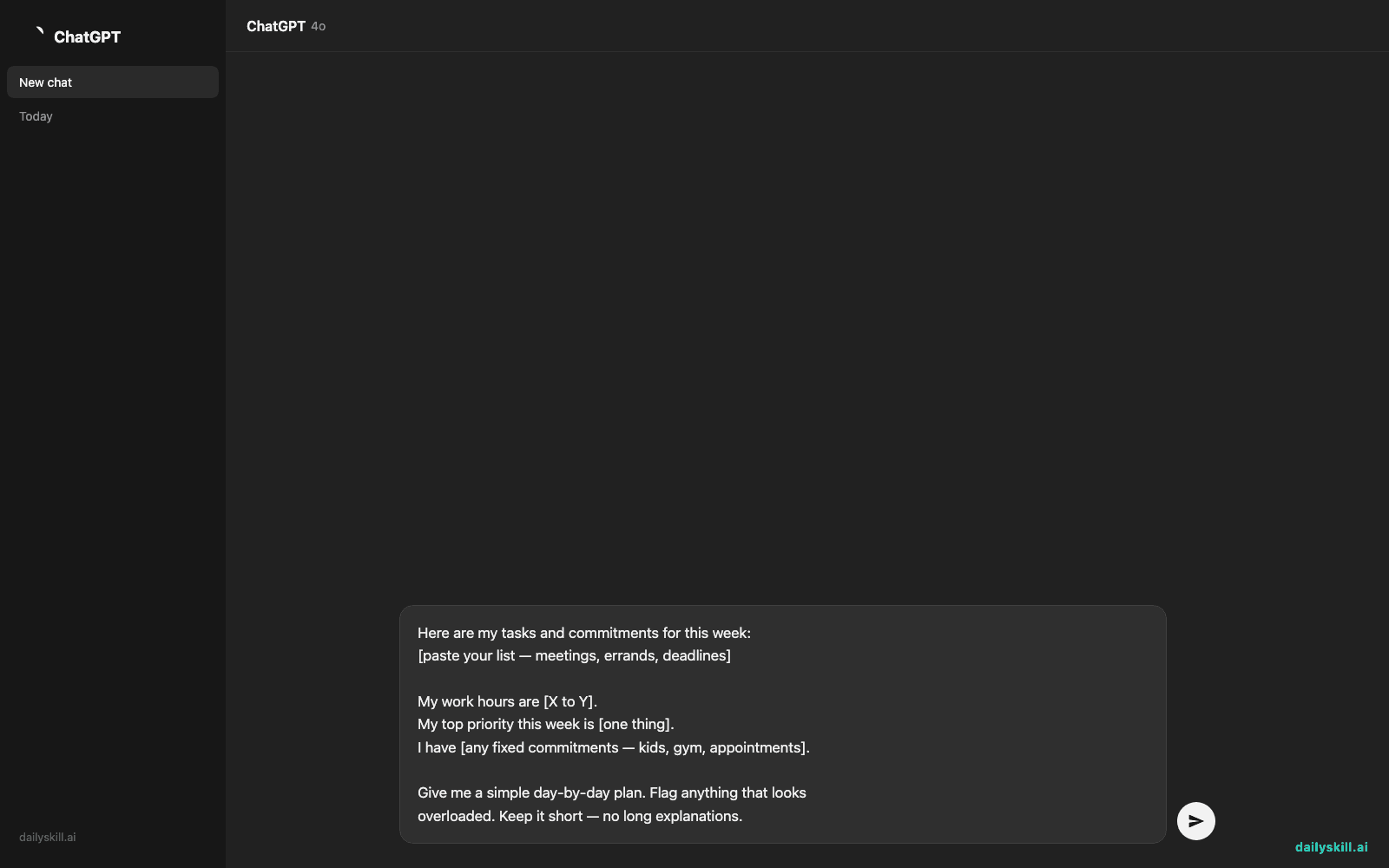
Copy this into any AI chat tool:
Here are my tasks and commitments for this week:
[paste your list — meetings, errands, deadlines]

My work hours are [X to Y].
My top priority this week is [one thing].
I have [any fixed commitments — kids, gym, appointments].

Give me a simple day-by-day plan. Flag anything that looks
overloaded. Keep it short — no long explanations.
Do:
– Copy the plan into your real calendar or notes app right away — don’t leave it stranded in a chat window.
– Adjust anything that feels off. You know your life better than the model does.
– Re-run this once a week, not daily — it’s a planning tool, not a nag.
Don’t:
– Don’t type sensitive details (medical info, other people’s private schedules, financial info) into the prompt.
– Don’t let it auto-schedule things you haven’t reviewed.
– Don’t use it to avoid deciding — if two priorities conflict, that’s your call, not the AI’s.
FAQ
Can AI actually set reminders or send notifications?
Some AI tools now connect to calendar apps and can create real events or reminders when you give permission. If yours doesn’t, just copy the plan into whatever calendar app you already use.
Is a free version good enough for this, or do I need to pay?
Free tiers of ChatGPT, Gemini, and Claude are more than enough for weekly planning. This isn’t a task that needs a premium subscription.
What if my week changes halfway through?
Just paste in the update — “Tuesday’s meeting moved to Thursday” — and ask for a quick revised plan. It takes seconds.
Bottom line
AI can draft your week; you still run your life. Try the template above and see if it saves you the Sunday-night planning headache.
What’s your go-to way to plan your week — paper, app, or AI? Tell us in the comments.
Tomorrow: what actually happens to your personal information once you type it into an AI tool?
You might also find these helpful:
- Perplexity AI — Get Answers With Sources, Not a Pile of Links
- How do I know if an AI answer is actually true?
- You.com — A Free AI Search Engine That Skips the 10 Blue Links
Master Everyday AI in 1 Minute a Day
Get our free 2026 Double-Blind AI Benchmark Scorecard & 20 Ready-to-Use Prompts, plus one honest, 60-second AI skill in your inbox every morning. Zero hype, plain English, cancel anytime.


