
Yes, and it’s one of the easiest money-saving jobs you can hand to an AI assistant. Copy a few months of transaction descriptions from your bank statement and remove anything personal. Paste them in and ask the AI to find recurring charges, group them, and total them per month and per year. In about ten minutes you’ll have a list you can act on. The AI finds the patterns. You decide what to cancel.
Why this comes up
Most of us have signed up for a free trial and forgotten about it. A $4.99 charge here and a $12.99 charge there get lost on a long statement.
You may also worry about handing your bank details to an AI. Both worries are fair, and both have simple fixes.
The honest answer
AI is good at reading messy lists and spotting patterns, and bank statements are exactly that. Descriptions look like SQ *GYMCO 8005551234 or AMZN Digital*2K4LM. An assistant can usually work out what they are and which ones repeat.
What AI does well
- Finds charges that repeat monthly, yearly, or on an odd schedule
- Groups similar items, like streaming, software, fitness, and cloud storage
- Spots price changes, such as a plan that went from $9.99 to $11.99
- Notices possible duplicates, like two music or storage services
- Does the math: monthly total, yearly total, and savings if you cancel certain items
What it can get wrong
- It may misread a cryptic merchant name. If a line looks unfamiliar, check it yourself.
- It can mistake a regular purchase, like a weekly coffee, for a subscription.
- It only knows what you paste in, so it can miss charges from another card or account.
- It can’t cancel anything for you. That part is still yours.
What’s overblown
- You don’t need to give the AI your bank login or account access. Pasted text is enough.
- Once you strip out personal details, a list of dates, merchants, and amounts reveals very little about you.
Treat the AI’s list as a good first draft, not a final verdict. A quick check on anything surprising takes a minute.
What to do
Do
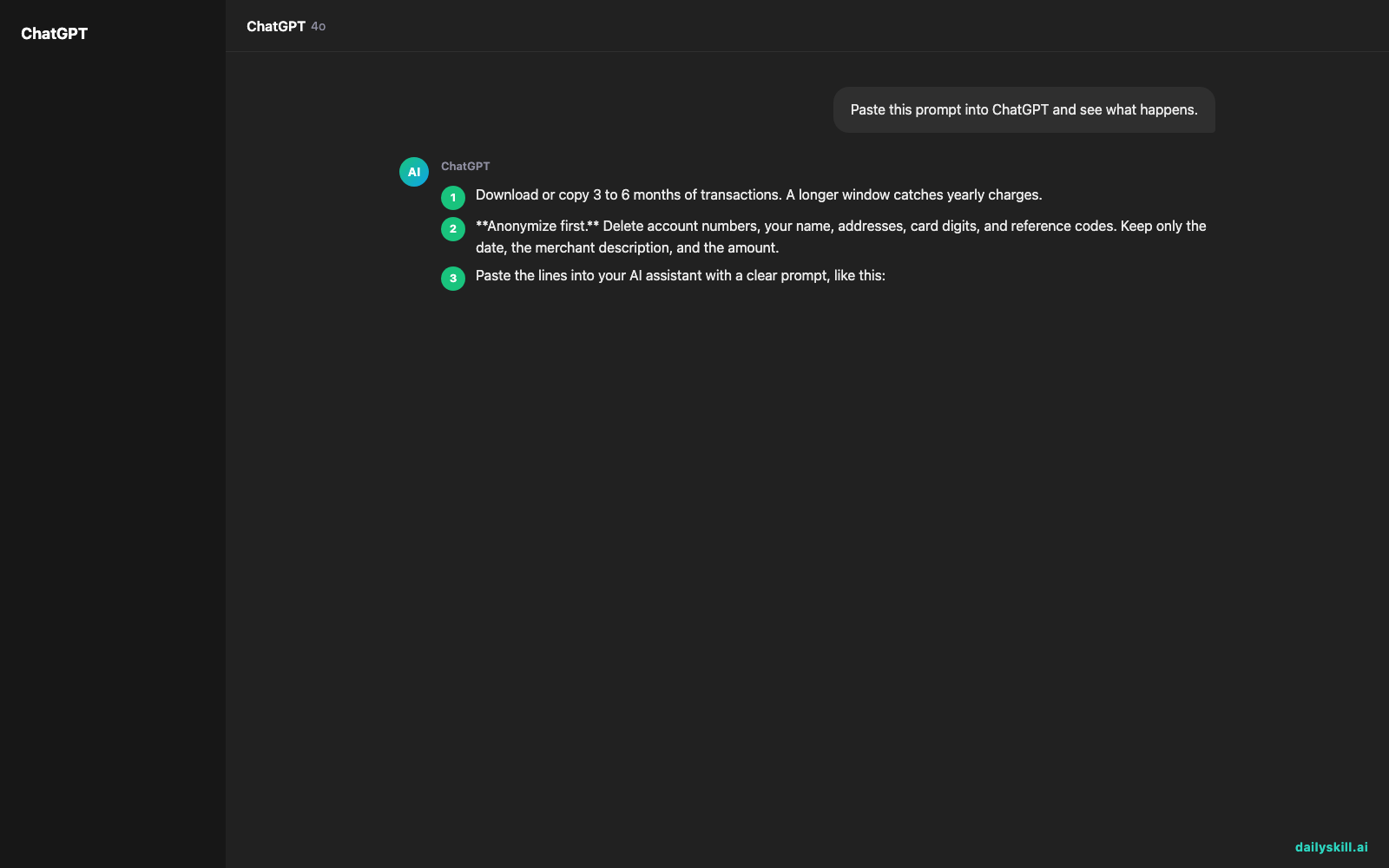
- Download or copy 3 to 6 months of transactions. A longer window catches yearly charges.
- Anonymize first. Delete account numbers, your name, addresses, card digits, and reference codes. Keep only the date, the merchant description, and the amount.
- Paste the lines into your AI assistant with a clear prompt, like this:
“Here are my bank transactions (date, description, amount). Find recurring charges and subscriptions. Make a table with the merchant, how often it charges, the amount, and the yearly cost. Flag anything that changed price or looks like a duplicate. Then total everything per month and per year.”
4. Ask a follow-up: “Which of these are most likely free trials that converted to paid?”
5. Check the unclear ones in your bank app or email. Search your inbox for “receipt” or “subscription.”
6. Cancel through the company’s own site or app. Then check your next statement to confirm the charge stopped.
Don’t
- Don’t paste full statements with account numbers, balances, or personal details.
- Don’t share login details, card numbers, or security codes with any AI tool. You never need to.
- Don’t cancel something just because it’s on the list. Some charges are insurance or utilities you need.
- Don’t assume a charge is fraud because you don’t recognize it. Check first. If it’s truly unknown, contact your bank.
A quick example: Say the AI finds a $9.99 app, a $14.99 streaming plan, and a $6.99 storage plan you forgot about. That’s $31.97 a month, or about $384 a year.
If you cancel the app and the storage plan, you save about $204 a year. Your numbers will differ, but the method is the same.
FAQ
Is it safe to paste bank statement text into AI?
It’s much safer when you strip out personal details first. Keep only dates, merchant names, and amounts. Also check the privacy settings of the tool you use. Look for options that limit how your chats are stored or used.
Can I upload a spreadsheet or CSV instead?
Often, yes. Many assistants accept file uploads. The same rule applies: delete columns with account numbers or personal info before you upload.
How often should I do this?
Two or three times a year works well. Run it again after a big change, like a new job, a move, or a free trial you signed up for. Set a reminder so you don’t forget.
Bottom line
AI won’t cancel anything for you, but it can turn a confusing statement into a clear list of what you’re paying for. Anonymize first, double-check the surprises, and keep what’s worth it.
Did you find a forgotten subscription this way? Share your story, or your best prompt, in the comments. Your tip might save someone else a few hundred dollars.
Tomorrow’s question: How do I turn a 50-page PDF into a 3-bullet summary with AI? We’ll show you how to get the key points without reading every page.
You might also like:
- Get a Day-by-Day Dog Training Plan in 60 Seconds
- Magic Eraser (Google Photos) — Erase Unwanted Objects From Any Photo in One Tap
Master Everyday AI in 1 Minute a Day
Get our free 2026 Double-Blind AI Benchmark Scorecard & 20 Ready-to-Use Prompts, plus one honest, 60-second AI skill in your inbox every morning. Zero hype, plain English, cancel anytime.


