
You’re 10 minutes from a deadline and your screen says “ERR_CONNECTION_TIMED_OUT.” Now what?
Here’s how to fix it in about a minute. Paste the error into Claude, and you’ll get what it means, why it happened, and three simple steps to try. All of it comes in plain English.
Sound familiar?
Your browser stops loading a page. Or an app crashes. Or a pop-up appears with a wall of letters, numbers, and underscores.
You search for the message and land on a forum where everyone argues in tech-speak. Nobody says “do this first.” So you close the window and hope it fixes itself.
You don’t need to learn the jargon. You just need someone to translate it. That’s what Claude does well.
The 60-second fix
1. Copy the error exactly
Select the error text and copy it. Include every number and letter, even if they look like gibberish. Those details are the clues.
Can’t copy the text? Take a screenshot and attach it to your chat with Claude. It can read images.
2. Tell Claude what you were doing
One short sentence is enough. “I was opening a website in Chrome on my Windows laptop” helps Claude tailor the advice to your situation.
3. Paste this prompt
You are a patient tech support helper. I'm not technical.

Here is the error message I got:
[PASTE THE ERROR HERE]

What I was doing: [ONE SENTENCE, e.g. "opening a website in Chrome on a Windows laptop"]

Please:
1. Explain what this error means in one or two plain sentences, with no jargon.
2. Tell me the most likely reason it happened.
3. Give me 3 simple fix steps, starting with the easiest. Tell me exactly where to click.
4. Tell me what to do if none of them work.
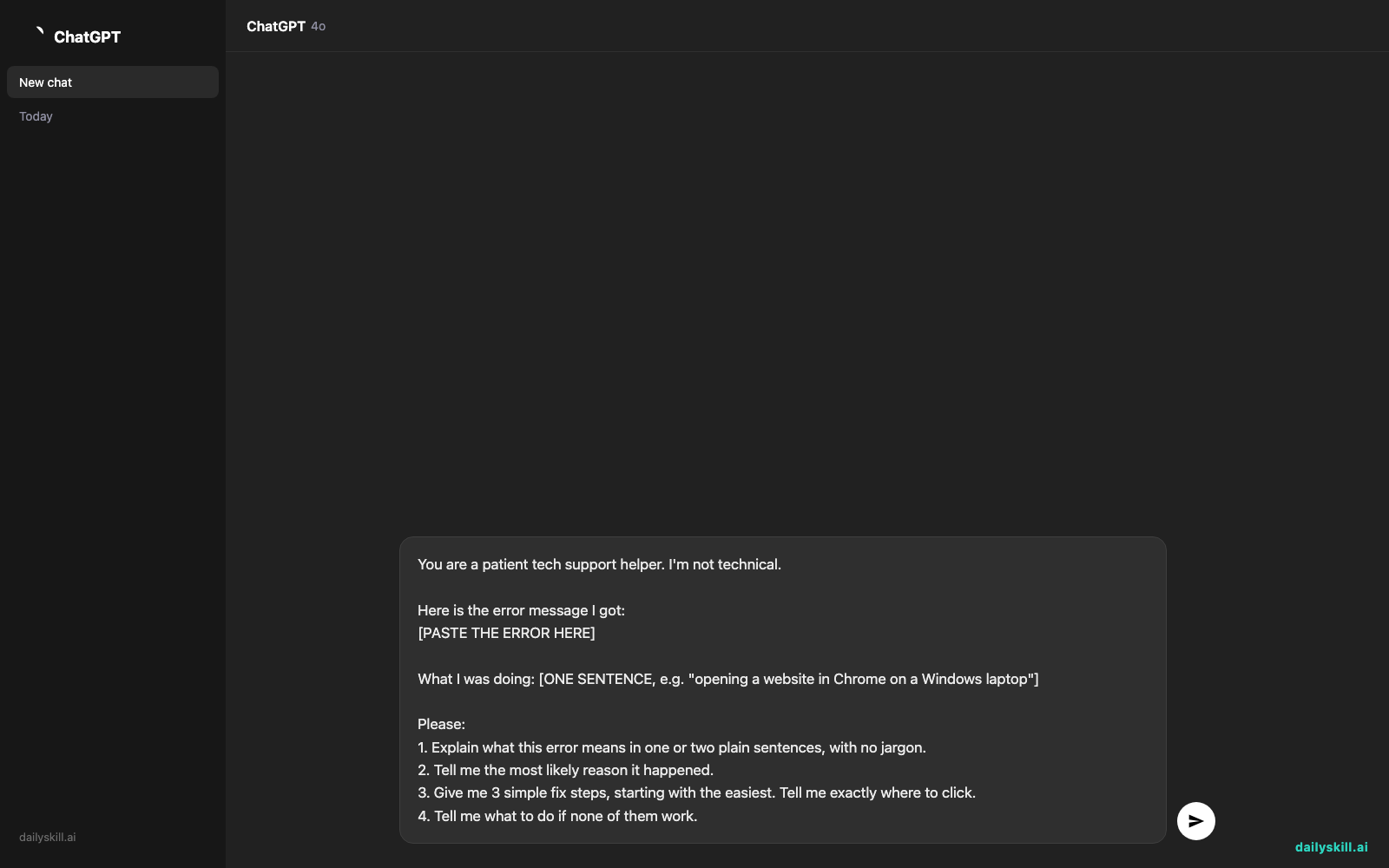
Press enter and read the answer. Try the steps in order, and stop as soon as the problem is fixed.
Real example
What you paste:
Here is the error message I got:
ERR_CONNECTION_TIMED_OUT

What I was doing: opening my bank's website in Chrome on a Windows laptop
What Claude might say:
What it means: Your browser knocked on the website’s door, but nobody answered in time, so it gave up.
Most likely reason: A weak or interrupted internet connection. Sometimes a VPN or security program is blocking the connection.
Try these in order:
1. Open a different website, such as a news site. If that fails too, restart your Wi-Fi router: unplug it for 30 seconds, then plug it back in.
2. If other sites load fine, turn off any VPN, then reload the bank’s page.
3. Clear your browser’s saved data. In Chrome, click the three dots (top right) → Delete browsing data → choose “Cached images and files” → Delete.If none of that works: The bank’s site may be down. Try again in an hour, or call the number on the back of your bank card.
Notice you never had to look up what “timed out” means. The explanation came with the fix.
Level up
- Ask for a safety check. Add “Is any step here risky? Tell me before I do it.” Claude will flag anything that deletes files or changes important settings.
- Ask for a message to support. Add “Write a short, polite message I can send to tech support, including the details they’ll need.”
- Say what you’ve already tried. “I already restarted and it didn’t help” stops Claude from repeating steps you’ve done.
FAQ
Can AI really explain a technical error code?
Yes. Claude is good at turning technical messages into everyday language. It works best when you paste the full error and say what you were doing.
If the error comes from something very new or obscure, Claude may tell you it’s unsure. Double-check any step that sounds off before you try it.
Is it safe to paste an error message into Claude?
Usually, yes. But read it over first. If it contains passwords, account numbers, or other private details, delete them or replace them with “XXXX” before pasting.
What if the fix steps don’t work?
Reply with what happened: “I did step 2 and now I see a different message.” Paste the new message too. Troubleshooting is a back-and-forth, and Claude adjusts as you go.
Today’s check-in
Next time something breaks, try the prompt above before you search the web. Then tell us in the comments: what’s the most confusing error message you’ve ever seen, and did Claude crack it?
Tomorrow (Day 150): We’ll build a weekly grocery list grouped by supermarket aisle with AI, so you can zip through the store without backtracking.
Master Everyday AI in 1 Minute a Day
Get our free 2026 Double-Blind AI Benchmark Scorecard & 20 Ready-to-Use Prompts, plus one honest, 60-second AI skill in your inbox every morning. Zero hype, plain English, cancel anytime.


