

It’s Sunday night. Your kids’ chore chart is a crumpled sheet on the fridge, and nobody remembers who did the dishes. You wish you had a simple app for it, but you can’t code, and paying a developer for a family chore list feels silly.
Replit Agent is an AI that builds a working app from a description you type. It’s for anyone who wants a clickable first version of an idea, with no coding needed.
What it is
Replit Agent is an “agent,” which means it doesn’t just answer questions. You tell it what you want, and it plans the work and carries out the steps itself. It writes the code, sets up a database (the place where an app stores its information), and builds the screens people see.
It runs inside Replit, a website where software is built and run in your browser, so you install nothing. Think of it as describing an app in words instead of dragging blocks around.
Try it in 5 minutes
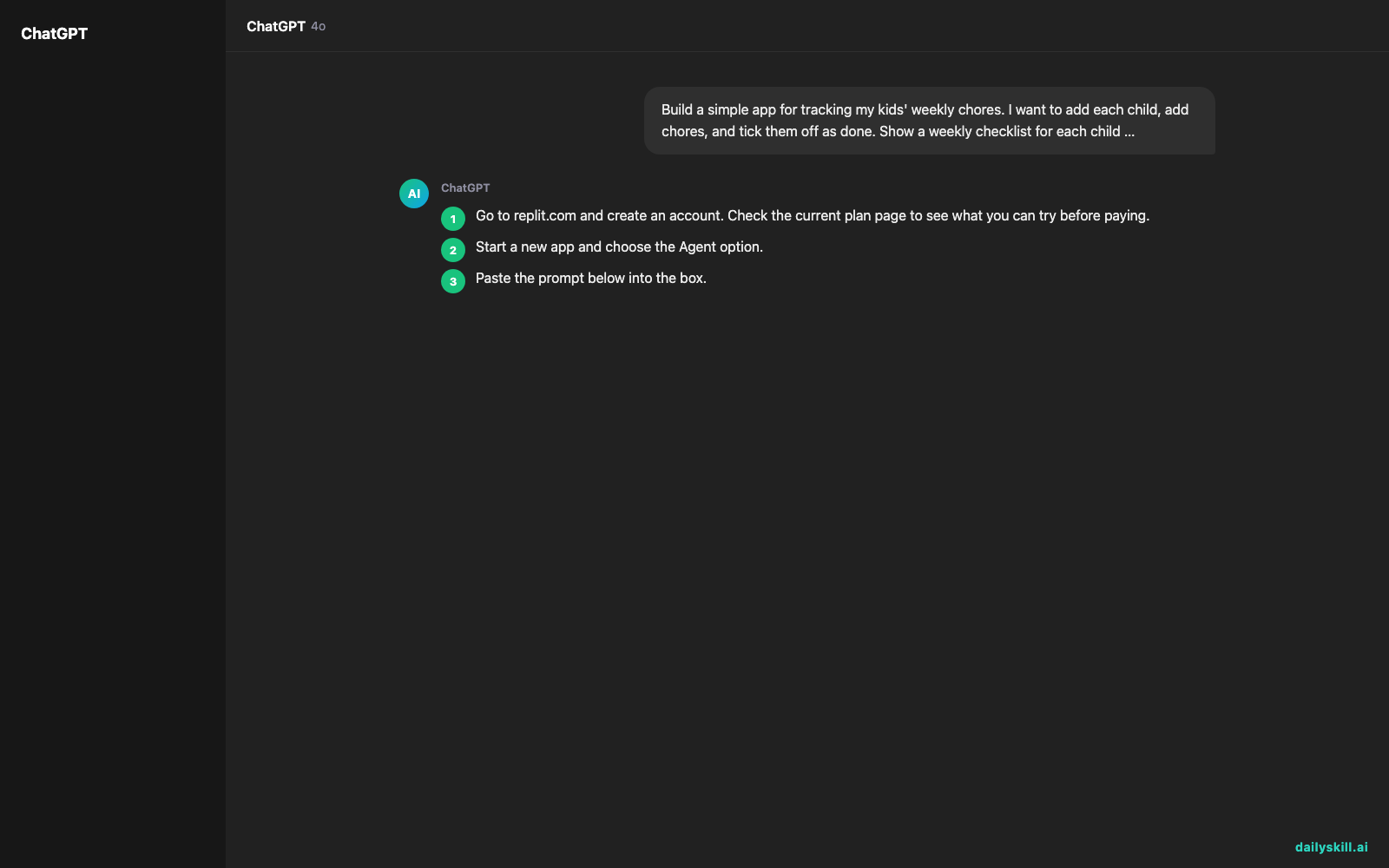
- Go to replit.com and create an account. Check the current plan page to see what you can try before paying.
- Start a new app and choose the Agent option.
- Paste the prompt below into the box.
- Read the plan the Agent shows you. If something is off, say so in plain words, like “Remove the login page for now.”
- Approve the plan and wait a few minutes while it builds. Then open the preview and click around.
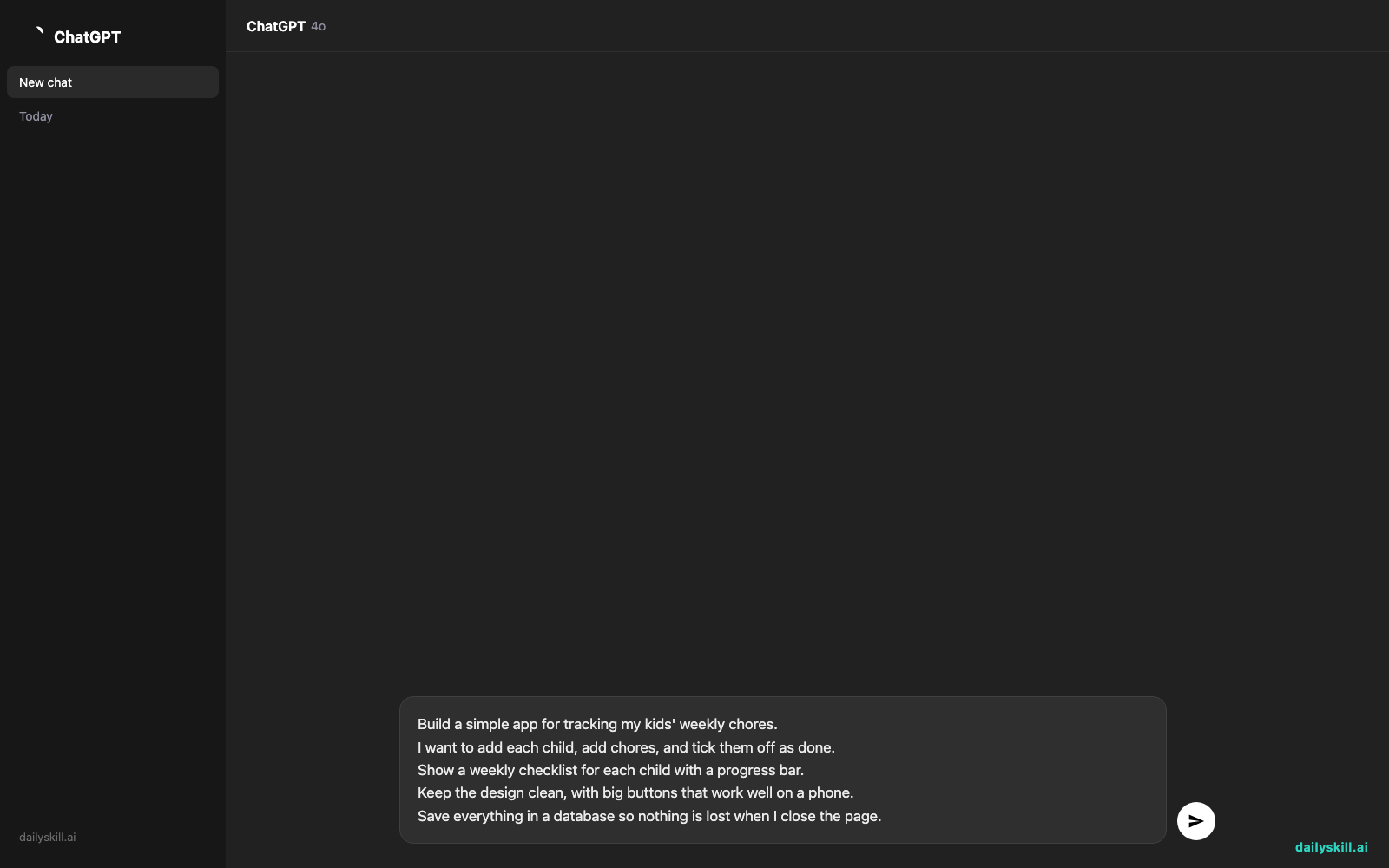
Build a simple app for tracking my kids' weekly chores.
I want to add each child, add chores, and tick them off as done.
Show a weekly checklist for each child with a progress bar.
Keep the design clean, with big buttons that work well on a phone.
Save everything in a database so nothing is lost when I close the page.
A real example
Here is roughly what happens with the chore prompt above. The Agent first lists what it plans to build. Then it creates the app and shows a live preview.
Plan shown by the Agent:
– A home screen listing each child with a colored card
– An “Add chore” form with a name and a day of the week
– A weekly checklist per child, with a progress bar that fills as chores are ticked off
– A database to store children, chores, and completed itemsWhat you see after a few minutes: a working preview. You add “Maya” and “Leo,” give each a few chores, and tick them off. The progress bar moves, and the data is still there when you refresh the page.
The first version is rarely perfect. Maybe the buttons are too small, or the days start on Sunday when you want Monday.
You fix it by typing a follow-up, such as “Make the buttons bigger and start the week on Monday.” The Agent changes the app, and you check again.
Honest take
Replit Agent is good at getting you from a blank page to something real. It handles the parts that usually stop beginners: the database, the layout, and getting the app online.
Its real weak spot is that it can look finished when it isn’t. An app may seem to work but hide bugs or weak security that you can’t spot without technical knowledge. Each round of changes also uses credits, so a long back-and-forth can get costly.
Best for:
– Small personal or business tools, like trackers, booking pages, or simple dashboards
– Testing an app idea before you pay anyone to build it
– Learning how apps fit together by watching what the Agent builds
Not for:
– Apps that handle payments, health records, or other sensitive data, unless a developer reviews the result first
– Hands-off use. Vague requests lead to odd results and wasted credits, so expect to guide it step by step.
On cost: Replit usually offers a free starter option or trial credits, which is enough to try a small app like this one. Bigger projects use credits faster, and paid plans exist if you keep going.
FAQ
Is Replit Agent free?
You can usually start with a free plan or starter credits. Building larger apps or making many changes uses more credits, so check the current plan details on Replit’s site before you commit.
Is it safe to use?
For a practice project, yes. Don’t put passwords, customer data, or anything private into an app until you understand where it’s stored. For anything real, ask someone technical to look it over.
Do I need an account?
Yes. You sign up for a Replit account, and your apps are saved there so you can come back and keep editing.
Today’s pick wrap-up
Verdict: Replit Agent is a fast, friendly way to turn an idea into a working app draft, as long as you treat the first result as a starting point and not a finished product.
Join in: Try the chore-tracker prompt, or write one for your own idea, and share what you built with the dailyskill.ai community. We’d love to see what people make.
Tomorrow: We look at Elicit, an AI research assistant that helps you find and summarize scientific papers, so you can get answers from real studies without reading hundreds of pages.
You might also like:
- Pantry Meal Plan with AI: 3 Meals From 7 Items in 1 Minute
- Can AI help me plan a family road trip with realistic driving breaks and stops?
Master Everyday AI in 1 Minute a Day
Get our free 2026 Double-Blind AI Benchmark Scorecard & 20 Ready-to-Use Prompts, plus one honest, 60-second AI skill in your inbox every morning. Zero hype, plain English, cancel anytime.


