It’s 9pm, your post goes live at 8am, and you have no graphic. Canva’s templates all look like everyone else’s feed, and you don’t have $20 to pay someone for one image.
Leonardo.AI fixes this: it’s a free AI image generator that turns a text description into a finished image in under a minute. It’s built for anyone who needs visuals but has zero design skills.
What it is
Leonardo.AI is a text-to-image generator — you type what you want to see, and it creates it. Think of it as a design tool for beginners that skips the software entirely: no layers, no dragging shapes, no learning curve.
It’s used for social media graphics, blog headers, product mockups, and even logo concepts. You describe the image in plain words, and it builds it.
Try it in 5 minutes
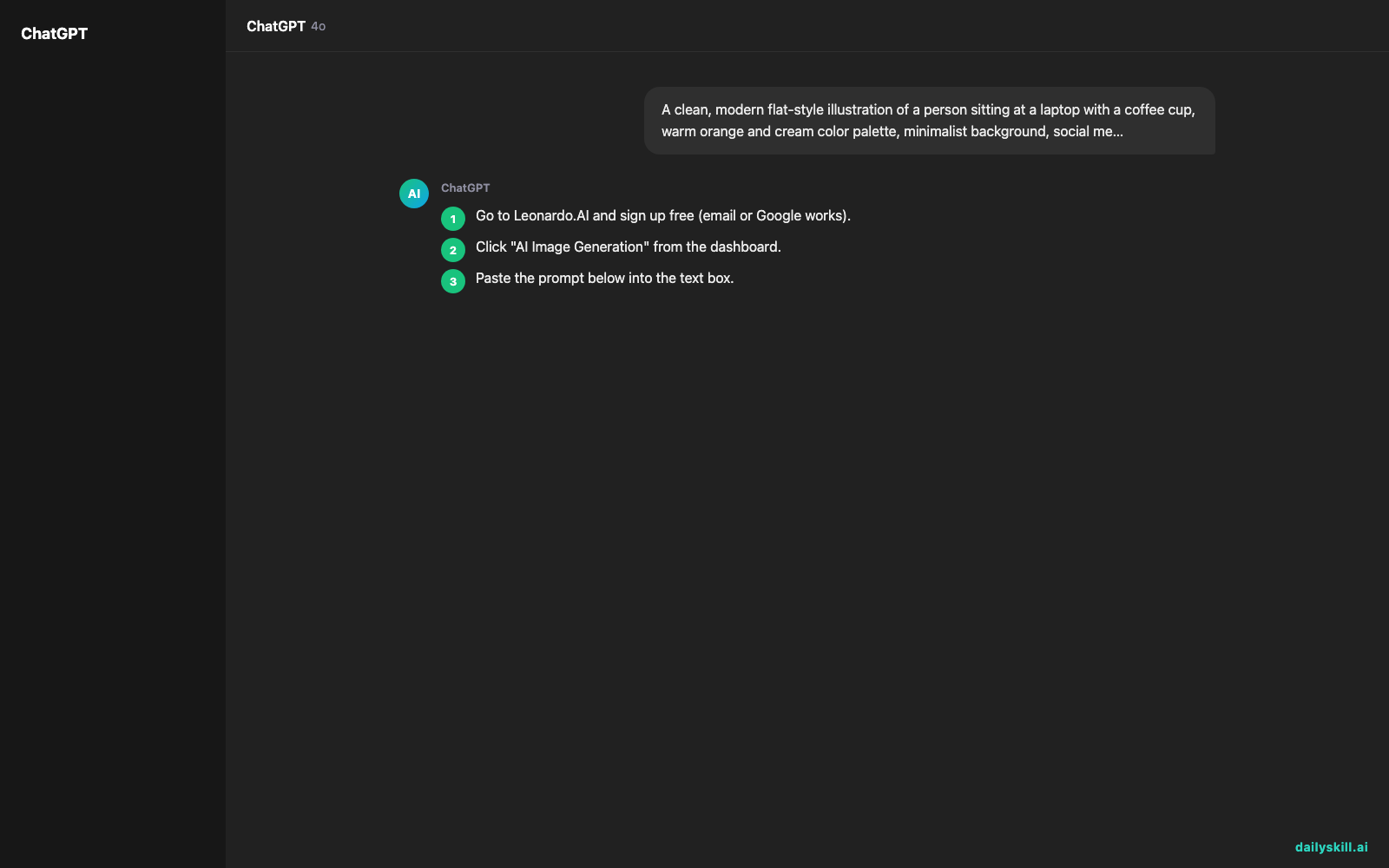
- Go to Leonardo.AI and sign up free (email or Google works).
- Click “AI Image Generation” from the dashboard.
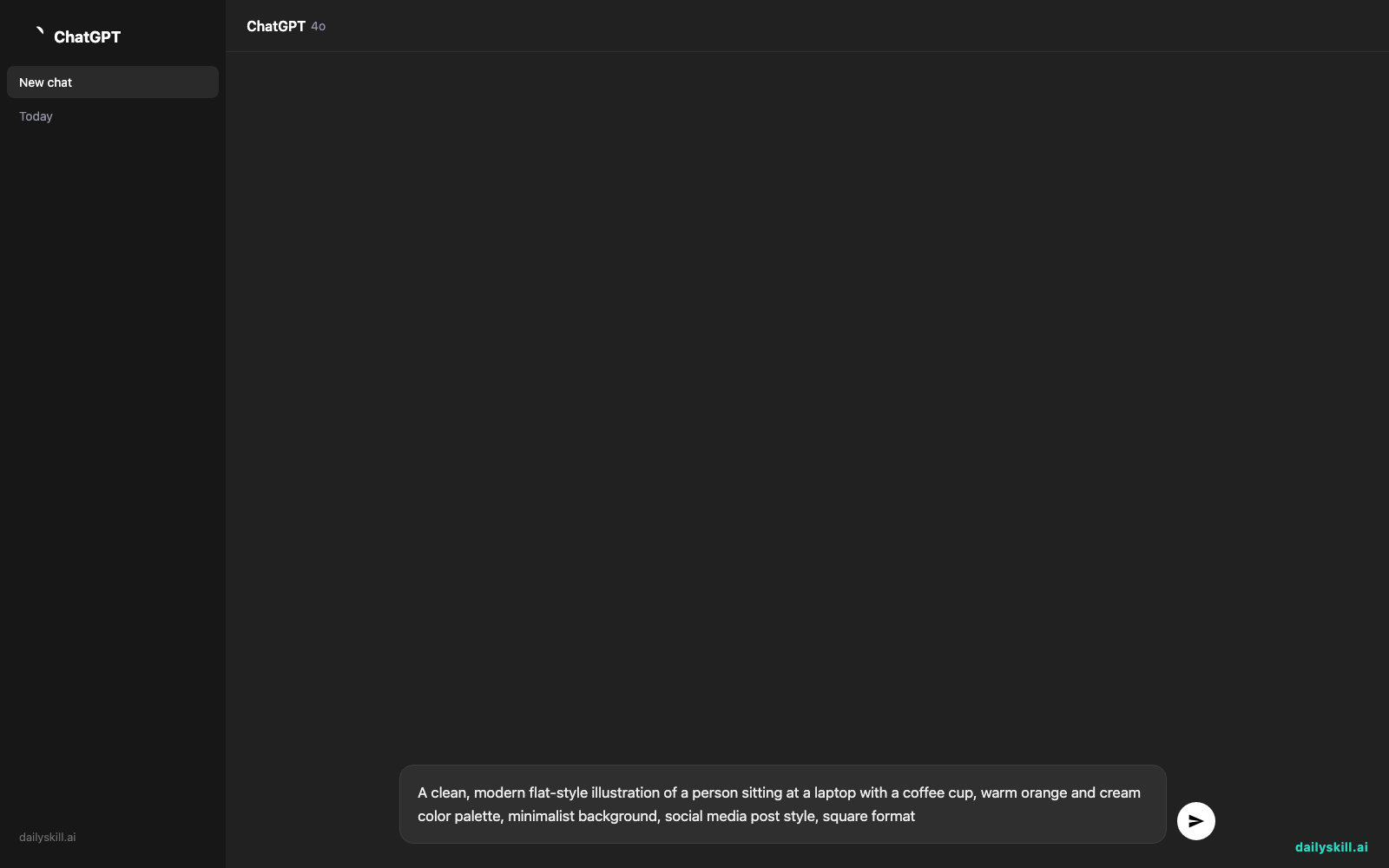
- Paste the prompt below into the text box.
- Pick a style preset if offered (like “Illustration” or “Photography”) — this steers the look.
- Click Generate and wait about 15-20 seconds for 4 image options.
A clean, modern flat-style illustration of a person sitting at a laptop with a coffee cup, warm orange and cream color palette, minimalist background, social media post style, square format
A real example
Type the prompt above and Leonardo.AI generates four versions instantly. Usually two or three look genuinely usable — the fourth is the one you skip.
Output: a crisp square graphic — a simplified person at a laptop, soft orange gradient background, coffee cup with a little steam curl. Clean enough to caption and post as-is, no watermark on the free tier. One of the four versions had a slightly off hand on the coffee cup, so you just picked a different one instead of fixing it.
You didn’t open any design software. You didn’t hire anyone. You typed one sentence and picked from four results.
Honest take
Best for:
– A fast, decent-looking visual for a social post when you have no time or budget
– Blog post headers and thumbnails that beat a generic stock photo
– Quick mockups or concept art to show a client or teammate before committing
Not for:
– Precise brand work where exact colors, fonts, or logos must match every time
– Images with readable text inside them (AI still garbles spelling in-image most of the time)
The free tier gives you a daily batch of credits — enough to experiment and produce real, usable graphics without paying. Burn through them fast on a busy day, though, and you’ll be waiting until tomorrow’s reset or upgrading to a paid plan.
FAQ
Is it free? Yes — you get daily credits at no cost, no credit card required to start.
Is it safe? Yes, it’s a legitimate platform. Just don’t upload private or sensitive photos, and check you have rights to use any output commercially per their terms.
Do I need design experience? None. If you can describe what you want in a sentence, you can use it.
Today’s pick wrap-up
Leonardo.AI turns “I need a graphic” into a finished image before your coffee gets cold. Try the prompt above and drop your result in the comments — we love seeing what you make.
Tomorrow: we look at Synthesia — the tool that turns your text script into a talking video presenter, no camera required.
You might also like:
- Getting Old AI Answers? Here’s the 30-Second Fix
- How do I speed up AI responses when I’m in a hurry?