
You can’t catch every AI-generated image, but you can catch most of them. A handful of quick visual checks — hands, backgrounds, text, and motion — will flag the majority of AI photos and videos you encounter while scrolling. No special tools required.
Why this comes up
AI image and video generators have gotten remarkably good, fast. What looked obviously fake a couple of years ago now passes a casual glance. You’re not imagining the flood of AI content — it’s real, it’s growing, and it’s showing up in news feeds, ads, and social posts.
The real worry isn’t paranoia. It’s not wanting to share or believe something that never happened.
The honest answer
Quick visual tells for AI photos
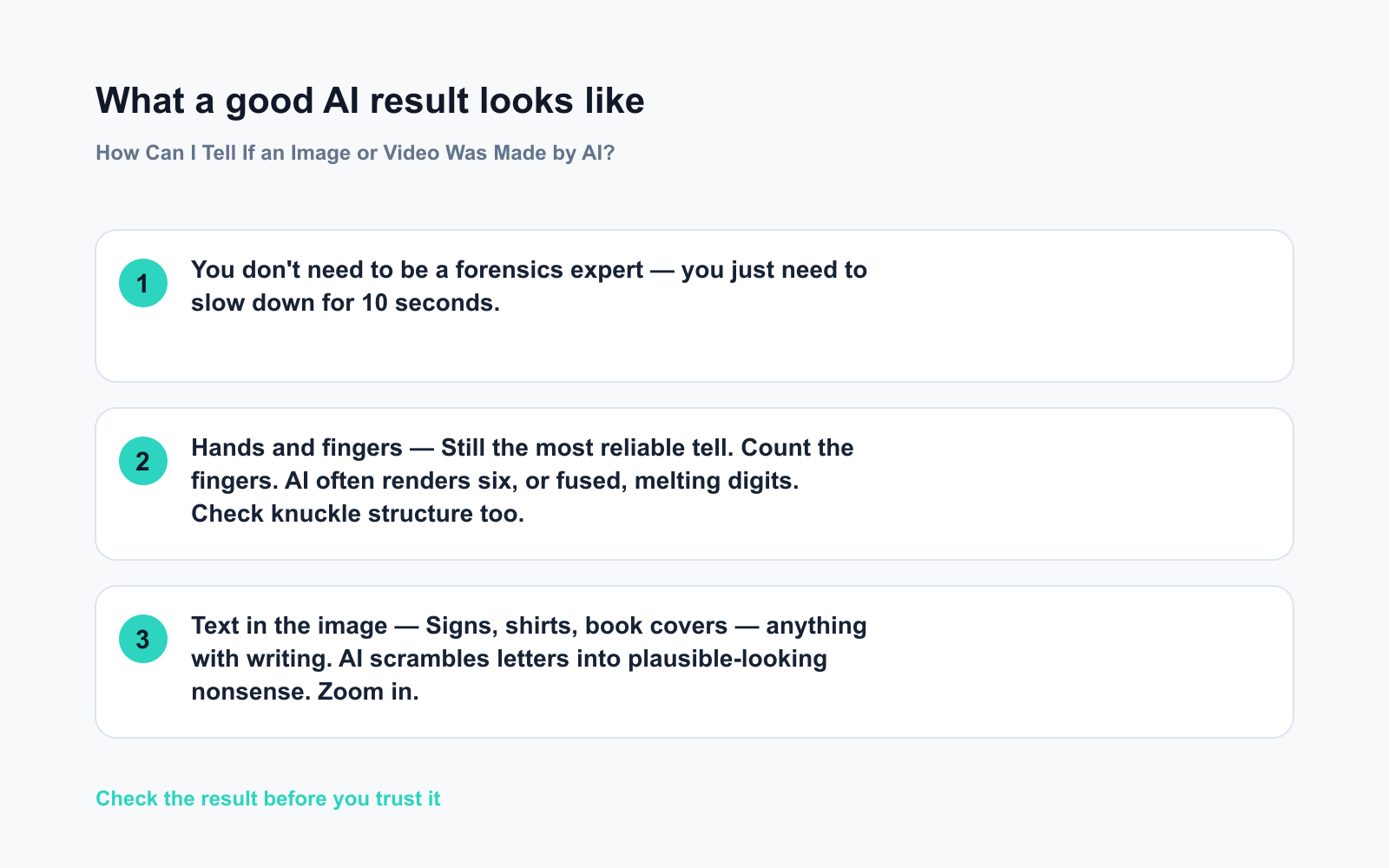
- Hands and fingers — Still the most reliable tell. Count the fingers. AI often renders six, or fused, melting digits. Check knuckle structure too.
- Text in the image — Signs, shirts, book covers — anything with writing. AI scrambles letters into plausible-looking nonsense. Zoom in.
- Ears, jewelry, and accessories — One earring, asymmetrical glasses, a half-melted watch. AI struggles with symmetry and small repeated details.
- Background edges — Look where a person meets the background. Blurry halos, warped bookshelves, and unnaturally smooth skin are common near edges.
- Teeth — Either too perfect, too many, or oddly fused together.
- Eyes — Mismatched pupils, a slight glassy “painted” quality, or catchlights (reflections) that are identical in both eyes.
Quick tells for AI video and deepfakes
- Blinking — Early deepfakes barely blinked. Newer ones overcorrect. Watch for stiff, mechanical blinks.
- Lip sync drift — Slightly delayed or “floaty” mouth movement relative to audio is a persistent tell. Even a half-second lag is a red flag.
- Hair in motion — AI video still struggles with individual strands moving naturally in wind or during head turns.
- Skin texture under movement — A still frame may look fine, but AI skin tends to “swim” or shift texture between frames. Pause and scrub slowly.
- Lighting continuity — Shadows that don’t move correctly, or a face lit from a slightly different direction than the rest of the scene.
What’s true vs. what’s overblown
You don’t need to be a forensics expert — you just need to slow down for 10 seconds.
It’s true that AI content is getting harder to detect. It’s equally true that most everyday AI-generated images still carry at least one visible flaw if you look for it.
The threat is real. The solution isn’t anxiety — it’s a quick habit of pausing before you share.
Detection tools — useful, not final
Free tools like Google Lens (reverse image search), Hive Modulate, and Illuminarty can flag likely AI-generated photos. Use them when something feels off — but treat their output as a hint, not a verdict. No detector is 100% reliable.
What to do
Do:
– Zoom in on hands and any text in the image — takes five seconds
– Reverse image search anything surprising before you share it
– Watch video at 0.5× speed if your platform allows — motion flaws become obvious
– Ask yourself: Does this source have any reason to have verified this?
Don’t:
– Assume a high-quality image is real — polish is no longer proof
– Treat a single detector tool as your final answer
– Share first and fact-check later — flipping that order costs you nothing
FAQ
Does an AI watermark mean an image is definitely AI-generated?
Not necessarily — some platforms auto-label AI content, but many AI images circulate without any label. Absence of a watermark proves nothing either way.
Are AI videos always fake or misleading?
No. AI video tools are widely used for legitimate creative work — ads, explainers, art projects. “AI-generated” isn’t automatically bad; context and intent are what matter.
Can I detect AI voice clones the same way?
Voice cloning is harder to catch by ear alone. Listen for breath patterns that never vary, unnatural pauses, and an overall smoothness real voices don’t have. When in doubt, verify through a second channel — call or text the person directly.
Bottom line
Check the hands, zoom in on any text, and reverse-search anything surprising — that three-step habit alone will catch the vast majority of AI-generated content before it spreads through your feed.
Your turn: Have you spotted a convincing AI image recently? What gave it away? Drop it in the comments — real examples help everyone learn faster.
Tomorrow we’re tackling a question a lot of parents are wrestling with right now: Should my kids use AI, and how do I guide them? Don’t miss it.
You might also like:
- Day 9 — Turn Any Meeting Recording into 5-Line Minutes (AI 1-Minute Challenge)
- Gamma — Skip the Blank Slide and Let AI Build Your Deck
⭐ Want every prompt in one place?
All 136 tested prompts from our daily skills are free on
GitHub — DailySkill Prompt Library.
Star it to get new prompts as we publish.
More on AI Safety, Privacy & Cost:
- Are Free AI Tools Good Enough, or Will I Eventually Have to Pay?
- Can AI Help Me Understand a Legal Document? (What’s Safe, What’s Not)
- Can AI Help With My Taxes or Finances? (What’s Safe and What Isn’t)
Master Everyday AI in 1 Minute a Day
Get our free 2026 Double-Blind AI Benchmark Scorecard & 20 Ready-to-Use Prompts, plus one honest, 60-second AI skill in your inbox every morning. Zero hype, plain English, cancel anytime.


