

You know that feeling on Thursday when someone asks “wait, weren’t you handling the client deck?” — and you have no idea what happened to it? Here’s exactly how to fix that: paste your messy meeting notes into ChatGPT and in under a minute you’ll have 5 clear action items, each with a name and a deadline attached.
Sound familiar?
Your meeting notes are a wall of text. Half sentences, someone’s name here, a deadline mentioned in passing there.
You know something important got decided, but by Thursday it’s buried and forgotten.
That’s the real problem — not summarizing the meeting, but turning “we talked about it” into “someone is actually doing it.”
The 60-second fix
Step 1: Copy your raw notes or transcript
Don’t clean them up first. Messy is fine — bullet fragments, names, half-typed sentences. AI is good at finding structure in chaos.
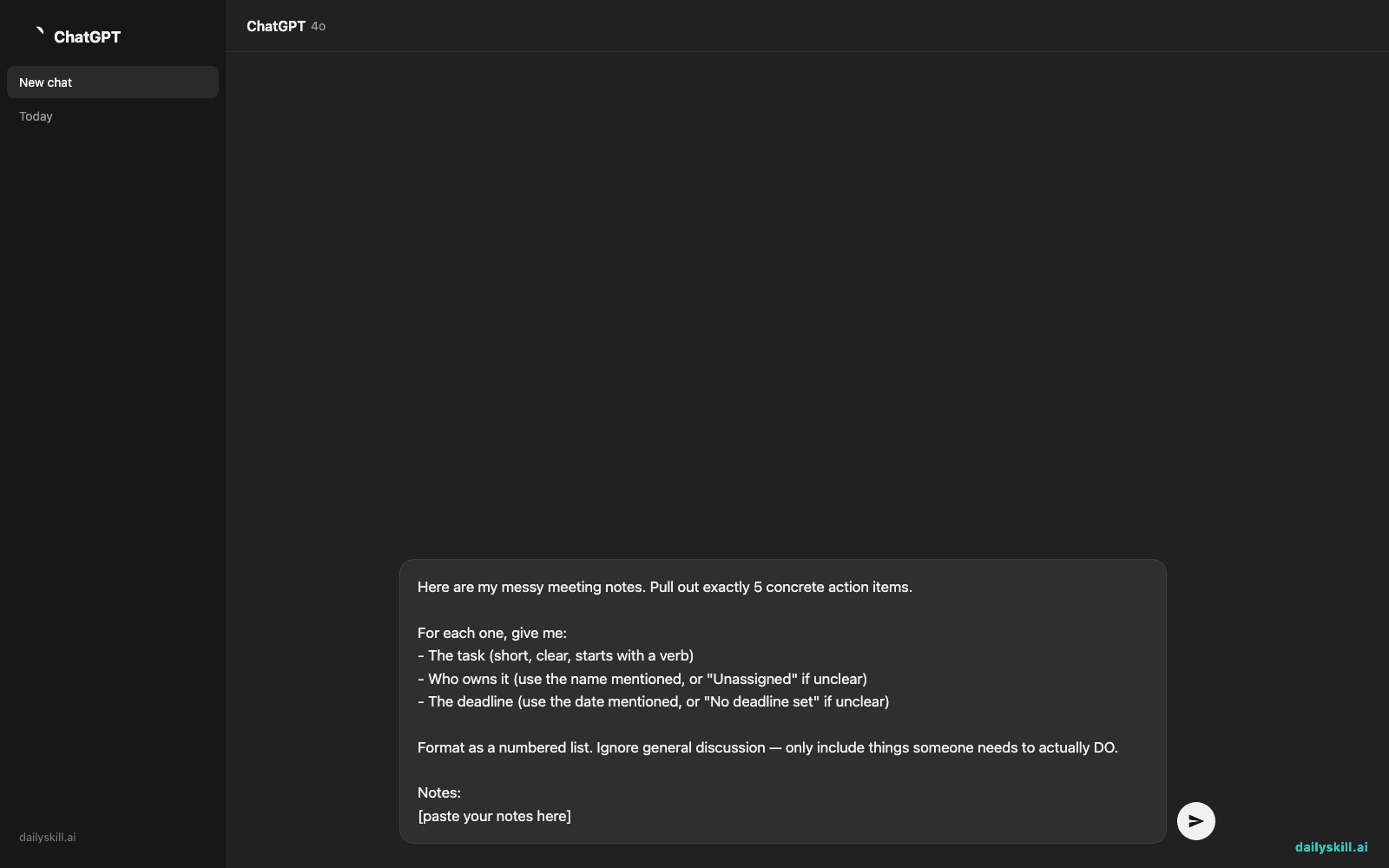
Step 2: Paste this prompt into ChatGPT
Here are my messy meeting notes. Pull out exactly 5 concrete action items.

For each one, give me:
- The task (short, clear, starts with a verb)
- Who owns it (use the name mentioned, or "Unassigned" if unclear)
- The deadline (use the date mentioned, or "No deadline set" if unclear)

Format as a numbered list. Ignore general discussion — only include things someone needs to actually DO.

Notes:
[paste your notes here]
Step 3: Copy the list straight into Slack, email, or your task app
No editing needed — it’s already in send-it shape.
Real example
Input (messy notes):
“talked about the client deck, sarah said she’d redo slide 3 with new numbers by fri. mike still hasn’t sent the invoice from last month, need that asap. also discussed maybe hiring a contractor for the website — no owner yet, revisit next week. jen confirmed she’s booking the venue for the launch event, target is end of month. and someone needs to follow up with legal on the contract, tom offered but didn’t confirm.”
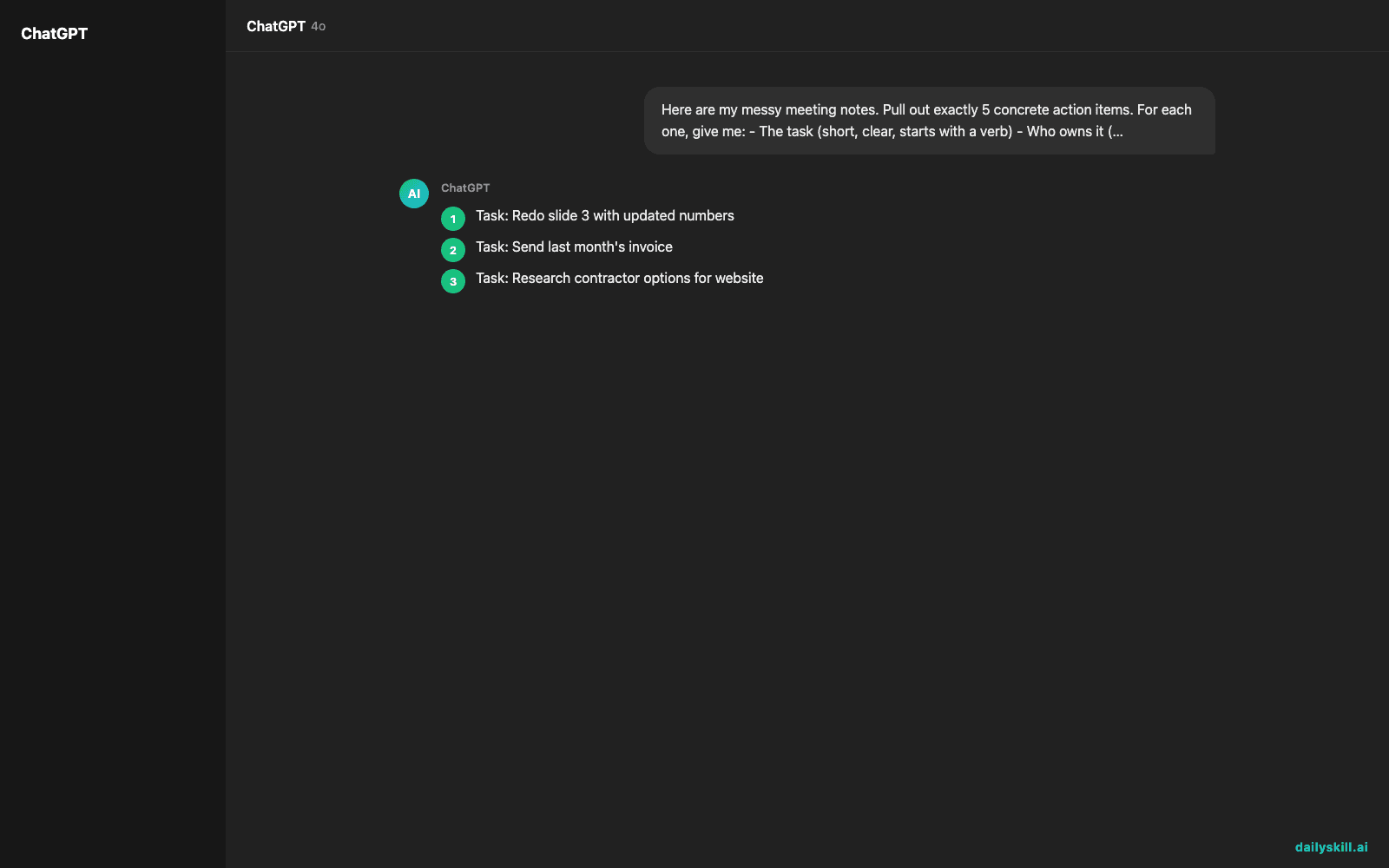
AI output:
1. Task: Redo slide 3 with updated numbers
   Owner: Sarah
   Deadline: Friday

2. Task: Send last month's invoice
   Owner: Mike
   Deadline: No deadline set (mark as urgent — ASAP)

3. Task: Research contractor options for website
   Owner: Unassigned
   Deadline: Revisit next week

4. Task: Book venue for launch event
   Owner: Jen
   Deadline: End of month

5. Task: Follow up with legal on the contract
   Owner: Tom (unconfirmed — confirm with him)
   Deadline: No deadline set
Five action items, five owners, zero guesswork. That’s a real meeting follow-up automation, not just a wall of notes.
Level up
- Ask “Now group these by deadline, soonest first” to see what’s actually urgent today.
- Say “Turn this into a message I can paste into our team Slack channel” for instant sharing.
- Try “Flag anything with no clear owner or deadline as high-risk” — this catches the tasks most likely to fall through the cracks.
FAQ
Can AI extract action items from a messy voice-to-text transcript, not just typed notes?
Yes — the messier and more rambling the transcript, the more this trick helps. AI is built to find structure in unstructured text.
What if the notes don’t mention names or dates?
The prompt is designed to say “Unassigned” or “No deadline set” instead of guessing. That way you know exactly what still needs a decision.
Is this different from just asking AI to “summarize my meeting notes”?
Yes. A summary recaps the whole conversation. This prompt skips the recap and only pulls out the tasks people need to actually do — with who and by when attached.
Today’s check-in
Try this on your next real meeting notes and reply with how many action items you found hiding in there. Tomorrow: you’ll paste in a rough draft email and get back a version that actually sounds professional.
You might also find these helpful:
- Turn Your Messy Voice Memos Into a Clean, Organized Outline
- Rewrite Any Email to Sound More Professional — in 60 Seconds
- Turn Messy Meeting Notes Into a Clean Action Table in 60 Seconds
Master Everyday AI in 1 Minute a Day
Get our free 2026 Double-Blind AI Benchmark Scorecard & 20 Ready-to-Use Prompts, plus one honest, 60-second AI skill in your inbox every morning. Zero hype, plain English, cancel anytime.


