
Ignore the noise. The best AI tool for you is the one that handles the task you do most — writing, researching, coding, or organizing. For most beginners, that means starting with one of the big three: ChatGPT, Gemini, or Claude. Pick one, spend a week with it, and only switch if it genuinely fails you.
Why this comes up
You’ve heard the names — ChatGPT, Gemini, Claude, Copilot, Perplexity — and every article seems to crown a different winner. It’s easy to feel like you’ll waste time choosing the “wrong” one. You won’t. The real risk is choosing none and staying stuck.
The honest answer
The three tools most beginners should know
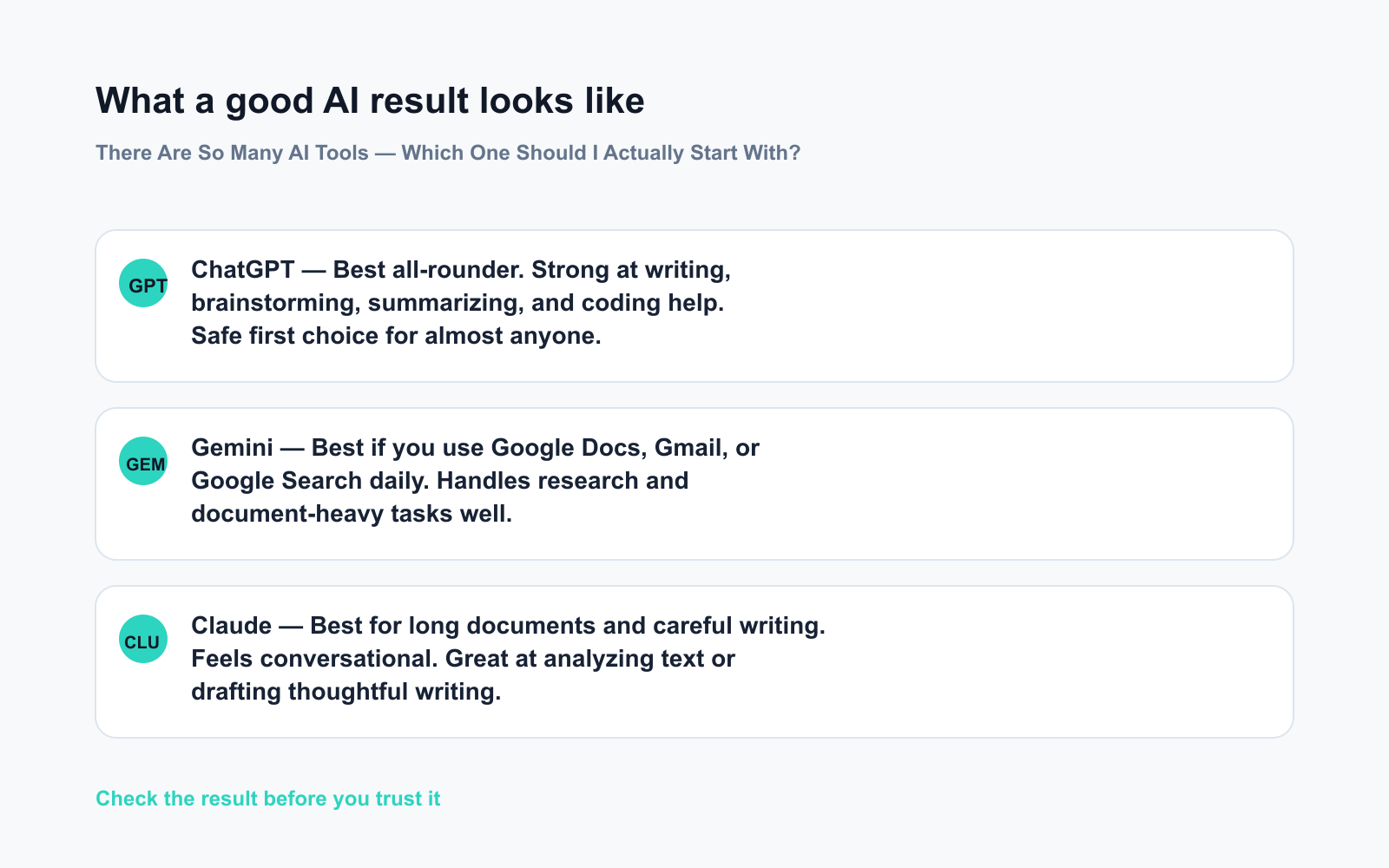
- ChatGPT (OpenAI) — The most versatile all-rounder. Strong at writing, brainstorming, summarizing, coding help, and general Q&A. Its free tier includes web search and image generation. A safe first choice for almost anyone.
- Gemini (Google) — Deeply connected to Google’s ecosystem. Great if you already live in Google Docs, Gmail, or Google Search. Handles research and document-heavy tasks well.
- Claude (Anthropic) — Excellent for reading and responding to long documents. Feels conversational and careful with nuance. A strong pick if your main task is analyzing text or drafting thoughtful writing.
What actually separates them day-to-day
The differences matter less than the hype suggests. All three can browse the web, hold a conversation, help you write an email, and answer follow-up questions. None delivers perfect results every time — and that’s true regardless of which one a tech article crowned “best” this month.
The real question isn’t “which is best” — it’s “best for what I do every day.”
A simple decision filter
| Your most common task | Try starting with |
|---|---|
| General writing, email, brainstorming | ChatGPT |
| Research, Google Workspace tasks | Gemini |
| Reading long docs, careful drafting | Claude |
| Coding and developer tasks | ChatGPT or GitHub Copilot |
What’s overblown
You don’t need to try all of them at once. AI tool comparison articles make picking wrong sound costly — it isn’t. All three have free tiers. You’re not locked in, and you won’t fall behind by starting with any one of them.
What to do
Do:
– Pick one tool based on your top daily task (use the table above)
– Stick with it for at least one full week before judging
– Start with something real — an email you need to write, a document you need to summarize
– Use the free tier first; only pay when you hit a clear, repeated limit
Don’t:
– Don’t bounce between tools because one answer felt “off” — every tool has off days
– Don’t wait for a “perfect” tool; the best comparison test you can run is your own real tasks
– Don’t judge by demos or social media clips — judge by what it does for your actual work
FAQ
Do I need to pay to get real value?
No. The free tiers of ChatGPT, Gemini, and Claude handle everyday tasks well. Upgrade only when you regularly hit limits — such as needing faster responses or processing large batches of documents.
What if I try one and don’t like it?
Switch — no cost, no commitment. But give it a fair run first. Most “this AI is bad” reactions come from one or two weak answers, not a real pattern across different tasks.
Is one AI tool safer or more private than the others?
All three let you turn off conversation history or opt out of training data use. Open the settings menu of whichever tool you choose and disable history if privacy matters to you — it takes about thirty seconds.
Bottom line
Start with the tool that fits your biggest daily task — not the one with the loudest hype.
Which tool did you choose, and what’s the first real thing you tried it on? Share in the comments — your experience helps other beginners decide faster.
Tomorrow we’re tackling a question a lot of people are quietly wondering: Is using AI for work or school considered cheating? You might be surprised where the real line is.
You might also like:
- Day 5 — Plan a 3-Day Trip Itinerary in Minutes (AI 1-Minute Challenge)
- NotebookLM — Study Smarter by Letting AI Read Your Notes for You
⭐ Want every prompt in one place?
All 136 tested prompts from our daily skills are free on
GitHub — DailySkill Prompt Library.
Star it to get new prompts as we publish.
More on Choosing & Using AI Tools:
- Adobe Firefly: The AI Image Generator Built for Real Work
- Anthropic Introduces Claude Sonnet 5: Its Most Agentic Sonnet
- Best Free AI Tools in 2026: The Honest Guide for Normal People
Master Everyday AI in 1 Minute a Day
Get our free 2026 Double-Blind AI Benchmark Scorecard & 20 Ready-to-Use Prompts, plus one honest, 60-second AI skill in your inbox every morning. Zero hype, plain English, cancel anytime.


