
Ever leave a meeting feeling good, only to realize three days later that nobody actually wrote down who was doing what? You’re not alone — and you don’t need to re-read six pages of transcript to fix it.
Here’s the answer: paste that transcript into Claude and get a clean, owner-by-owner action item list in about 60 seconds.
Sound familiar?
The meeting ends, everyone nods “sounds good,” and then… nothing gets tracked. A week later you’re asking “wait, who was supposed to send that file?”
Meeting follow-up shouldn’t require a dedicated project manager — it just requires the right prompt.
The 60-second fix
1. Get your transcript
If your meeting was recorded, use a free transcription tool like Otter.ai to turn the audio into text. If you already have notes or a Zoom/Teams transcript, that works too — messy is fine.
2. Open Claude and paste this prompt
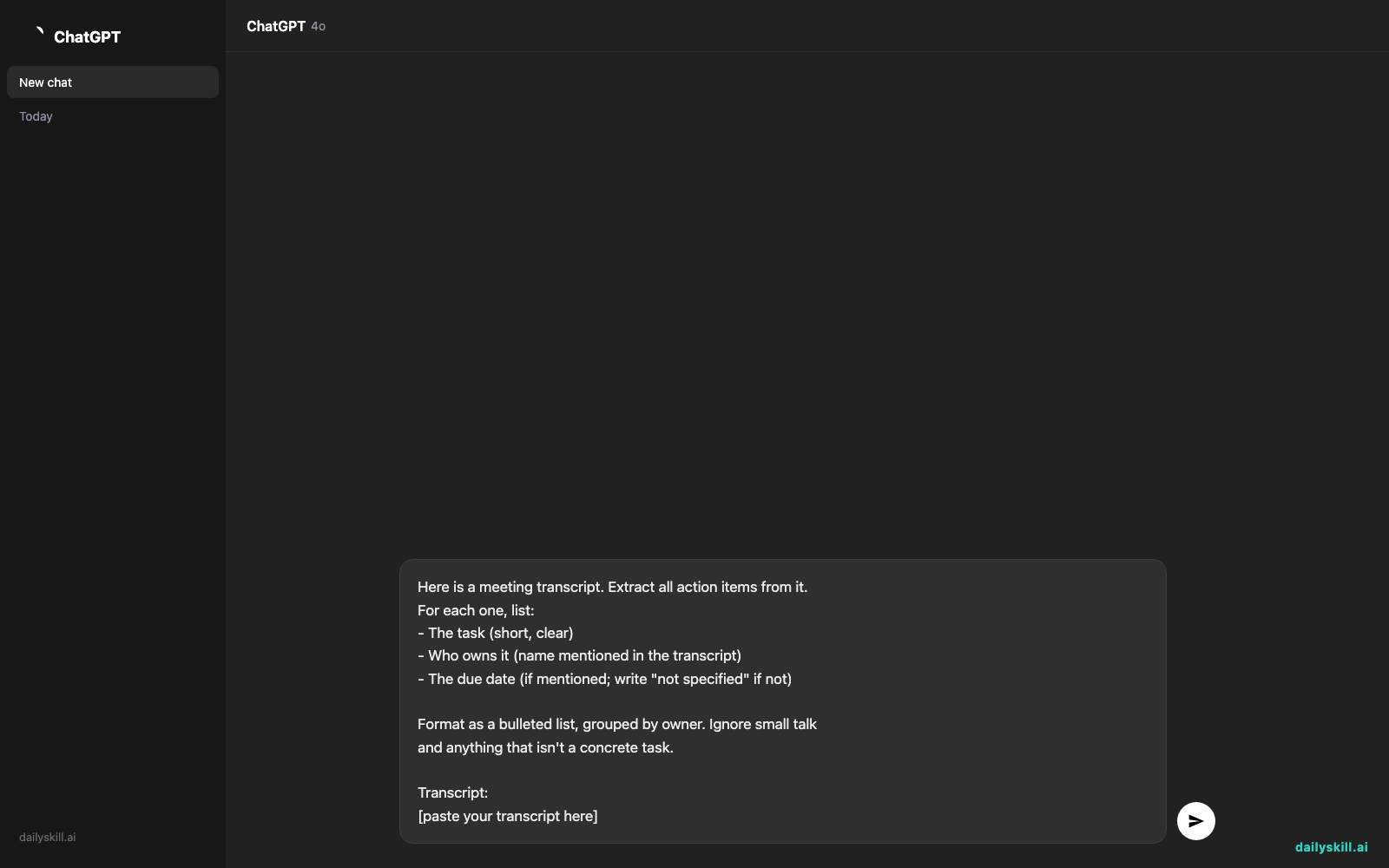
Here is a meeting transcript. Extract all action items from it.
For each one, list:
- The task (short, clear)
- Who owns it (name mentioned in the transcript)
- The due date (if mentioned; write "not specified" if not)

Format as a bulleted list, grouped by owner. Ignore small talk
and anything that isn't a concrete task.

Transcript:
[paste your transcript here]
3. Copy the list straight into your task tracker
Claude hands you a clean list. Paste it into Slack, email, Notion, or wherever your team tracks work — done.
Real example
Input (snippet of transcript):
“…yeah I think Maria was going to follow up with the vendor by Friday. And Tom, can you get the budget numbers to me before next week’s call? Also someone needs to update the client deck, I don’t think we assigned that. Oh and can we push the launch date discussion to next time, we’re low on time…”
Claude’s output:
Maria
- Follow up with the vendor (Due: Friday)

Tom
- Send budget numbers to [meeting owner] (Due: before next week's call)

Unassigned
- Update the client deck (Due: not specified)

Note: "Launch date discussion" was postponed, not an action item — excluded from list.
That “Unassigned” flag alone is worth it — it catches tasks that quietly fell through the cracks. And notice it correctly skipped the postponed topic instead of turning it into a fake task.
Level up
- Ask Claude to also draft a follow-up email: “Now write a short recap email to the team summarizing these action items.”
- Paste in multiple meeting transcripts at once and ask for a combined task tracker sorted by due date.
- Add “flag any action item that was mentioned but never assigned to a specific person” for extra accountability.
FAQ
Do I need a paid transcription tool?
No — Otter.ai’s free tier handles most short meetings fine. Zoom and Teams also generate transcripts automatically if enabled.
What if the transcript has typos or garbled words?
Claude is good at reading through transcription errors and figuring out intent — don’t worry about cleaning it up first.
Can this work for long meetings (1+ hour)?
Yes, paste the whole thing. If it’s very long, you can also ask Claude to summarize by topic first, then extract action items from each section.
Today’s check-in
Try it on your next meeting transcript and reply in the comments with how many action items almost slipped through the cracks. Tomorrow: turn an annoying product complaint into a calm, effective negotiation script.
You might also find these helpful:
- Perplexity AI — Get Answers With Sources, Not a Pile of Links
- Can I talk to AI out loud instead of typing?
- You.com — A Free AI Search Engine That Skips the 10 Blue Links
Master Everyday AI in 1 Minute a Day
Get our free 2026 Double-Blind AI Benchmark Scorecard & 20 Ready-to-Use Prompts, plus one honest, 60-second AI skill in your inbox every morning. Zero hype, plain English, cancel anytime.


