Use three steps. First, get a transcript of the episode, either from the podcast itself or from an AI transcription tool. Second, give that transcript to an AI assistant and ask for a short summary, key takeaways, and timestamped quotes. Third, spot-check anything you plan to quote against the audio. A 2-hour episode can become a 5-minute read, and you can turn the best lines into quote cards. Most of this works with free tools or free tiers.
Why this comes up
You follow more podcasts than you could ever finish. Good ideas get buried in long conversations. You don’t want to scrub through two hours of audio to find the one thing someone said about hiring, sleep, or money.
The real worry is usually twofold: “Will I miss something important?” and “Can I trust what the AI tells me?” Both are fair. The workflow below handles both.
The honest answer
What AI does well
- Transcribing speech. Modern tools turn clear audio into text quickly, often faster than the episode’s running time. Many have a free tier or trial, which is plenty for casual use.
- Checking for an existing transcript. Many podcast apps and shows already offer one. Look there first, because it saves you a step.
- Summarizing long text. An AI assistant can reduce a full transcript to bullet points, themes, and action items in seconds.
- Finding specific moments. If your transcript has timestamps, the AI can point you to where a topic came up.
What to watch for
- Names and jargon. Unusual names, brands, and technical terms are the most common transcription mistakes.
- Multiple speakers. Some tools label speakers well. Others blur them together. Check who said what before you quote anyone.
- Quote accuracy. A summary is a paraphrase. If you plan to share a quote, verify the exact wording and timestamp in the audio.
- Length limits. Some tools need very long transcripts pasted or uploaded in sections.
- Overblown worry: AI doesn’t “make up the whole episode” when you give it the real transcript. Errors are usually small, and a quick check catches most of them.
Let AI do the reading. Keep the final check for yourself.
The 5-step workflow
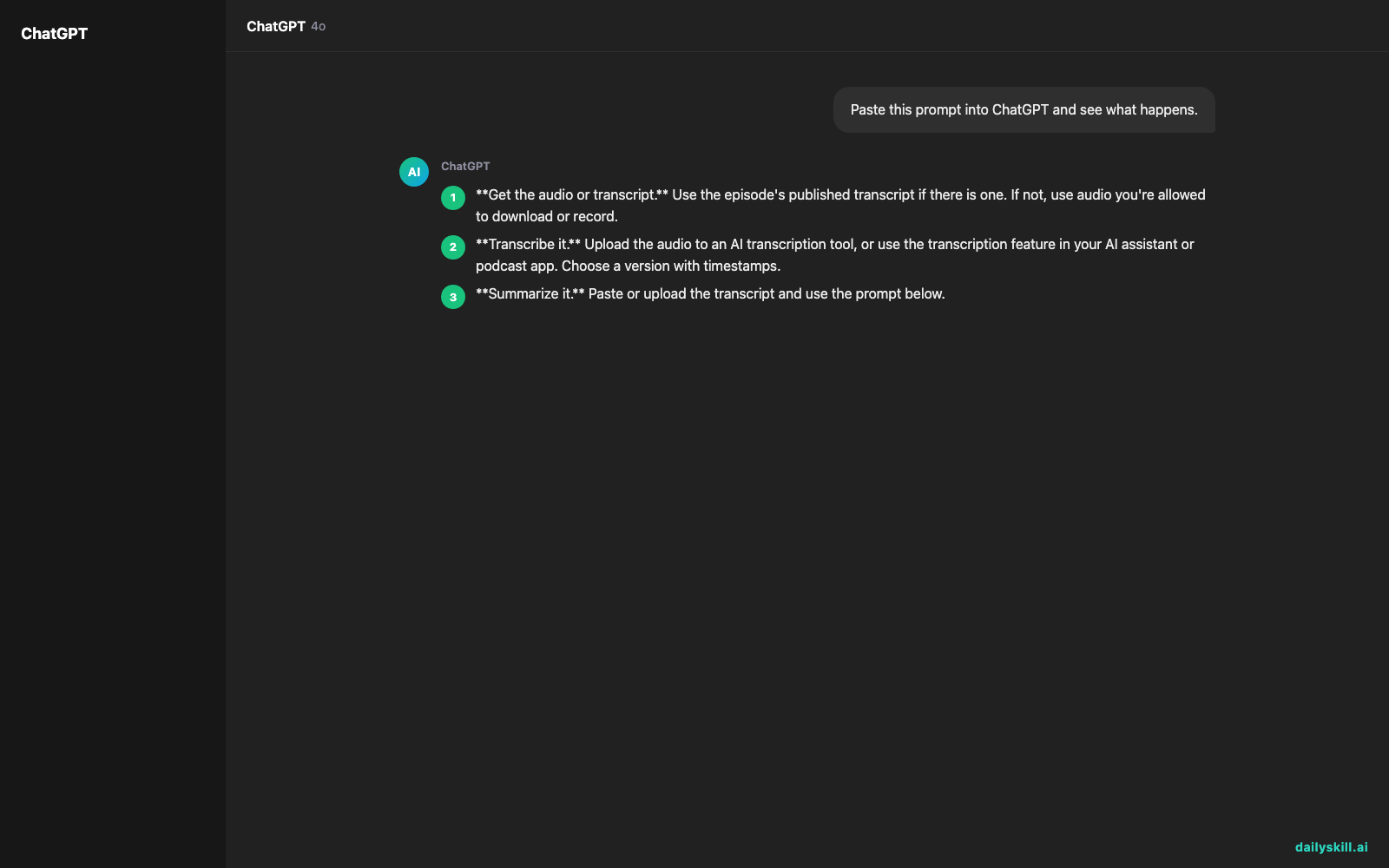
- Get the audio or transcript. Use the episode’s published transcript if there is one. If not, use audio you’re allowed to download or record.
- Transcribe it. Upload the audio to an AI transcription tool, or use the transcription feature in your AI assistant or podcast app. Choose a version with timestamps.
- Summarize it. Paste or upload the transcript and use the prompt below.
- Pull quote cards. Ask for the 5 most useful lines, each with a timestamp and speaker.
- Verify. Play each quoted moment for about 10 seconds and confirm the wording.
A prompt you can copy
Here is a podcast transcript with timestamps. Give me: (1) a 5-minute-read summary in plain language, (2) the 7 key takeaways as bullet points, (3) a list of action items I could try this week, and (4) the 5 best quotes, each with its timestamp and speaker. Don’t add anything that isn’t in the transcript. If you’re unsure about a name or term, flag it.
That last instruction matters. It keeps the AI honest and shows you where to double-check.
What to do
Do:
- Start with the best audio you have. Clear, single-mic recordings transcribe best.
- Ask for timestamps so you can jump back to the source.
- Ask for the format you’ll actually use: bullets, a checklist, or a one-page note.
- Spot-check 3 to 5 claims or quotes against the audio.
- Save the summary and transcript together in a notes app so you can search them later.
- Add one line to your notes on what you’ll do with the episode’s best idea.
Don’t:
- Don’t publish someone else’s full transcript without permission. Summaries and short, credited quotes are safer, but check the show’s terms.
- Don’t upload private or confidential recordings to any tool before checking its privacy settings.
- Don’t call a quote card verified until you’ve heard the line yourself.
- Don’t skip the “what will I do with this?” step. A summary you never use is just a shorter pile.
FAQ
Can I use a free AI tool for a whole 2-hour episode?
Often, yes. Free tiers can limit file length, monthly minutes, or features. If your tool caps you, split the audio into two parts and transcribe each. Then summarize each part and ask the AI to merge them into one summary.
How do I make timestamped quote cards?
Ask the AI for your best quotes with timestamps and speaker names. Confirm each one in the audio. Then put the line in a simple design tool and add the speaker’s name and the show title. That’s your shareable card.
How do I keep the nuance and not just the headlines?
Ask for a short summary plus a section on what the guest hedged on or disagreed with. That keeps the caveats. You can also ask the AI to group points by theme instead of listing them in time order.
Bottom line
Give the AI a real transcript, check the quotes you plan to use, and a 2-hour episode becomes a clear 5-minute read.
Your turn: Which podcast do you wish you could “read” instead of listen to? Share your favorite prompt or tool setup with the community. We’d love to see what’s working for you.
Tomorrow’s question: Can AI help me calculate how much house or car I can actually afford? We’ll look at where AI helps with big money decisions, and where you still want a real person involved.
You might also like:
- Summarize podcast episodes in 1 minute — with Perplexity
- Magic Eraser (Google Photos) — Erase Unwanted Objects From Any Photo in One Tap
Master Everyday AI in 1 Minute a Day
Get our free 2026 Double-Blind AI Benchmark Scorecard & 20 Ready-to-Use Prompts, plus one honest, 60-second AI skill in your inbox every morning. Zero hype, plain English, cancel anytime.