
You know exactly what you want to say — but turning it into a professional email takes forever. What if you could just dump your thoughts and let AI clean it up instantly?
Today you’ll use ChatGPT or Claude as your personal AI email writer, turning rough notes into polished business emails in under a minute.
Prefer video? Watch Nude the Sphynx break down this skill step-by-step.
Sound familiar?
You’ve been staring at a blank email for 10 minutes. You know the gist: tell the client the deadline moved, apologize, give a new date, keep them happy. But the moment you try to write it formally, the words feel either too stiff or too casual.
So you delay it. The email sits in your drafts. Sound about right?
The 60-Second Fix
Step 1 — Jot down your raw thoughts (any format, any language)
Don’t worry about grammar or structure. Write like you’re texting a coworker.
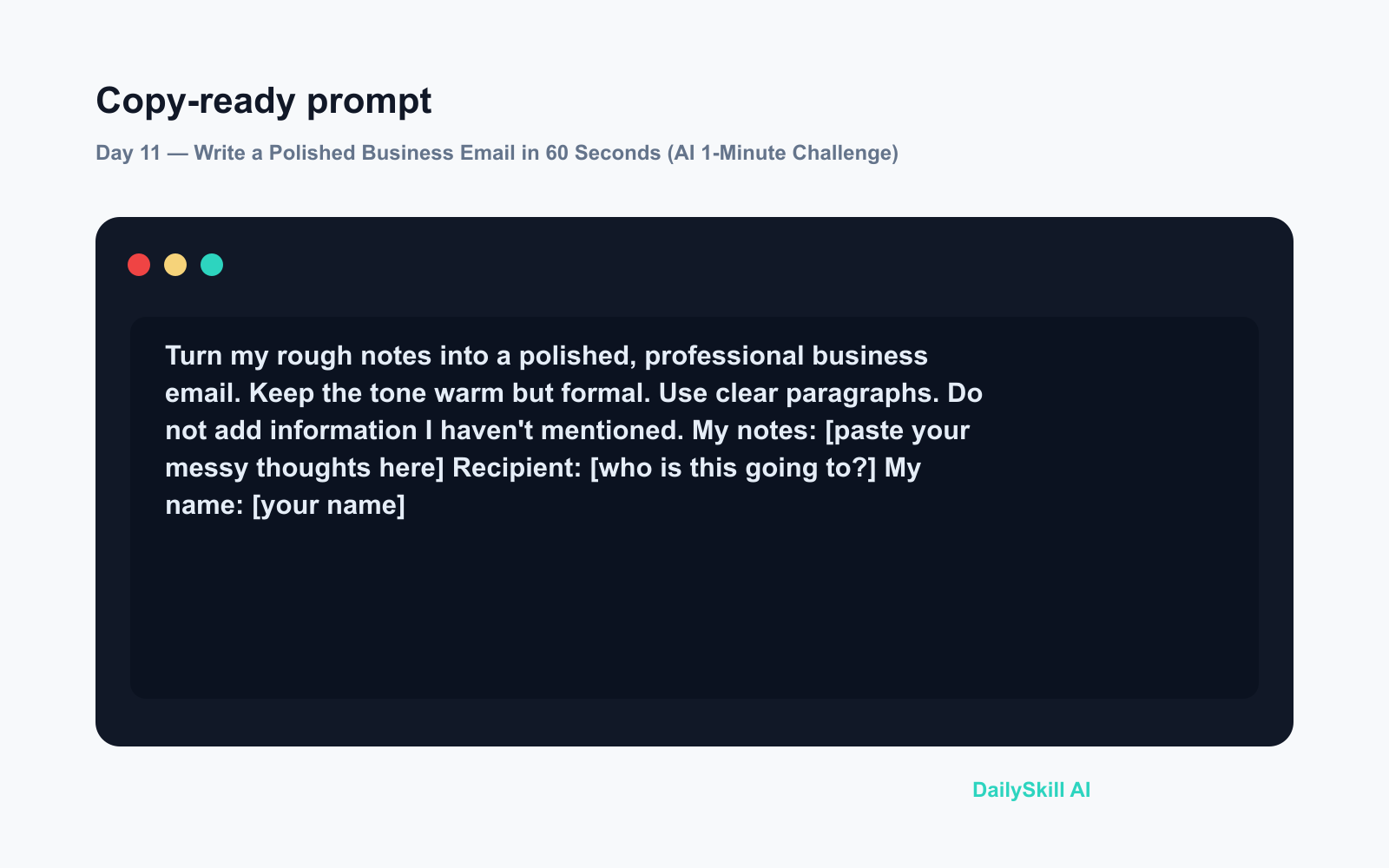
Step 2 — Paste this prompt into ChatGPT or Claude
Turn my rough notes into a polished, professional business email.
Keep the tone warm but formal. Use clear paragraphs.
Do not add information I haven't mentioned.

My notes:
[paste your messy thoughts here]

Recipient: [who is this going to?]
My name: [your name]
Step 3 — Copy, tweak one line if needed, send
The AI handles structure, tone, and phrasing. You just check the facts and hit send.
Real Example
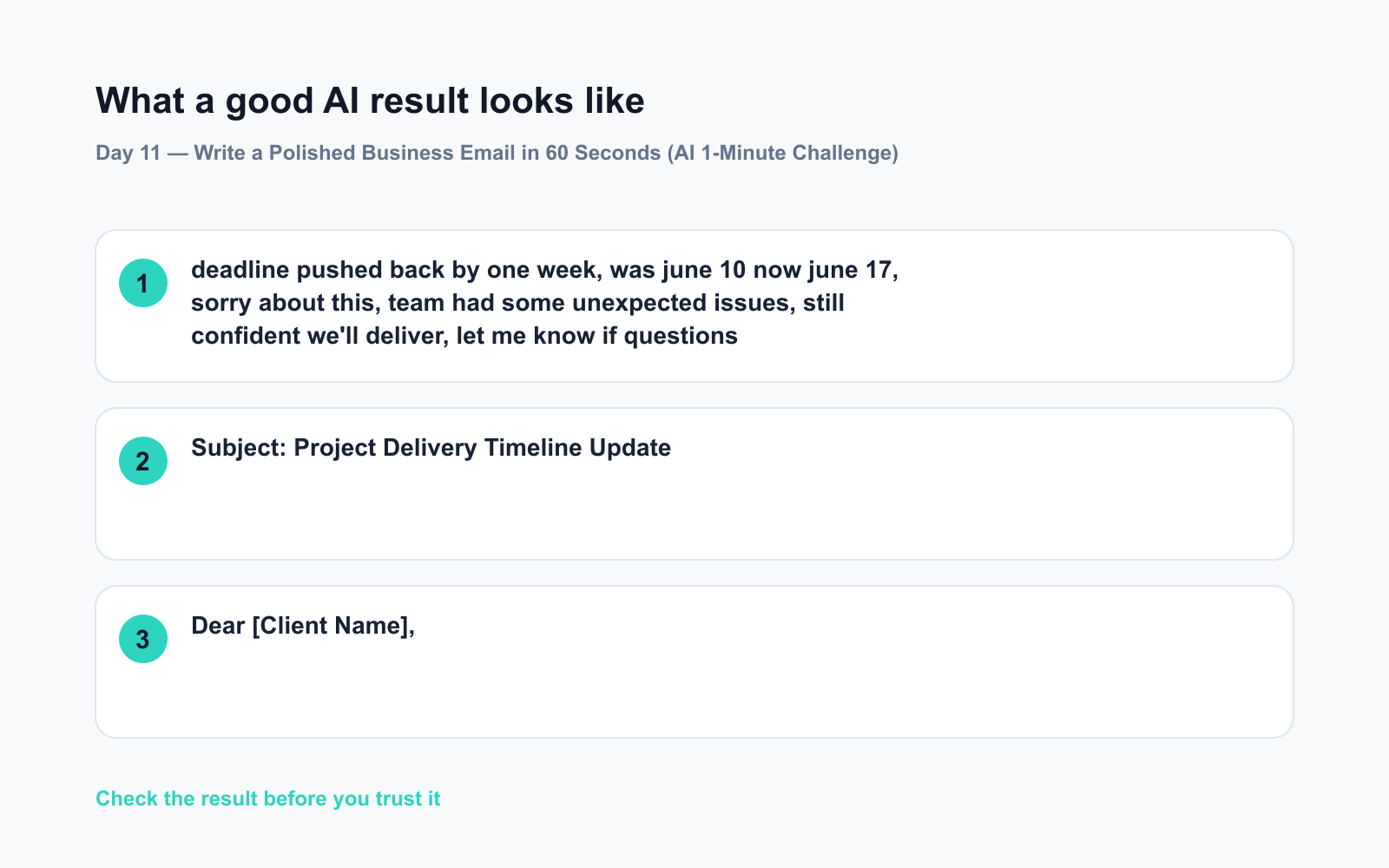
Your raw notes (pasted in):
deadline pushed back by one week, was june 10 now june 17, sorry about this, team had some unexpected issues, still confident we’ll deliver, let me know if questions
AI output (Claude):
Subject: Project Delivery Timeline Update
Dear [Client Name],
I wanted to reach out to let you know that our delivery timeline has shifted slightly. The new deadline is June 17, moved from the originally scheduled June 10.
We encountered some unexpected internal challenges this week, and we wanted to be upfront with you rather than risk the quality of our work. We remain fully confident in delivering a strong result by the new date.
Please don’t hesitate to reach out if you have any questions or concerns — I’m happy to jump on a quick call.
Warm regards,
[Your Name]
One paragraph of messy notes → a clear, professional email that actually sounds like you meant to write it that way.
Level Up
- Multilingual drafts: Write your notes in your first language, then add “Write the final email in English” to the prompt. Instant cross-language business email AI magic.
- Adjust the tone: Add “Make it more concise” or “Make it warmer” in a follow-up message — no need to rewrite the whole prompt.
- Recurring emails: Save a version of this prompt as a note on your phone. Next time you need write a professional email, you’re two pastes away from done.
FAQ
Can I use ChatGPT to write professional emails for free?
Yes. Both ChatGPT and Claude offer free tiers that handle email drafting well. For everyday business emails, the standard mode is plenty — no need for any advanced settings.
What if my notes are messy or in a mix of languages?
That’s fine — this is exactly where AI writing help shines. AI models are trained on multiple languages and informal text. Just paste what you have and let it sort out the structure.
Will the AI add things I didn’t say?
Only if you don’t include the instruction “Do not add information I haven’t mentioned.” That one line keeps the output accurate and avoids invented details.
Today’s Check-In
Try it right now with one real email sitting in your drafts — just paste your rough thoughts and see what comes back. Drop your favorite result (or a funny AI moment) in the comments. We’d love to see what it turns your chaos into. 💬
Tomorrow — Day 12: We’re putting AI in your corner before a job interview. You’ll get 10 likely questions and model answers tailored to your specific role — so you walk in prepared, not panicked.
You might also like:
- Does AI Remember Our Conversations, or Do You Start Over Every Time?
- Midjourney — See Your Ideas as Images in Minutes
⭐ Want every prompt in one place?
All 136 tested prompts from our daily skills are free on
GitHub — DailySkill Prompt Library.
Star it to get new prompts as we publish.
More on AI for Work & Productivity:
- AI for Small Business Owners: 8 Practical Ways to Save Time in 2026
- Can AI Actually Help You Make Money? (Realistic Ways That Work in 2026)
- Can AI Help Me With Excel Formulas and Spreadsheets? (Yes, Here’s How)
Master Everyday AI in 1 Minute a Day
Get our free 2026 Double-Blind AI Benchmark Scorecard & 20 Ready-to-Use Prompts, plus one honest, 60-second AI skill in your inbox every morning. Zero hype, plain English, cancel anytime.


