
You wrote a great 20-second tip, then spent two hours hunting for clips, recording your voice, and typing captions. By the time you finished, you were sick of the idea.
CapCut’s Script to Video tool skips most of that. You paste in a script, and it builds a rough vertical video with matching footage, a voiceover, and captions. It’s for anyone who posts YouTube Shorts, Reels, or TikToks often and wants a first draft fast.
What it is
CapCut is a free video editing app from the company behind TikTok. Its “Script to video” feature reads your text and picks stock footage to match each line. That footage is called B-roll: the background clips that play while someone talks.
It then adds a computer-generated voice and lays captions over the top.
The result isn’t locked in. It opens as a normal project, so you can swap any clip, line, or voice you don’t like.
Try it in 5 minutes
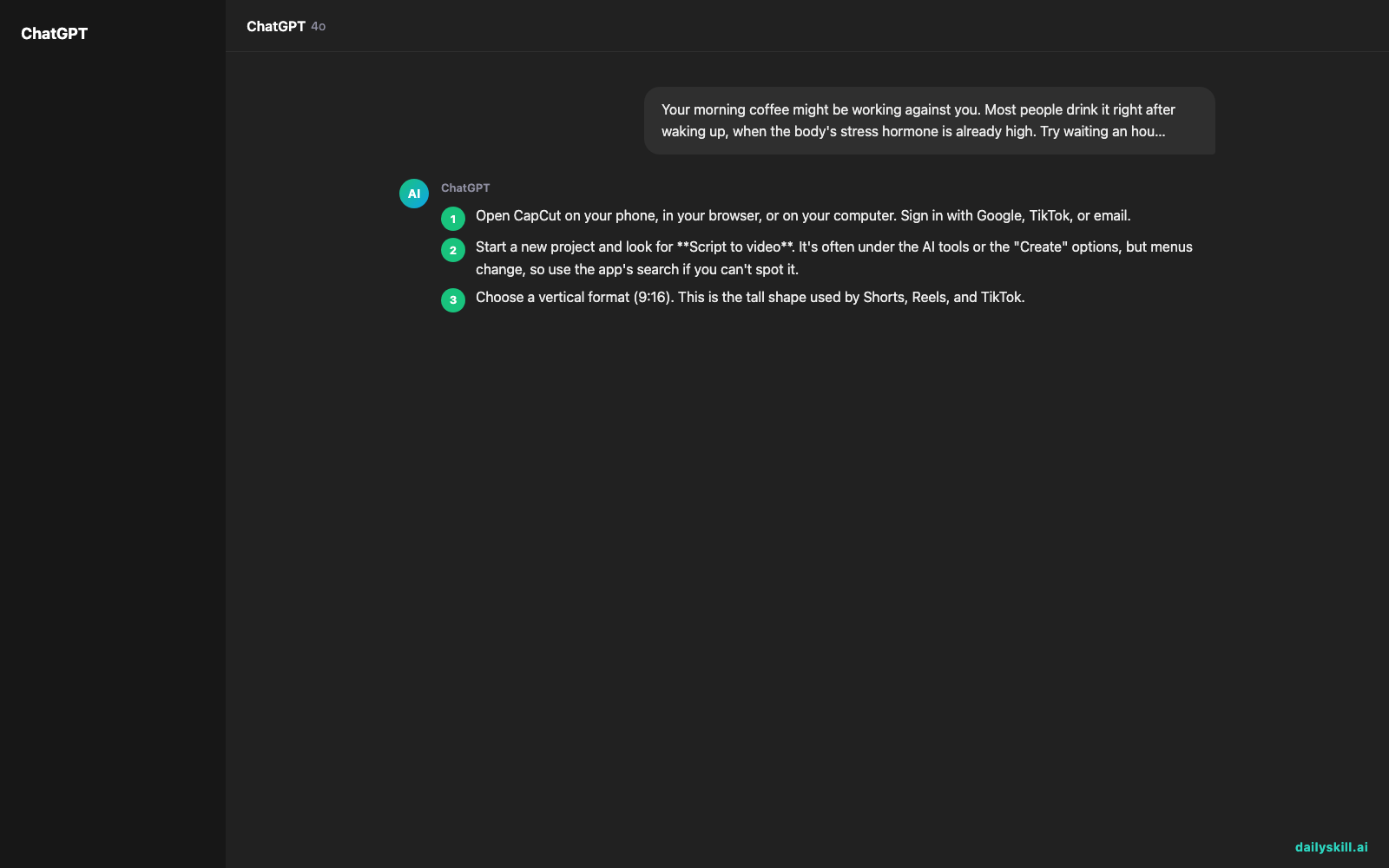
- Open CapCut on your phone, in your browser, or on your computer. Sign in with Google, TikTok, or email.
- Start a new project and look for Script to video. It’s often under the AI tools or the “Create” options, but menus change, so use the app’s search if you can’t spot it.
- Choose a vertical format (9:16). This is the tall shape used by Shorts, Reels, and TikTok.
- Paste in the script below, or ask the tool to write one from a topic.
- Pick a voice and a caption style, then tap Generate.
- Watch the preview. Replace any clip that doesn’t fit, fix any word the voice says wrong, then export.
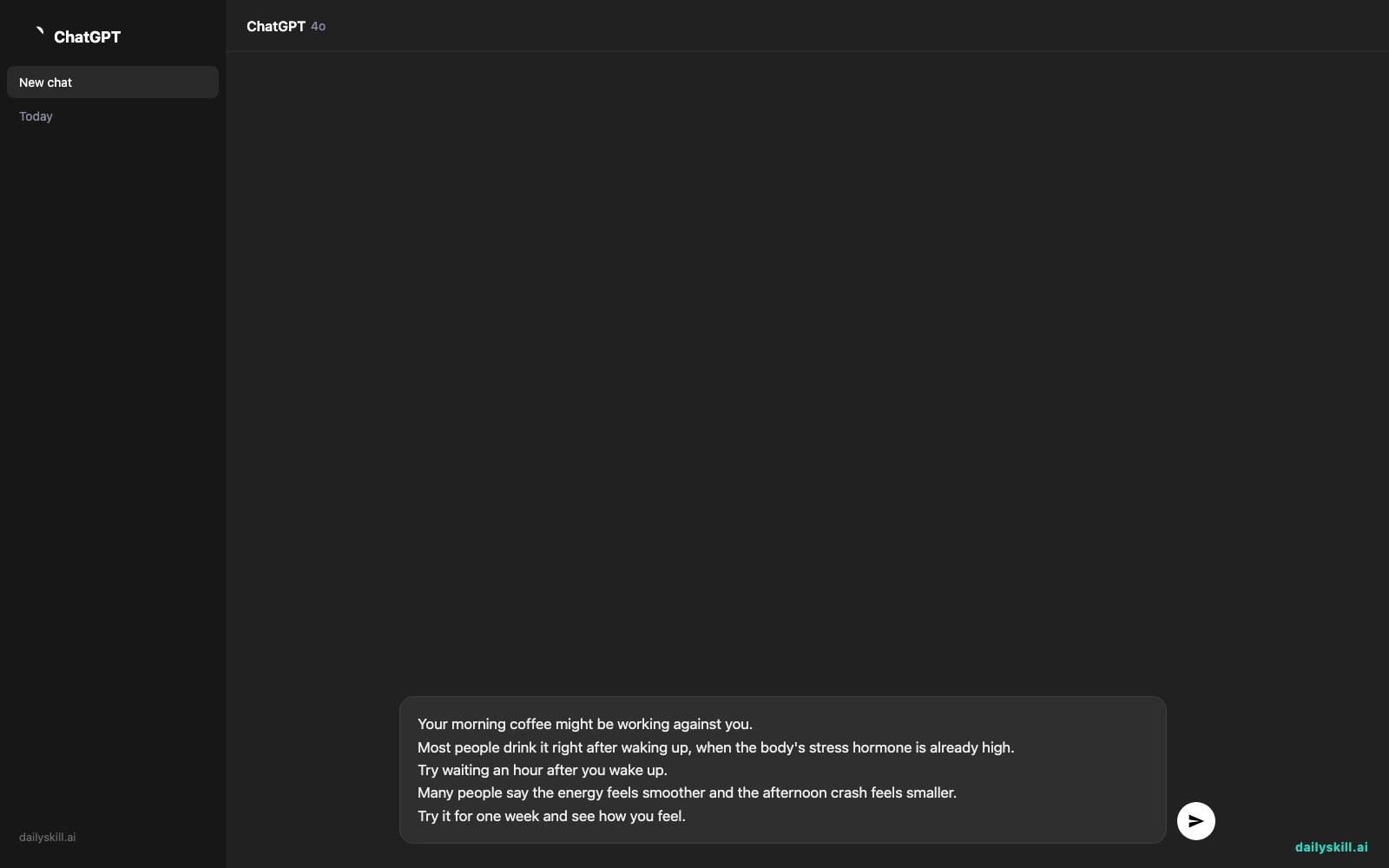
Here is a script you can copy and paste:
Your morning coffee might be working against you.
Most people drink it right after waking up, when the body's stress hormone is already high.
Try waiting an hour after you wake up.
Many people say the energy feels smoother and the afternoon crash feels smaller.
Try it for one week and see how you feel.
A real example
You paste in the five-line coffee script, choose a calm female voice, and pick bold yellow captions.
After a short wait, you get a vertical video of roughly 25 seconds. Line one plays over coffee being poured. The “stress hormone” line shows someone stretching in bed. The “wait an hour” line cuts to a clock and a sunrise window.
Each sentence is read aloud, and the key words pop up on screen as they’re spoken. Results vary, since the footage is chosen automatically each time.
What you get: a 9:16 video with several quick cuts, a voiceover reading your script, and word-by-word captions. It’s close to ready to post. Expect to swap two or three clips that match the words only loosely, such as a random office shot behind the “stress hormone” line.
That draft is the big win. You edit a rough cut instead of building one from nothing.
Honest take
Best for:
– Creators who post often and need many short videos fast, such as tips, facts, and explainers.
– Beginners who want captions and a voiceover without learning an editor.
– Making several versions of one idea to see which one people watch.
Not for:
– Videos that need your own footage, a specific product on screen, or precise visuals. The stock B-roll is picked by matching keywords, so it can feel generic or miss the point of a line.
– Anything where a personal style matters. Many creators use the same stock clips and voices, so an unedited video can look like everyone else’s.
Free tier: You can make and export a video for free. Some premium voices, effects, and export options may need a paid plan, so check what’s included before you build a routine around it.
FAQ
Is it really free?
You can try Script to Video for free and export a real video without paying. A paid plan unlocks extras, but what’s included can change, so check the current plan details in the app.
Is it safe to use?
CapCut is widely used, but treat it like any app that handles your content. Read its privacy settings and terms, and don’t paste private or confidential text into any online tool.
Do I need an account?
Usually yes. Signing in lets you save projects and use the AI features. It takes under a minute with a Google, TikTok, or email login.
Today’s pick wrap-up
Verdict: If you want a fast first draft of a Short with footage, voice, and captions already in place, CapCut’s Script to Video is a strong free place to start. Plan on a quick human polish before you post.
Your turn: Make one 20-second video today. Then share what you made, or what the AI got wrong, in our community. Your tips help the next beginner.
Tomorrow: We look at Perplexity Pages. It turns a research question into a clean, shareable web page with sources, so you can go from “I wonder about this” to something you can send a friend.
Master Everyday AI in 1 Minute a Day
Get our free 2026 Double-Blind AI Benchmark Scorecard & 20 Ready-to-Use Prompts, plus one honest, 60-second AI skill in your inbox every morning. Zero hype, plain English, cancel anytime.


