
It’s 9 p.m. The meeting is at 9 a.m. You have a messy page of notes, one blank title slide, and zero energy left for fonts and alignment. Gamma is an AI presentation maker that turns a short description into a full slide deck. It’s built for anyone who needs decent slides fast and isn’t a designer.
What it is
Gamma is a web-based AI tool for making presentations, documents, and simple web pages. You describe what your deck is about. It writes an outline, picks a layout, and adds images for you.
You can then edit any slide like a normal document. Change the text, swap an image, or ask the AI to rewrite a section.
When you’re done, you can share a link or export the deck as a PDF or PowerPoint file. Export options and limits can vary by plan, so check the current details on the site.
Try it in 5 minutes
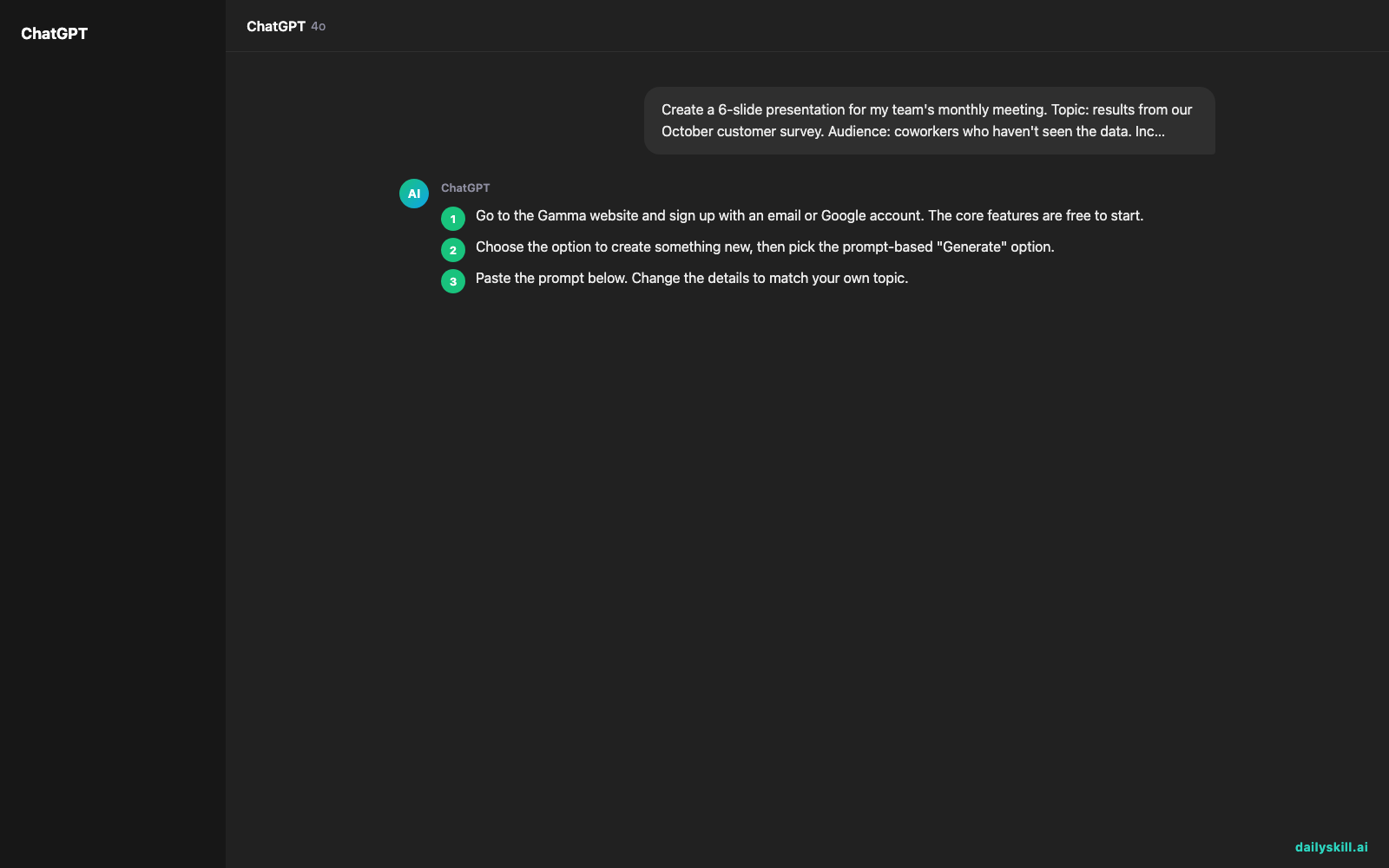
- Go to the Gamma website and sign up with an email or Google account. The core features are free to start.
- Choose the option to create something new, then pick the prompt-based “Generate” option.
- Paste the prompt below. Change the details to match your own topic.
- Look at the outline Gamma proposes. Delete or reorder any points you don’t need, then confirm.
- Pick a visual theme and let it build the deck. This usually takes about a minute.
- Click through the slides and fix anything that sounds off. Then share the link or export the file.
Here is a prompt you can copy:
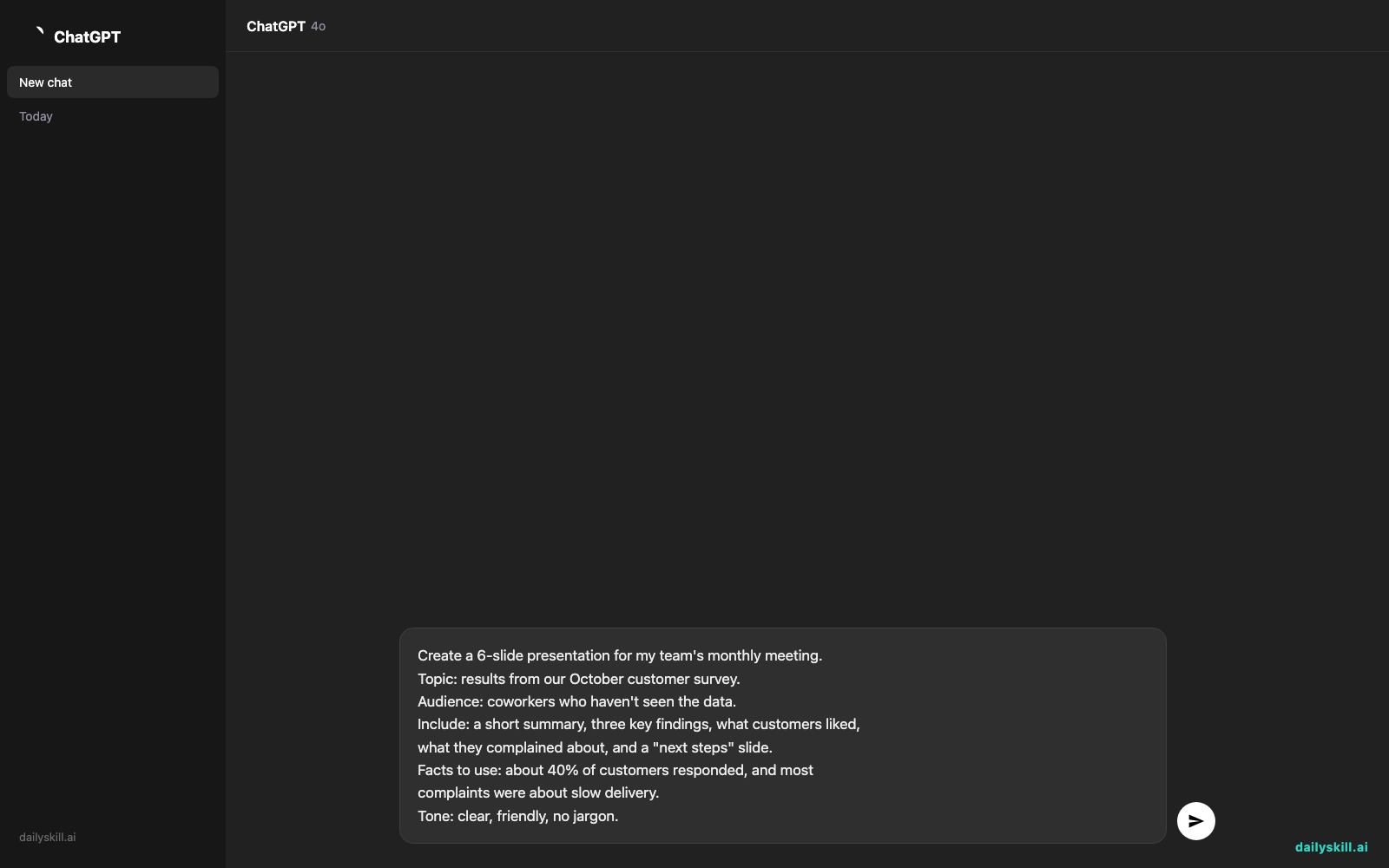
Create a 6-slide presentation for my team's monthly meeting.
Topic: results from our October customer survey.
Audience: coworkers who haven't seen the data.
Include: a short summary, three key findings, what customers liked,
what they complained about, and a "next steps" slide.
Facts to use: about 40% of customers responded, and most
complaints were about slow delivery.
Tone: clear, friendly, no jargon.
A real example
Using the prompt above, Gamma builds a deck from your facts. Here’s the kind of result you can expect:
Slide 1: October Customer Survey: What We Learned
A title slide with a short subtitle and a background image that matches the theme.Slide 2: The Big Picture
“About 40% of customers replied, and delivery speed was the biggest concern.” A highlighted callout shows the response rate.Slide 3: Three Key Findings
Three cards side by side. One might read “Delivery felt slow,” with a single line of explanation under it.Slide 6: Next Steps
A short checklist, such as “Review delivery times” and “Follow up with unhappy customers.”
The wording will differ every time you run it. Treat the result as a strong first draft, not a final answer.
Look closely at slides 4 and 5, “what customers liked.” You only gave Gamma two facts, so it may invent the rest. Replace anything it made up with your real survey results.
Honest take
Gamma is fast, and the slides look polished without any design work. The real catch is accuracy. When you give it little data, the AI fills gaps with plausible-sounding text. That includes numbers and quotes that sound real but aren’t. Check every figure and claim before you present.
Best for:
– Meeting decks and internal updates you need in minutes
– Turning rough notes or an outline into a clean first draft
– People who want good-looking slides without learning design
Not for:
– Decks that need exact brand templates, strict layouts, or charts you control precisely
– Data you can’t afford to get wrong, unless you verify every line yourself
The free tier lets you build and try real decks before you decide anything. Extras such as more generation credits, advanced options, or removing Gamma branding may sit behind paid plans.
FAQ
Is Gamma free?
You can start for free. There are usually limits on how much you can generate, and paid plans unlock more. Check the pricing page for what’s included right now.
Is it safe to use for work content?
Use common sense. Don’t paste confidential client data, passwords, or private files into any online tool unless you’ve read its privacy terms and your workplace allows it. For everyday meeting prep with non-sensitive content, it’s a reasonable choice.
Do I need an account?
Yes. You sign up to create and save decks. It only takes a minute with an email or Google login.
Today’s pick wrap-up
Verdict: If you dread starting a deck from a blank slide, Gamma gets you to a solid first draft fast. Just fact-check it before you present.
Join in: Tried Gamma on a real meeting? Share your best prompt, or your biggest “that didn’t work” moment, with the community. We’d love to see it.
Tomorrow: Got a photo with a messy background? Tomorrow we look at Remove.bg, a simple tool that cuts out the background in a few seconds.
Master Everyday AI in 1 Minute a Day
Get our free 2026 Double-Blind AI Benchmark Scorecard & 20 Ready-to-Use Prompts, plus one honest, 60-second AI skill in your inbox every morning. Zero hype, plain English, cancel anytime.


