Yes, and it’s good at the part most calculators skip. Give an AI assistant your real monthly cash flow, and it can work out what a home or car will cost you to own, not just what’s on the price tag. It does the math, compares scenarios, and flags costs you forgot. It can’t make the decision for you, and it can’t see your lender’s final offer. Treat it as a sharp second opinion, not a loan officer.
Why this comes up
The sticker price is easy to find. The true cost of owning something is harder to see.
You may worry that a payment looks fine on paper but will squeeze your life once insurance, repairs, and taxes show up. That’s a smart worry, and it’s exactly what AI can help you check.
The honest answer
Where AI helps
Most online calculators ask for an income and a price. AI can take your whole picture and talk it through with you.
- It adds up hidden costs. For a house: property tax, homeowners insurance, maintenance, utilities, and possibly HOA fees. For a car: insurance, fuel or charging, registration, routine service, and tires.
- It runs “what if” scenarios fast. What if rates are a point higher? What if you put down more? What if you pick a cheaper trim?
- It shows trade-offs. A longer loan lowers the monthly payment but raises the total you pay. AI can show you both numbers side by side.
- It explains terms in plain language. Escrow, PMI, APR, and amortization stop being mysterious.
Where to be careful
- It can make arithmetic or assumption mistakes. Ask it to show its work, then check the key numbers yourself or in a spreadsheet.
- It may use generic numbers. Tax rates, insurance, and interest rates vary a lot by location and by person. Replace its guesses with real quotes.
- It doesn’t know your lender’s rules. Approval is a separate question from affordability. A bank may approve you for more than is comfortable.
- It isn’t a licensed financial advisor. For a big decision, a professional review is worth the cost.
What’s overblown is the fear that sharing numbers with AI is reckless or that its math is always wrong. Used with rounded figures and a double-check, it’s a solid planning tool.
Being approved for a payment and being comfortable with a payment are two different things. Use AI to find the second one.
What to do
Do:
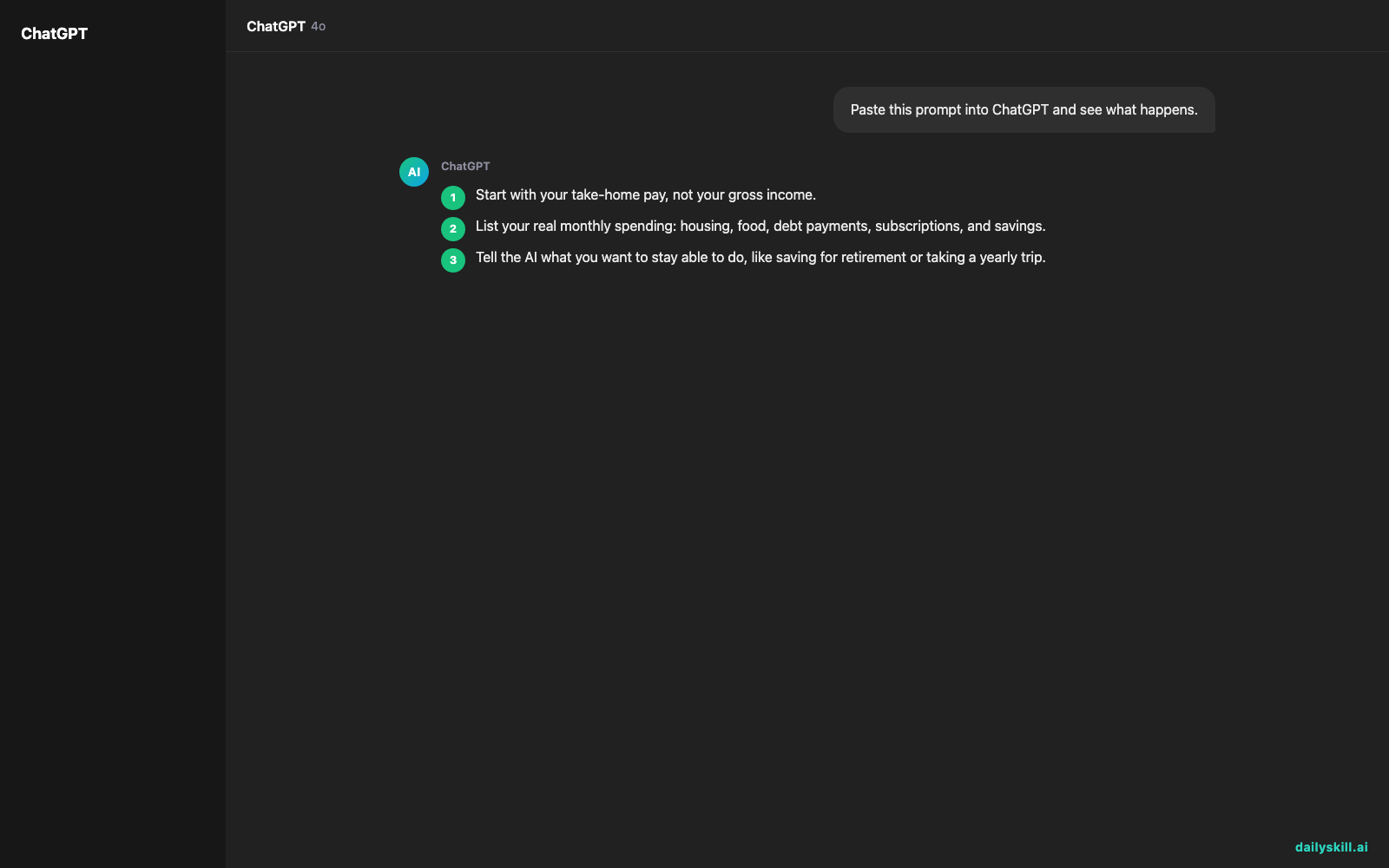
- Start with your take-home pay, not your gross income.
- List your real monthly spending: housing, food, debt payments, subscriptions, and savings.
- Tell the AI what you want to stay able to do, like saving for retirement or taking a yearly trip.
- Ask it to estimate total monthly ownership cost, not just the loan payment.
- Ask for three scenarios: comfortable, stretch, and risky.
- Ask it to list every assumption it made. Then replace those with real quotes for insurance, taxes, and rates.
- Ask what happens if your income drops or a big repair hits.
Don’t:
- Don’t paste account numbers, your Social Security number, or login details. Round figures are enough.
- Don’t treat the AI’s answer as a lender’s offer.
- Don’t forget a cash cushion for emergencies, plus moving or closing costs.
- Don’t stretch to the maximum just because the math technically works.
A prompt to try:
“My monthly take-home pay is about X. My fixed expenses are about Y. I’m considering a home priced around Z with a down payment of D. Estimate the full monthly cost of owning it, including taxes, insurance, and maintenance. Show your assumptions and tell me what price range keeps me comfortable.”
For a car, swap in the car price, your trade-in, the loan length, and how much you usually drive. Ask it to show the total cost over the whole loan, not just the monthly payment.
FAQ
Is there a rule of thumb AI might use?
Often, yes. Common guides suggest keeping housing costs to a modest share of your take-home pay, and car costs to a smaller share. These are starting points, not laws. Ask the AI to adjust them to your situation.
Can AI tell me what interest rate I’ll get?
Not precisely. Your rate depends on your credit, your down payment, and the lender. Use AI to see how different rates change your payment, then get real quotes.
Is it okay to share my finances with an AI?
Share only what’s needed. Rounded monthly numbers work fine. Skip identifying details and account information, and check the privacy settings of the tool you use.
Bottom line
AI can’t tell you what to buy, but it can give you an honest reality check before you commit. Use it to see the whole monthly cost, then confirm the numbers with real quotes.
Have you used AI to plan a big purchase? Share what worked, or what surprised you, in the comments. Your experience might help another reader.
Tomorrow’s question: How do I get AI to format messy data into clean tables or CSVs? It’s a handy trick, and it pairs well with the budget numbers you just gathered.

You might also like:
- Summarize podcast episodes in 1 minute — with Perplexity
- Magic Eraser (Google Photos) — Erase Unwanted Objects From Any Photo in One Tap
Master Everyday AI in 1 Minute a Day
Get our free 2026 Double-Blind AI Benchmark Scorecard & 20 Ready-to-Use Prompts, plus one honest, 60-second AI skill in your inbox every morning. Zero hype, plain English, cancel anytime.