
You know that meeting where “yeah, I’ll handle that” gets said five different times — and three days later, not one of those five things has actually happened?
Here’s the fix: paste your meeting transcript into ChatGPT, and in under a minute it hands you back a clean list of exactly who owns what, and by when.
Sound familiar?
You take notes during a call, or a recording auto-generates a transcript that sits in your email. People say “I’ll take that” out loud, a few heads nod — and then it evaporates. No one wrote it down clearly, so no one follows up.
The 60-second fix
Step 1: Get your transcript
Most video call tools (Zoom, Google Meet, Teams) can auto-generate a transcript after the call. Copy that text, or copy your own rough notes if that’s all you have.
Step 2: Paste it into ChatGPT with this prompt
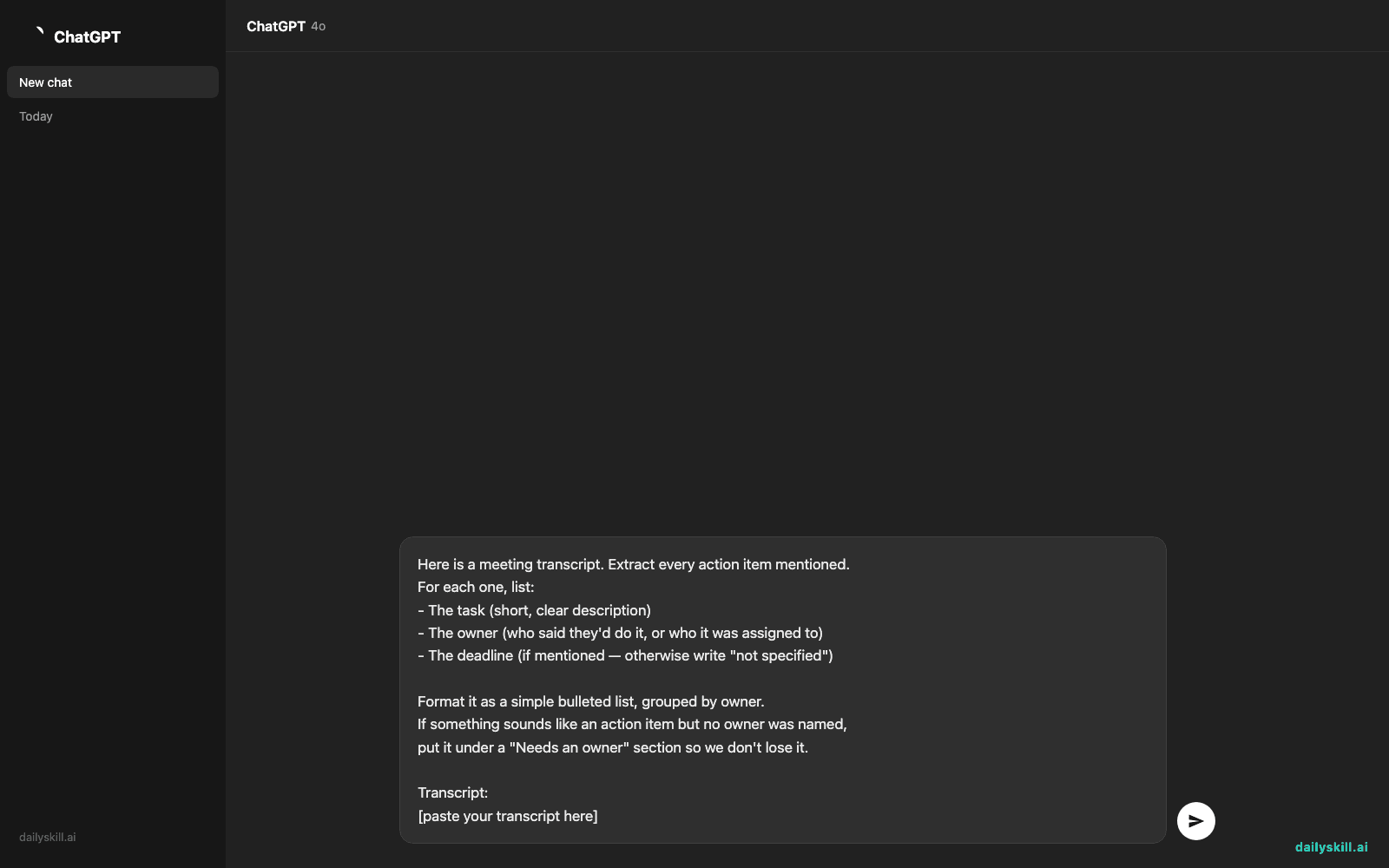
Here is a meeting transcript. Extract every action item mentioned.
For each one, list:
- The task (short, clear description)
- The owner (who said they'd do it, or who it was assigned to)
- The deadline (if mentioned — otherwise write "not specified")

Format it as a simple bulleted list, grouped by owner.
If something sounds like an action item but no owner was named,
put it under a "Needs an owner" section so we don't lose it.

Transcript:
[paste your transcript here]
Step 3: Scan, confirm, send
Read through the list and fix anything it misheard — transcripts mangle names more than you’d think. Then paste it straight into Slack, email, or your task tool.
Real example
Input (snippet of transcript):
“…yeah so Priya, can you follow up with the vendor on pricing before Friday? …Tom, you mentioned you’d redo the onboarding flow mockups, no rush but let’s say next Wednesday. And someone needs to update the FAQ page, I don’t think we assigned that yet…”
AI output:
Priya
– Follow up with vendor on pricing — Due: FridayTom
– Redo onboarding flow mockups — Due: Next WednesdayNeeds an owner
– Update the FAQ page — Due: not specified
That one 3-minute clip just became a task list with names and dates attached — no one had to remember it, type it up, or chase it down later.
Level up
- Add “Also flag any decisions that were made, separately from action items” to catch important calls, not just tasks.
- Ask for a format your tool likes: “Format as Markdown checkboxes” works great for Notion or GitHub issues.
- For recurring meetings, add: “Compare this to last week’s action items if I paste them below — tell me what’s still open.”
FAQ
Can I just upload the audio file instead of a transcript?
Yes — many AI assistants can transcribe audio or video directly, or you can run your meeting tool’s built-in transcript feature first and paste the text. Either path works.
What if the transcript doesn’t clearly say who’s responsible?
That’s exactly why the prompt includes a “Needs an owner” section — it surfaces the gray areas instead of guessing, so your team can assign them properly instead of losing them.
Does this work for messy, informal notes too — not just transcripts?
Yes. The AI just needs enough text to spot who said they’d do what. Rough bullet notes work fine; it’ll just have less detail to pull from.
Today’s check-in
Try it on your next meeting transcript and drop one task it caught that you would’ve forgotten — we love a good “oh right, that” moment.
Tomorrow: we’ll turn one dense academic paper section into a plain-language summary you can actually explain to a friend.
You might also like:
- Can AI help me understand a hobby or topic I’m curious about?
- Jasper Brief — Turn One Keyword Into a Ready-to-Use Content Brief
Master Everyday AI in 1 Minute a Day
Get our free 2026 Double-Blind AI Benchmark Scorecard & 20 Ready-to-Use Prompts, plus one honest, 60-second AI skill in your inbox every morning. Zero hype, plain English, cancel anytime.


