Yes. AI can build you a working household budget in under two minutes. You tell it your income and expenses in plain language, and it hands back a clear spending plan, a breakdown by category, and savings suggestions. You still make the final money decisions — AI just does the heavy lifting of organizing the numbers.
Why this comes up
Budgeting apps feel like homework: spreadsheets, categories, formulas you have to maintain. Most people want a money tool that just works without a learning curve.
They’re not sure AI can handle real numbers responsibly, or where the catch is.
The honest answer
AI is genuinely good at this specific task. Here’s what’s true and what’s overblown.
What AI does well:
– Turns messy numbers (“I make $3,200 a month, rent is $1,100, car is $300…”) into a clean budget template instantly.
– Suggests a split (like 50/30/20 — needs/wants/savings) and adjusts it to your actual numbers.
– Flags obvious problems, like spending more than you earn.
– Answers follow-up questions: “What if I cut eating out by half?”
What it doesn’t do:
– It doesn’t know your real bank balance unless you tell it, or unless you’re using a tool connected to your accounts.
– It can’t guarantee tax or investment advice fits your specific situation — treat that part as a starting point, not a final word.
– A general chat assistant won’t automatically track spending over time or remember past sessions. Some dedicated AI budgeting apps do; a plain chat tool usually doesn’t unless you keep reusing the same conversation.
A spending plan with AI is a great first draft. You’re still the one who has to stick to it.
How to do it in under 2 minutes
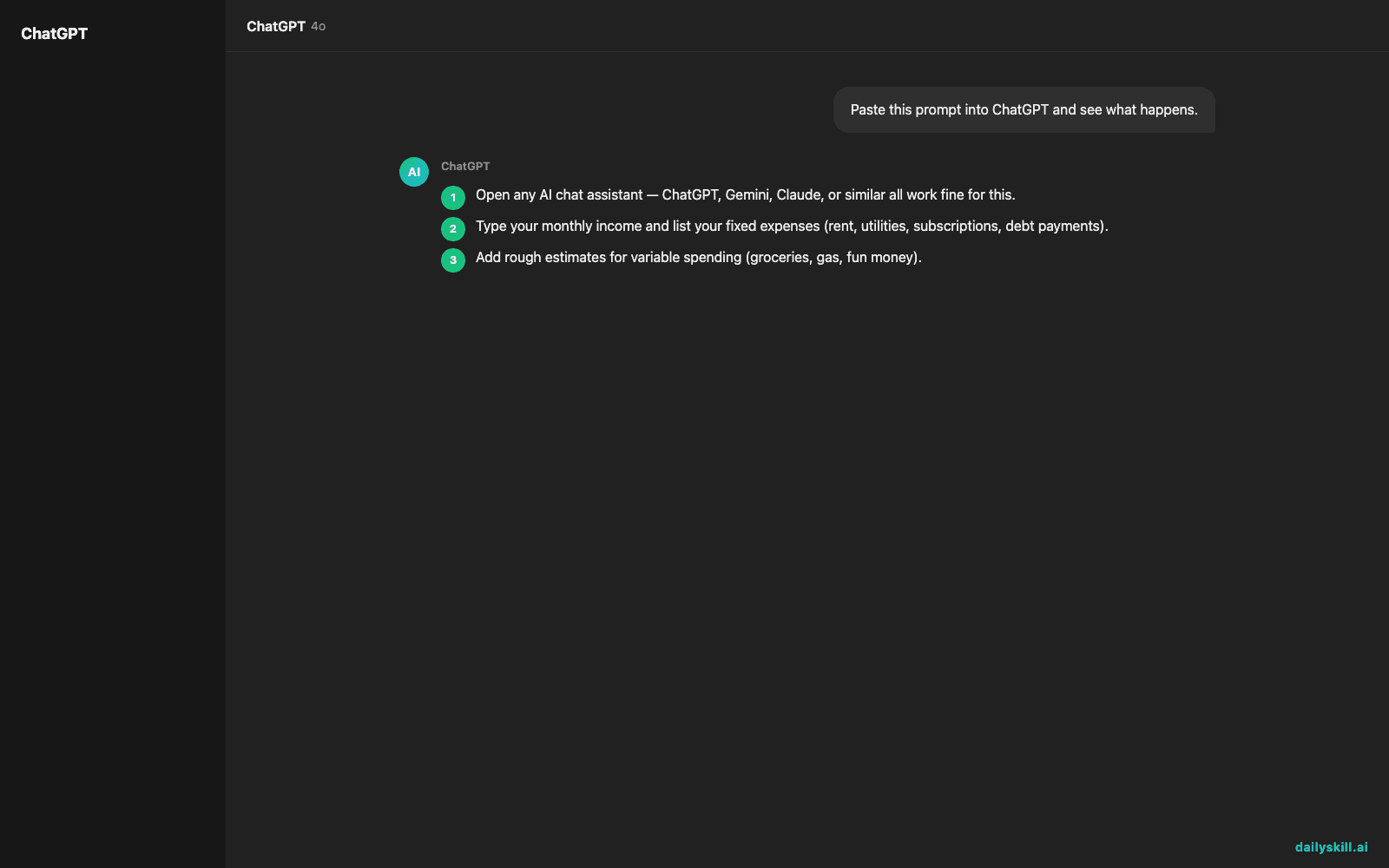
- Open any AI chat assistant — ChatGPT, Gemini, Claude, or similar all work fine for this.
- Type your monthly income and list your fixed expenses (rent, utilities, subscriptions, debt payments).
- Add rough estimates for variable spending (groceries, gas, fun money).
- Ask directly: “Build me a simple monthly budget from this. Show categories and how much is left over.”
- Ask a follow-up: “Where could I realistically cut back?”
That’s it. You now have a free AI budget plan tailored to your actual life, not a generic template.
What to do
- Do be specific with numbers — “about $400 on groceries” beats “I spend a lot on food.”
- Do ask for the budget in a simple table so it’s easy to scan.
- Do ask AI to recalculate whenever your income or expenses change — it takes seconds.
- Don’t paste account numbers or full bank statements into a general chat tool. Rounded totals are enough.
- Don’t treat AI’s tax or debt-payoff advice as final — check big decisions with a real advisor.
- Don’t assume it remembers last month’s budget unless you save the conversation or use a dedicated app built for tracking.
FAQ
Is this different from a budgeting app?
Yes. An app tracks ongoing spending automatically; an AI chat gives you a plan on demand, based on what you tell it. Some newer apps blend both.
Can AI help me pay off debt faster too?
Yes. Give it your debts and interest rates, and ask for a payoff order (like “avalanche” or “snowball”) — it’ll lay out a simple plan.
Is it safe to share my income with AI?
Rounded numbers are fine. Skip account numbers, passwords, or full statements in a general-purpose chat tool.
Bottom line
AI won’t manage your money for you, but it can turn a vague money worry into a clear plan in minutes — try it tonight with your real numbers.
What did your AI-built budget surprise you with? Share it with the DailySkill community. Tomorrow: how to use AI to generate creative ideas for a project or hobby.

You might also like:
- Write An Apology That Actually Repairs The Relationship
- Google Lens — Point Your Camera, Get Instant Answers About Anything
Master Everyday AI in 1 Minute a Day
Get our free 2026 Double-Blind AI Benchmark Scorecard & 20 Ready-to-Use Prompts, plus one honest, 60-second AI skill in your inbox every morning. Zero hype, plain English, cancel anytime.