
An angry customer message lands in your inbox and your first instinct is to get defensive — or just delete it. Here’s the fix: paste it into AI and get back the real problem underneath the frustration, plus one concrete thing you can actually do about it.
Sound familiar?
“This is the worst service I’ve ever had. Nobody ever answers. I’m done.” You read it, your stomach tightens, and now you’re stuck between snapping back and ignoring it. Either way, the useful signal buried in that rant gets lost.
The complaint almost always contains a real, fixable problem — it’s just wrapped in emotion.
The 60-second fix
Step 1: Open Gemini (free)
Go to gemini.google.com.
Step 2: Paste the complaint with this prompt
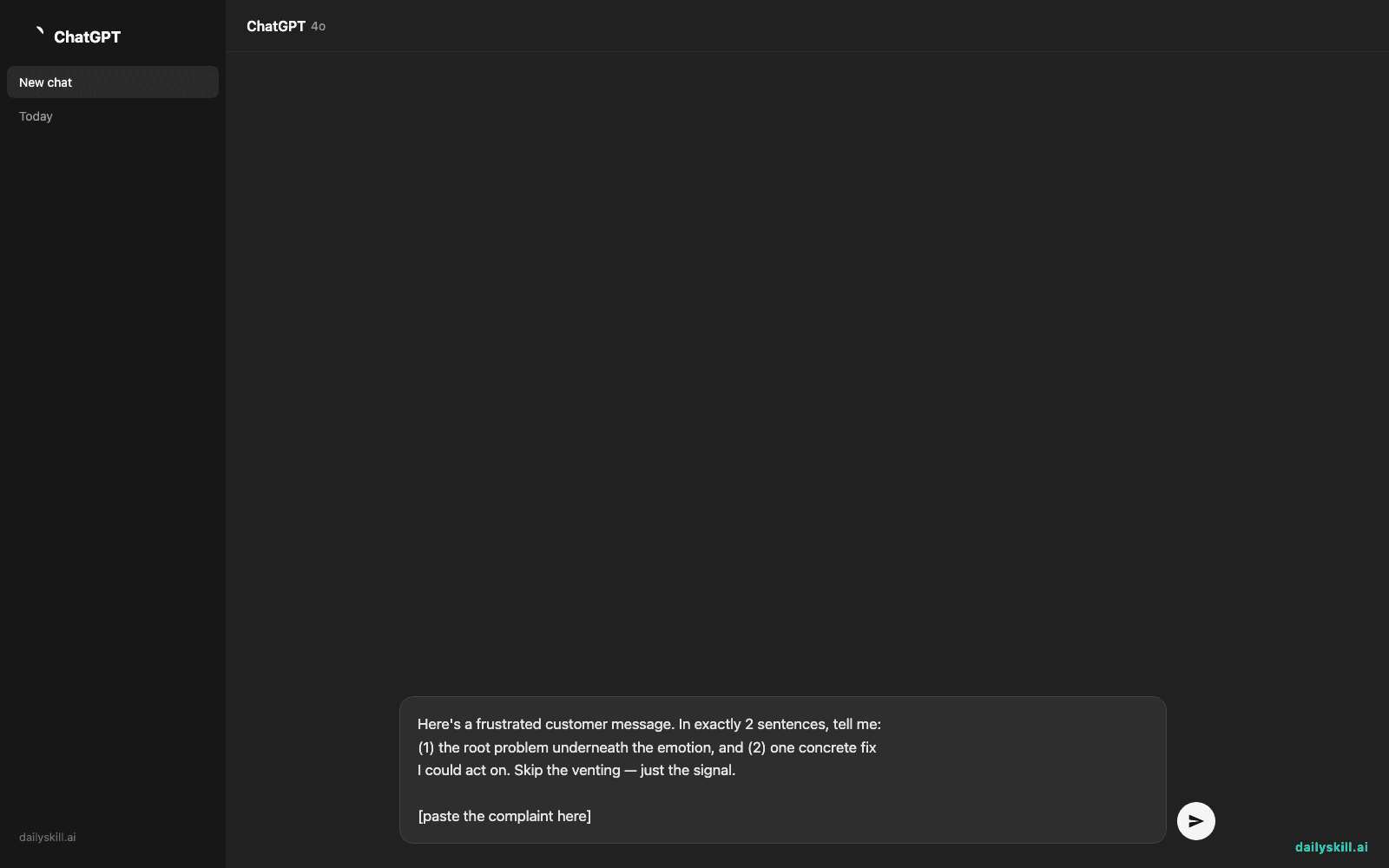
Here's a frustrated customer message. In exactly 2 sentences, tell me:
(1) the root problem underneath the emotion, and (2) one concrete fix
I could act on. Skip the venting — just the signal.

[paste the complaint here]
Step 3: Act on the fix, not the tone
Respond to the underlying problem the AI surfaced. The customer calms down faster when they see you fixed the actual thing, not just apologized for their mood.
Real example
Input (the raw complaint):
“Absolutely terrible. I’ve emailed THREE times about my broken order and nobody replies. Do you even have a support team?? Never buying from you again.”
Output from AI:
Root problem: Support emails are going unanswered, so the customer feels ignored on a legitimate broken-order issue. Concrete fix: Reply within the hour with a replacement or refund, and set up an auto-acknowledgment so future emails confirm receipt immediately.
Two sentences, and you know exactly what to do — no re-reading the rant five times.
Level up
- Spotting patterns? Paste 5-10 complaints at once and ask “what’s the single most common root problem across all of these?” — that’s your next fix to prioritize.
- Drafting the reply too? Add “now write a 3-sentence reply that acknowledges the issue and states the fix, warm but not groveling.”
- Team-facing? Ask for “a one-line internal note for my team summarizing what to change,” so the fix outlives this one customer.
FAQ
Won’t this make my response feel robotic?
No — the AI surfaces the problem and fix; you still write the reply in your own voice. Use it to see clearly, not to auto-respond.
What if the complaint is just abuse with no real issue?
The prompt will usually say so (“no actionable problem — this is venting”). That’s useful too: it tells you when to disengage politely instead of chasing a fix that isn’t there.
Can it handle complaints in another language?
Yes — paste it as-is. AI will read it and give you the root problem and fix in English (or whatever language you ask for).
Today’s check-in
Grab one real complaint you’ve been avoiding and run it through this — reply in the comments with the root problem it surfaced. Often it’s smaller than the rant made it feel.
Tomorrow: how to build a packing list for any trip in under a minute, tailored to your destination and weather.
You might also like:
Master Everyday AI in 1 Minute a Day
Get our free 2026 Double-Blind AI Benchmark Scorecard & 20 Ready-to-Use Prompts, plus one honest, 60-second AI skill in your inbox every morning. Zero hype, plain English, cancel anytime.


