Ever leave a meeting with three pages of scribbled notes and zero idea who’s doing what by when?
Here’s the fix: paste your raw notes into AI and get a clean, organized to-do table back — in about 60 seconds, no retyping required.
Sound familiar?
You just got out of a 45-minute meeting. Your notes look like this: “Sarah – website – Friday? Tom email client, budget thing due next week, need to check with Mike.”
Now you have to turn that mess into something your team can actually follow. Normally that means 15 minutes of manual sorting — who owns what, what’s the deadline, what did you even mean by “budget thing.”
The 60-second fix
Step 1: Copy your raw notes
Don’t clean them up first. Typos, half-sentences, arrows — AI can handle messy input just fine.
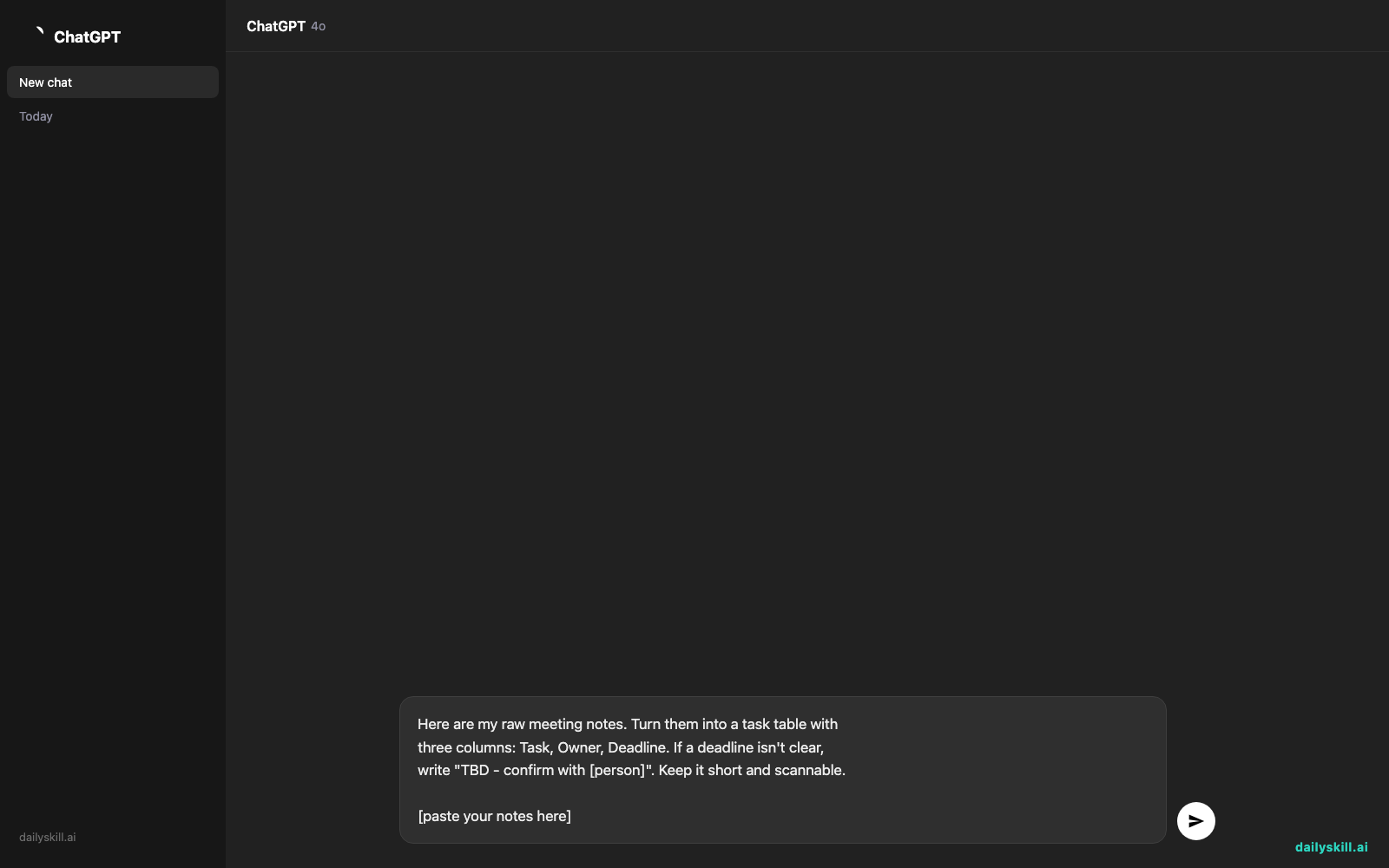
Step 2: Paste this prompt into your AI assistant
Here are my raw meeting notes. Turn them into a task table with
three columns: Task, Owner, Deadline. If a deadline isn't clear,
write "TBD - confirm with [person]". Keep it short and scannable.

[paste your notes here]
Step 3: Review and send
Skim the table for anything obviously wrong, then paste it straight into your team chat or email.
Real example
Input (your actual messy notes):
“Sarah – website – Friday? Tom email client, budget thing due next week, need to check with Mike. Design review Thursday, who’s leading? Maybe Priya.”
Output from AI:
| Task | Owner | Deadline |
|---|---|---|
| Update website | Sarah | Friday |
| Email client | Tom | TBD – confirm with Tom |
| Finalize budget | Mike | Next week |
| Lead design review | Priya | Thursday |
That’s it. No back-and-forth, no re-explaining who’s who.
Level up
- Add “also flag anything that sounds urgent or blocked” to catch risks early.
- Ask for “a Slack-ready summary in 3 bullet points” if your team prefers chat over tables.
- Paste notes from multiple meetings at once and ask AI to group tasks by owner instead of by meeting.
FAQ
Do I need a paid AI tool for this?
No. Any current AI assistant’s free tier can handle this — it’s a short text task, not something that needs special features.
What if my notes are in a mix of languages or shorthand?
That’s fine. AI is good at figuring out context from abbreviations and mixed language notes — just double-check names and dates afterward.
Can it pull notes straight from a recording or transcript?
Yes, if you have a transcript (from Zoom, Teams, etc.), paste that in instead of typed notes — the same prompt works.
Today’s check-in
Try this on your next meeting notes and reply in the comments with how many minutes it saved you.
Tomorrow: how to get AI to write two versions of the same email — one polished for clients, one casual for coworkers — in a single request.